Agents and sessions
Start a ticket and the Cockpit runs a real agent for it in an embedded terminal. It is the same agent you would run in your own terminal: it works with your project's own permission settings, and it asks you in this terminal when it needs approval. Canon never turns on a permission bypass.
You can pick the agent for each session: Claude Code, Pi or Copilot CLI. Claude Code on one ticket and Pi on another is fine; give each ticket its own worktree so two sessions do not edit the same files; see Working in worktrees.
Start a session
Press ▶ Start on an open ticket, or ▶ Resume on one in progress, choose the agent and press ▶ Start sprint. The first time Claude Code opens in a folder it asks whether you trust it; see Quick start. The steps from there are in Sprint and gates.
Leave and come back
Closing the tab does not stop the agent. It keeps running, and the board shows its state on the ticket's card and in the Agents list on the left, grouped by project. The card's button changes to Open ▸.
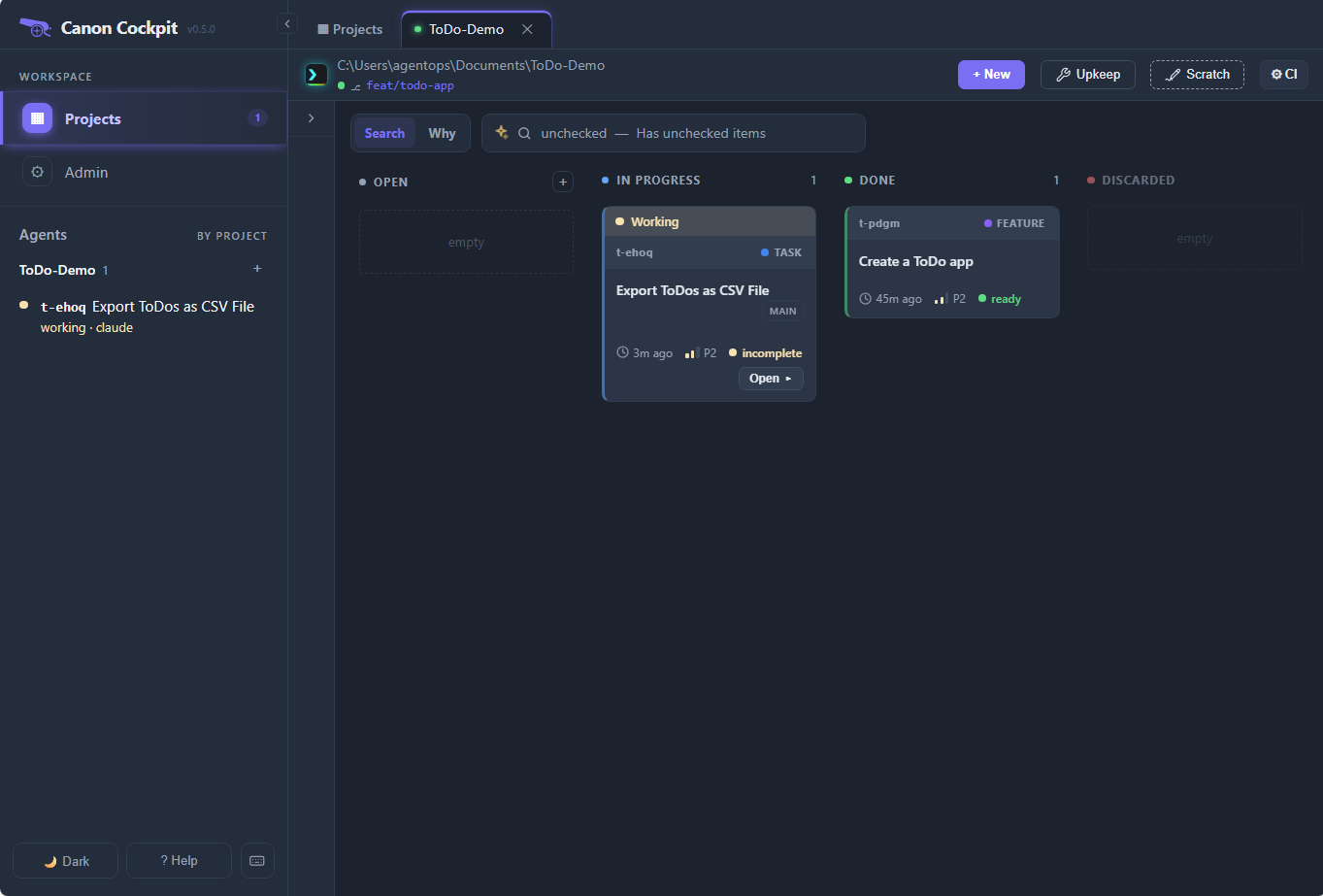
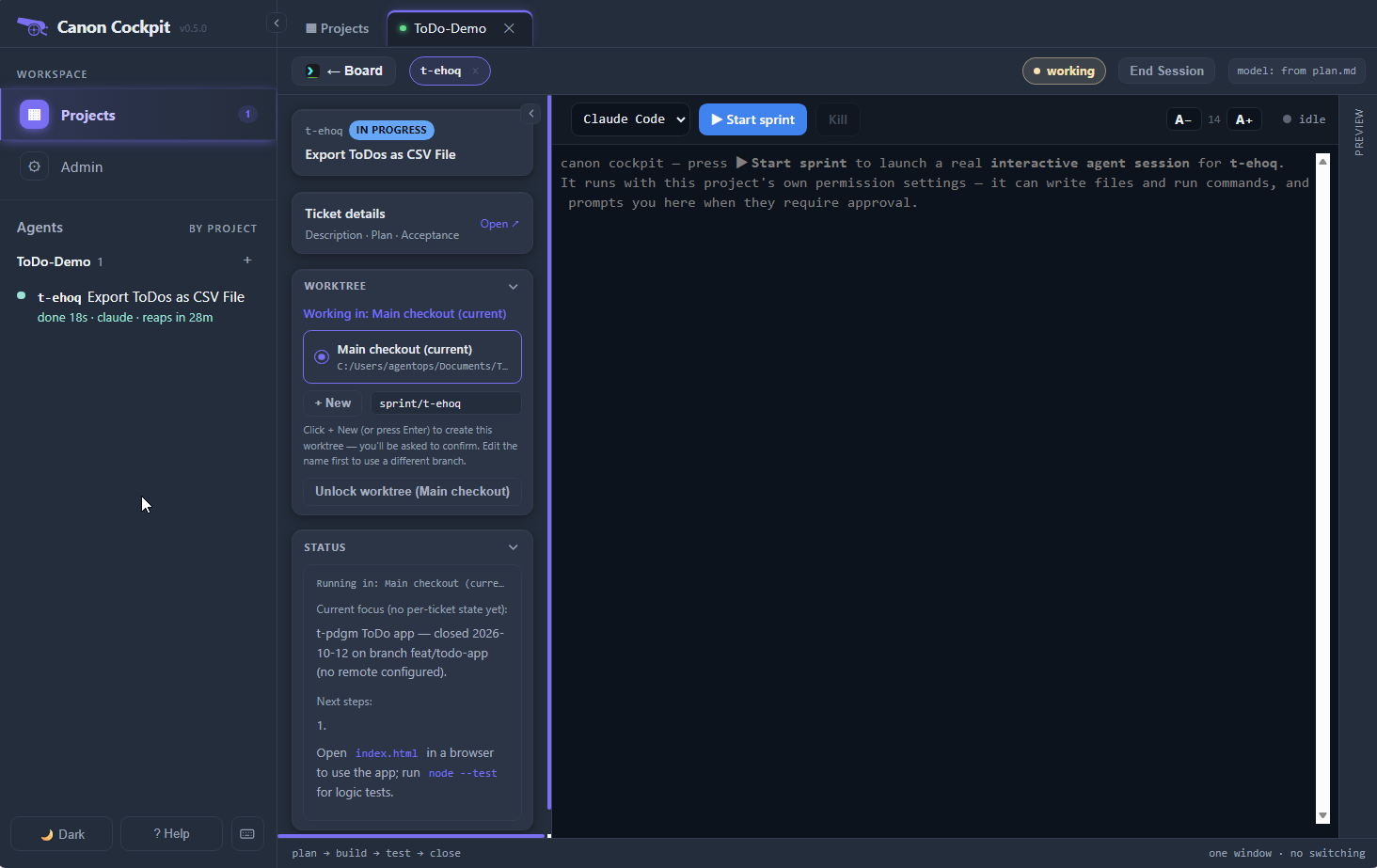
Open the ticket again. Its terminal still says to press ▶ Start sprint, but the session is still running: it shows in the Agents list. Press ▶ Start sprint to rejoin it: the recent output is replayed, and you can carry on typing.
What the colours mean
Each session has one state:
- needs you (pink-red): the agent is showing a permission or approval prompt, or another input dialog from Claude Code. On the board the card's button reads Answer ▸. A question it asks in plain text does not count: the agent has finished its turn, so the session shows as done. The idle timer never ends a session that needs you.
- working (yellow): output or input in the last 15 seconds.
- done (teal): the agent has finished and is waiting for your next prompt.
- idle (a hollow green ring): nothing has happened for a while.
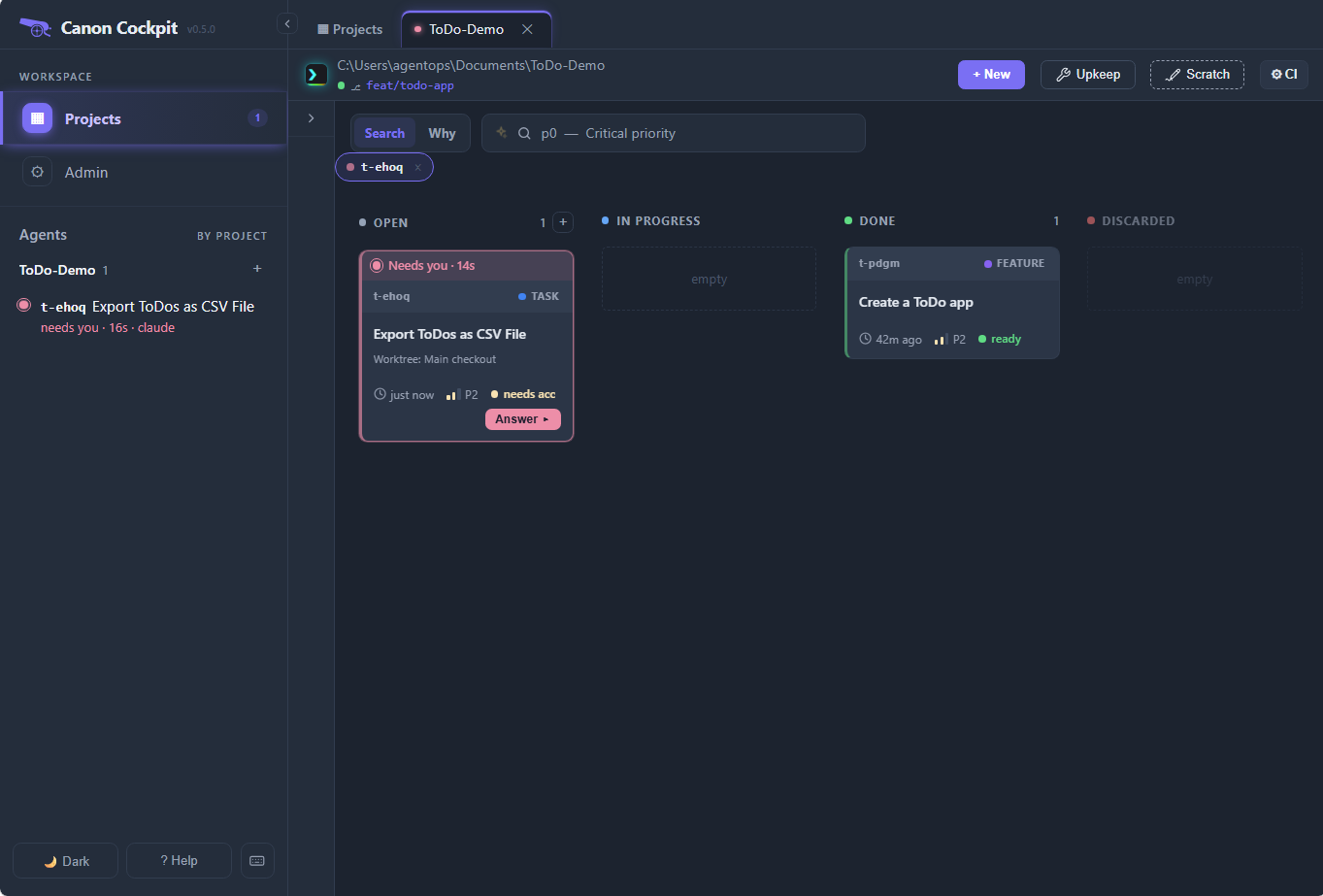
The same state shows in the Agents list, the tab dot, the Projects cards and the ticket's header. A session that is not waiting on you is ended automatically after a quiet spell: 5 minutes in a worktree, 30 minutes in the project's own folder. Any activity resets the timer, and the card counts it down ("reaps in 28m"). To reap a session is to end it; Admin explains the countdown.
Turn on Desktop notifications on the Admin page (off by default) to be told when a session starts waiting while the Cockpit is out of view. Your browser asks for permission only when you switch it on.
End a session
Press End Session in the ticket header. Canon asks how:
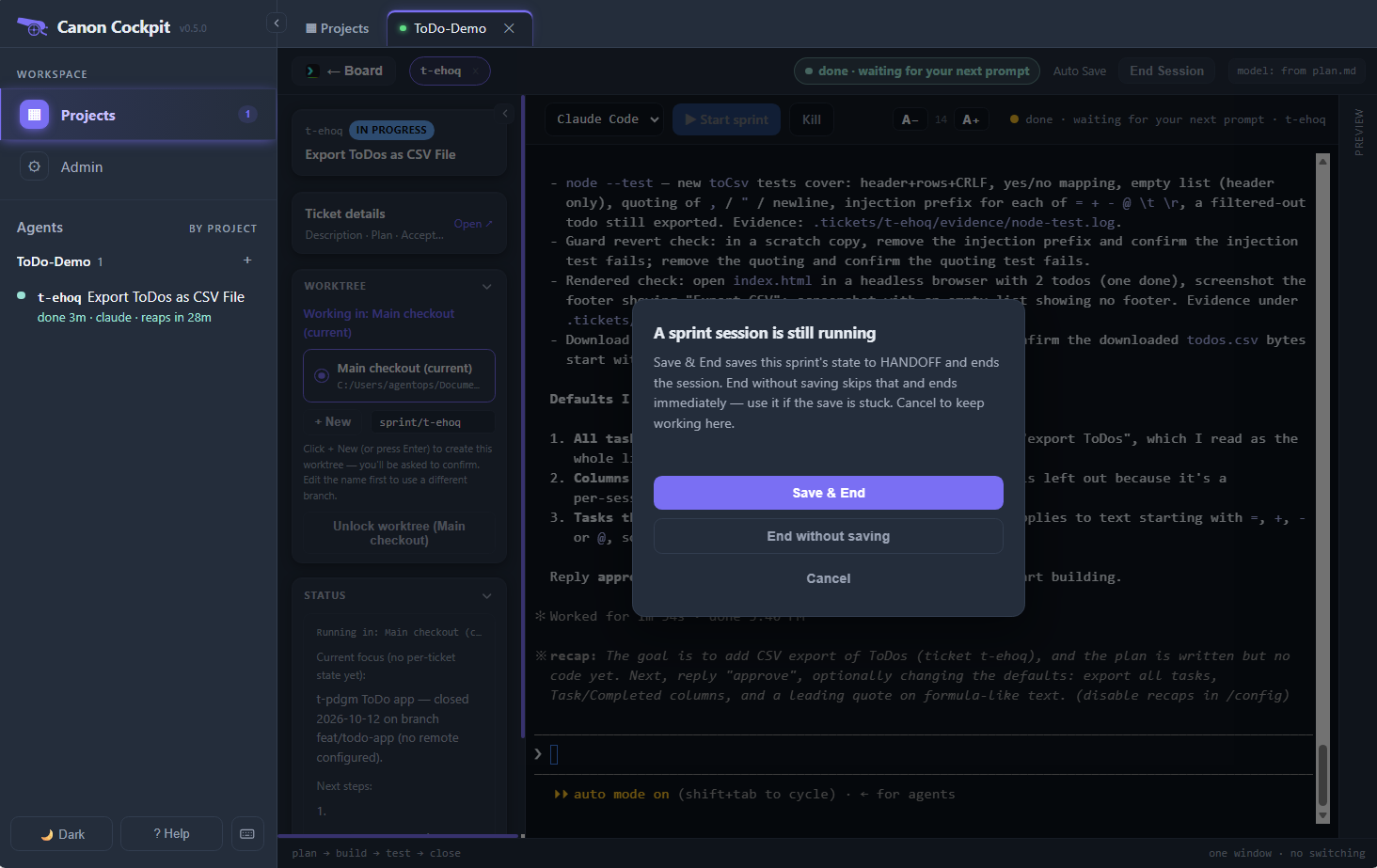
- Save & End saves the sprint's state to
HANDOFF.md, then ends the session. This is the one to use. - End without saving ends it at once. Use it if the save is stuck.
- Cancel keeps you working.
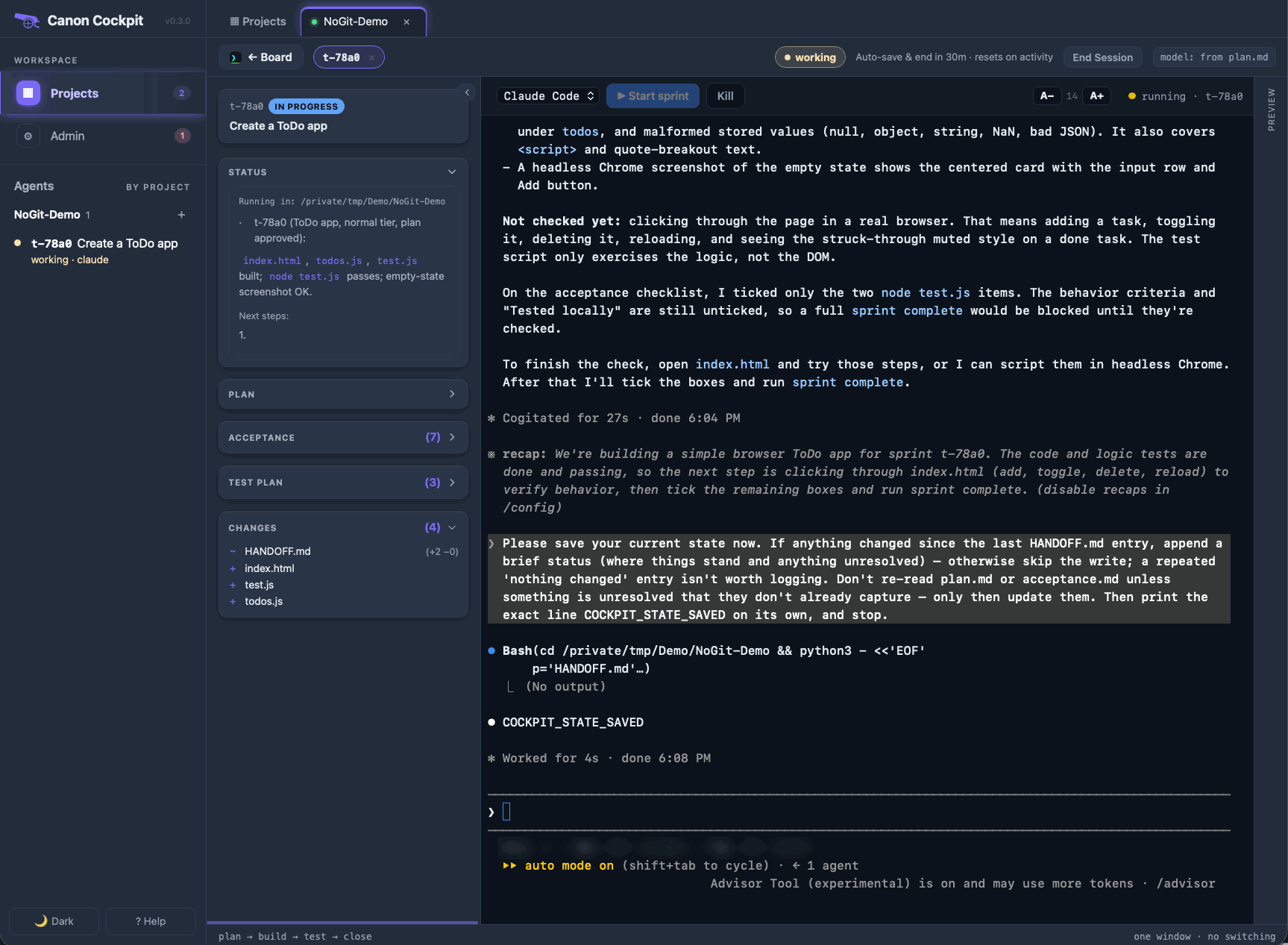
Here is how Save & End works. Canon asks the agent, in the terminal, to save its state: append a short status to HANDOFF.md if anything changed, then print the exact line COCKPIT_STATE_SAVED and stop.
Canon ends the session at the first of three things:
- it sees that line (the Claude Code path);
- it sees the agent's state file change and then go quiet (the path for agents that cannot print a clean line, such as Pi);
- a time limit runs out, so a stuck agent cannot block the end.
If you type while it is saving, canon stops waiting and leaves the session running.
Resume later
The ticket stays in progress, now with a ▶ Resume button. Its Status panel shows the saved state, so you can see where you stopped before you start anything. That state comes from HANDOFF.md; see Session continuity.
Press ▶ Start sprint to continue. Canon resumes the earlier conversation when it can; when it cannot, the agent runs sprint continue <id>, which reads the ticket's documents and carries on from the first unchecked item.
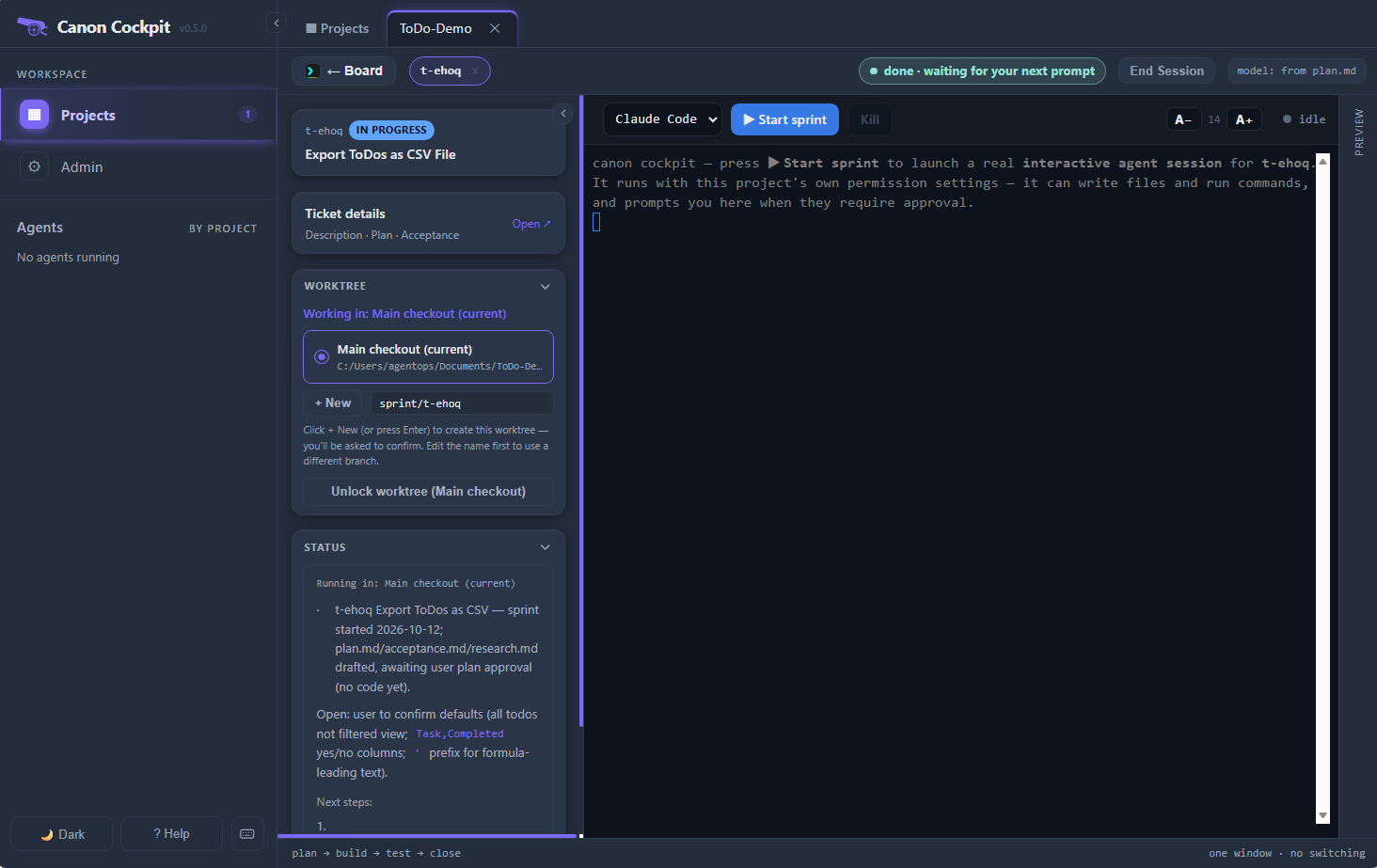
If the Cockpit's background process stops while sessions are running, a banner offers to Resume or Dismiss each interrupted session when it starts again. Nothing restarts by itself.
Scratch sessions
Scratch on a project card starts the plain agent with no ticket, no sprint and no gates.
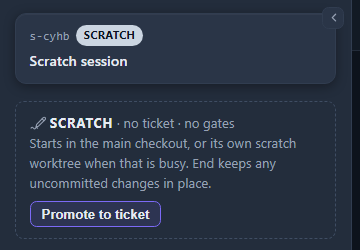
A project can run several at once. The first uses the main folder. While a session is running there, a ticket's or another Scratch, the next gets its own worktree, which is removed when the session ends if nothing was done in it. A folder without git has no worktrees, so its Scratch sessions share the folder, and the board warns that they can overwrite each other.
When a scratch session turns into real work:
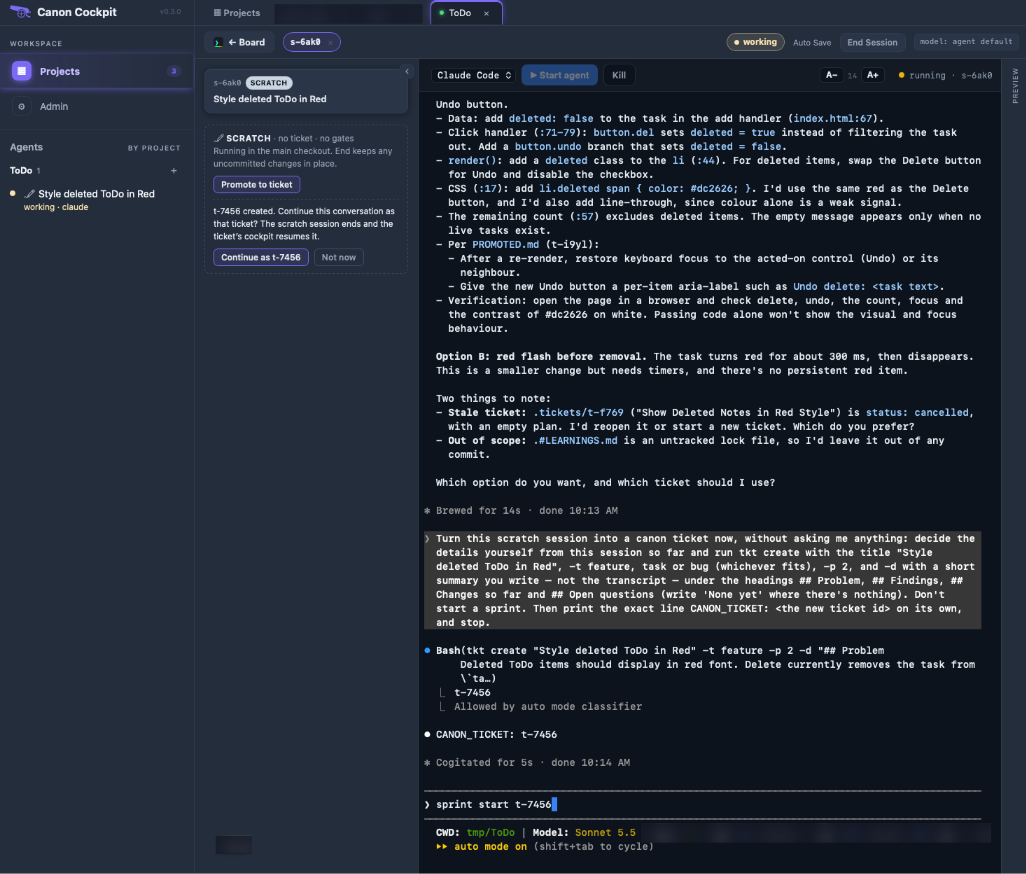
- Press Promote to ticket. The agent must be running. Canon asks it to write a short summary of the session, not the transcript, as a new ticket with
tkt create, under the headings Problem, Findings, Changes so far and Open questions, and then to report the ticket's id. Thetkt createcommand goes through your agent's usual approval. - The panel then offers Continue as the new ticket, which ends the scratch session and lets the ticket's Cockpit resume the conversation, or Not now, which leaves the scratch session running. The ticket is already created either way.
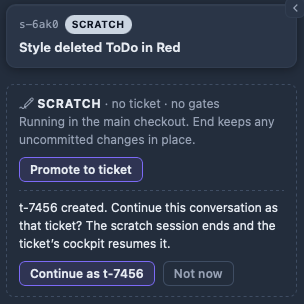
The whole window at that moment:
Ending a scratch session asks what to do: Save as ticket, then end (the same hand-off, then the end), Just end, or Cancel. If the session changed files, the dialog lists them and Just end becomes Keep changes, end, which leaves them in place, noted in HANDOFF.md. When the checkout was clean at the start, Discard changes, end is offered too.