Working in worktrees
A worktree is a second copy of your project's files, on its own git branch, that shares the same repository. Give a ticket its own and two agents can work at once without editing the same files.
This tutorial follows one real run on a small ToDo app, on canon 0.47.10 and Windows. You will add two tickets, run them side by side, close both, merge the second into the default branch and finish:
- Export to CSV, in the main checkout.
- Add timestamp to Todos, in its own worktree.
You need a project that uses git, with one closed ticket behind it, as at the end of the Quick start. A project without git has no worktree panel; see Projects without git. Ticket ids differ in your project; ours were t-80kz (CSV) and t-tko0 (timestamp). Both tickets change index.html, which is what a merge has to deal with.
Some steps need care, so they carry two kinds of box: a purple Check before you continue, and an amber Watch out for the traps we fell into.
1. Get the project ready before you add anything
A worktree only carries committed files. Commit your project's setup files (AGENTS.md, CLAUDE.md, .gitignore, and HANDOFF.md if canon has written to it) and track .tickets/ in git (see Registering skills). Leave the skill link folders, .claude/skills and .agents/skills, out of your commits; skills.sh add already ignores them.
Use the board's Terminal tab: type su and approve the operating-system prompt to get a full shell for 10 minutes. Cockpit and board explains it. Then:
git status
git diff --stat
git add AGENTS.md HANDOFF.md
git commit -m "chore: commit setup files"
git status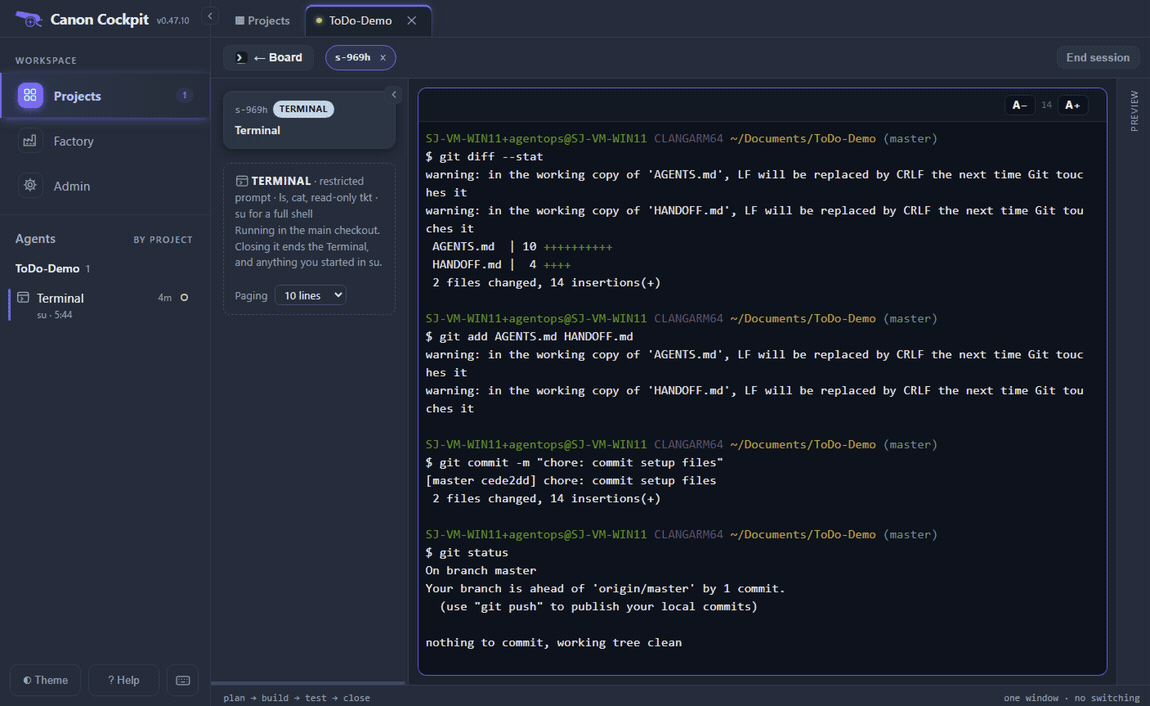
On Windows, git add prints a warning that LF will be replaced by CRLF the next time Git touches the file. It is a line-ending notice, not an error: the commit line below it succeeded. If your project has a remote, git status may say your branch is ahead of it by one commit. You do not need to push for a worktree.
git statussays the working tree is clean. A few untracked files are fine, such as a ticket'scockpit-sessions.mdsession log.- You know your default branch. It may be
mainormaster; this page says "the default branch", and in our run it wasmaster.
2. Add two tickets nothing is started yet
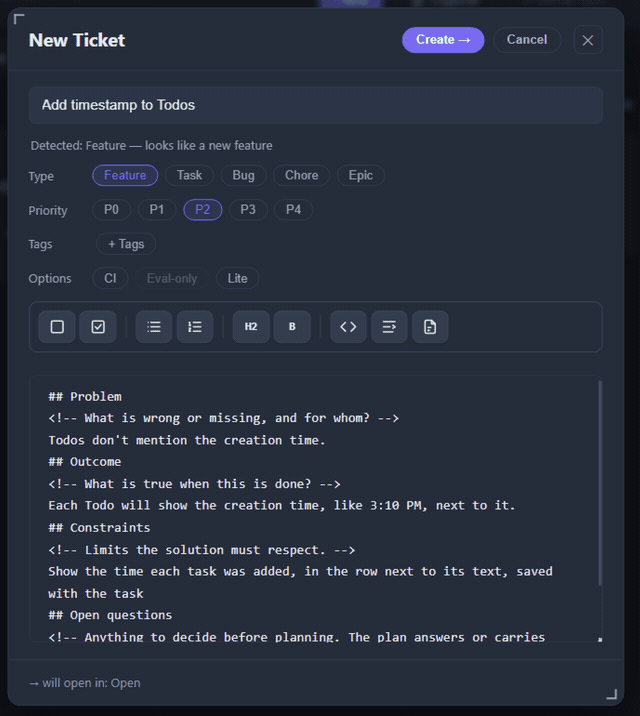
Press + New at the top of the board. The New Ticket dialog has a title, a Type, a Priority, Tags, three Options (CI, Eval-only and Lite) and a description with Problem, Outcome and Constraints sections. There is no Worktree row: you choose where a ticket runs when you start it. We left all three Options off.
Our first ticket:
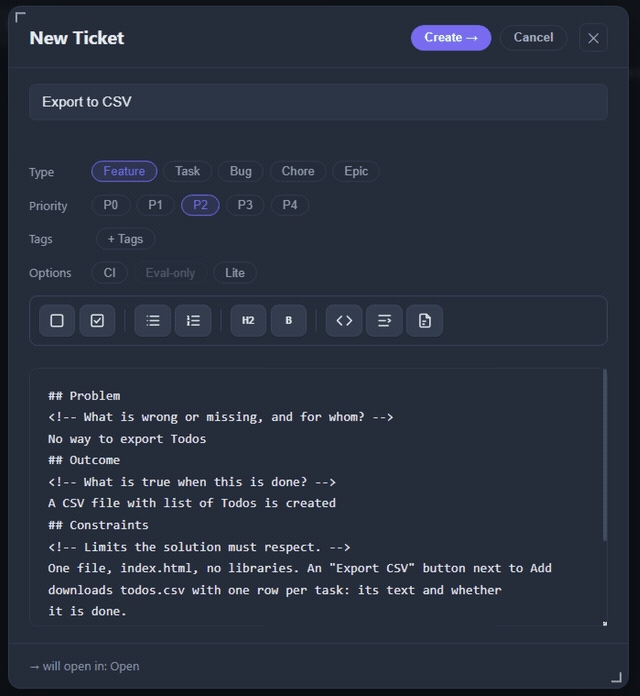
And the second:
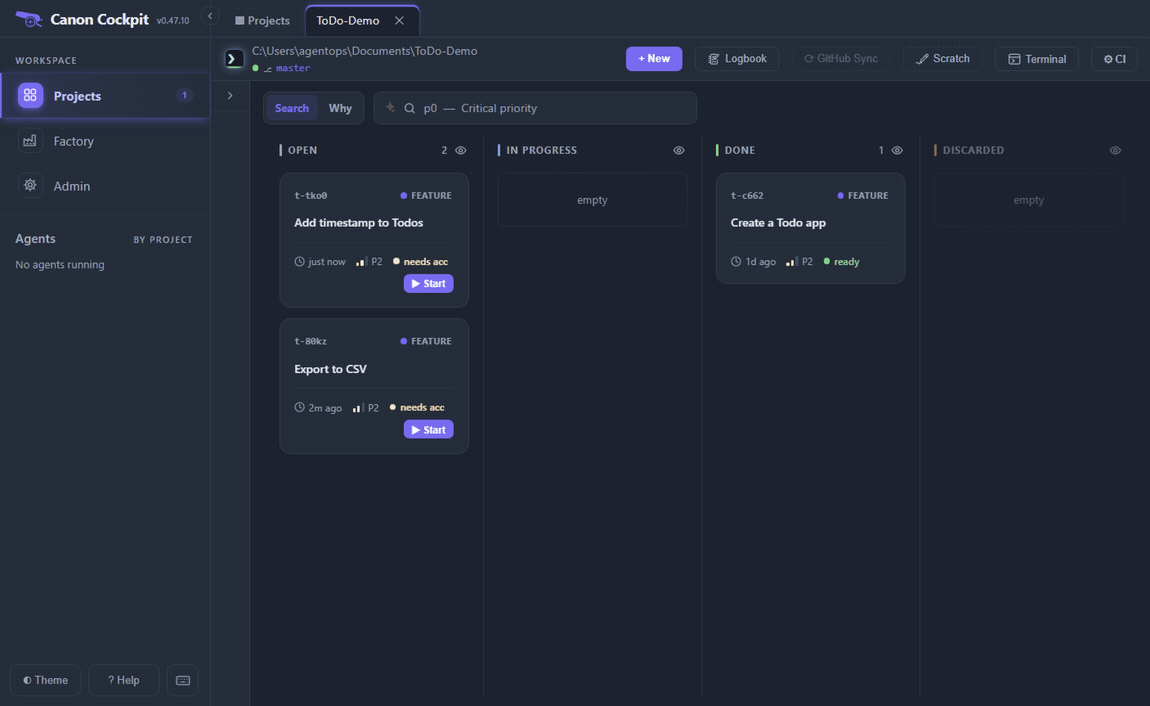
The board now shows both tickets in Open, each with a Start button and a needs acc pill, because neither has an acceptance file yet.
3. Put the second ticket in a worktree before you start it
Open the timestamp ticket. The Worktree panel has a row for the Main checkout (current), a greyed GitHub row (it sends a ticket to a Claude cloud session once GitHub is set up; see GitHub and cloud sessions) and a + New button with a branch name already filled in: sprint/t-tko0. Edit the name first if you want a different branch.
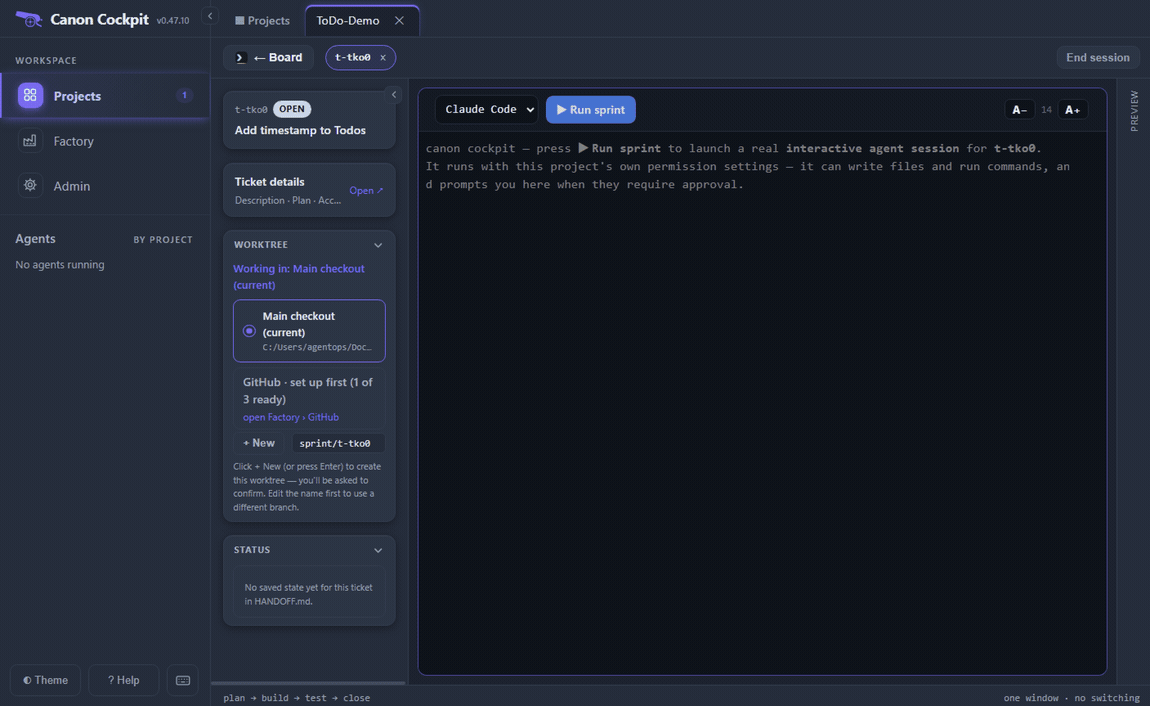
Click + New. Canon asks you to commit the ticket first, because a worktree only contains committed files.
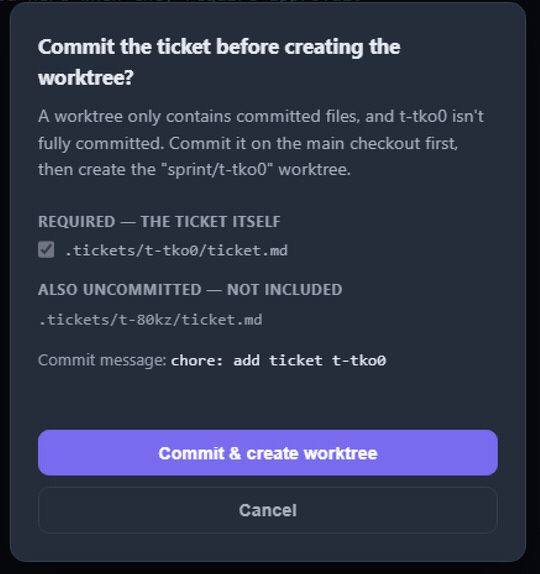
The dialog reads: "A worktree only contains committed files, and t-tko0 isn't fully committed. Commit it on the main checkout first, then create the "sprint/t-tko0" worktree." The commit message is fixed, chore: add ticket t-tko0. Press Commit & create worktree. The panel then says Working in: sprint/t-tko0 and the + New button is greyed.
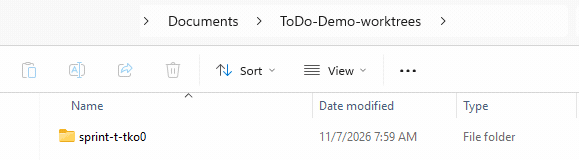
The worktree is a folder next to your project. It is named after the project with -worktrees added, here ToDo-Demo-worktrees, and holds one subfolder per branch. A / in the branch name becomes a -.
Choose your agent and press Run sprint. The session starts inside that folder: the pane header shows it, and the agent's first move is sprint start t-tko0.
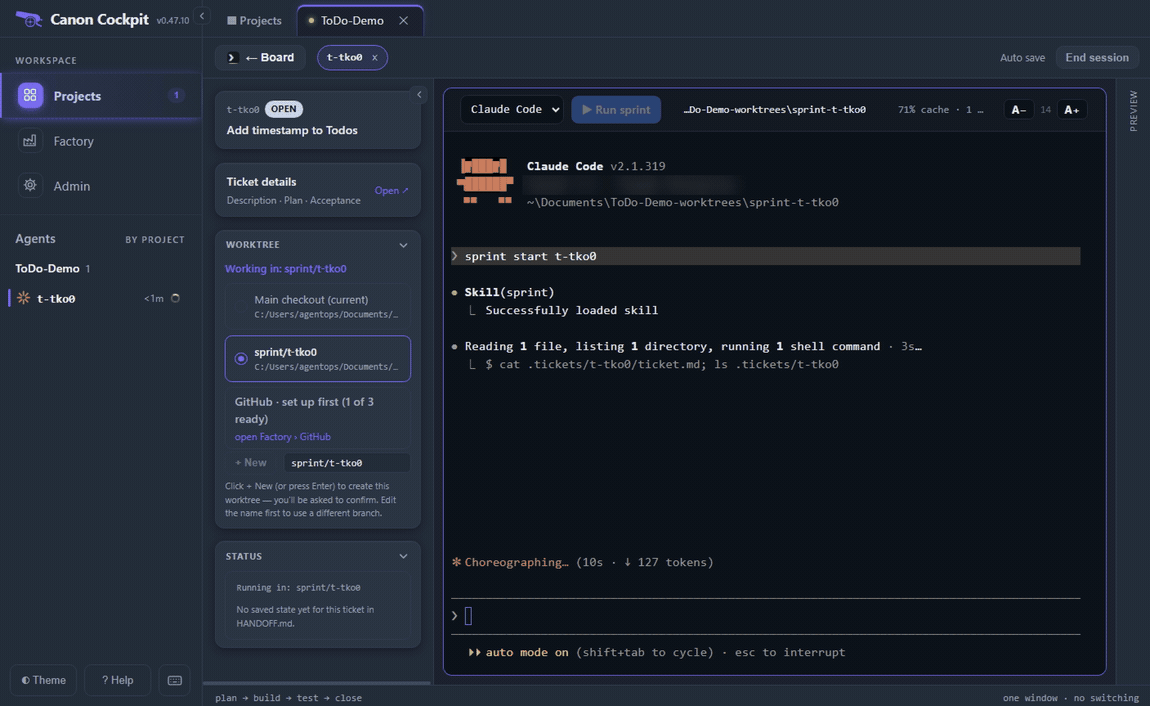
The agent writes the ticket's plan and stops with a brief. Ours ended with a question about something the ticket left open: the app does not save todos across reloads, and the agent asked whether to add that. We typed approve, and the agent took that as "no". Read the plan, answer any question it asks, then approve.
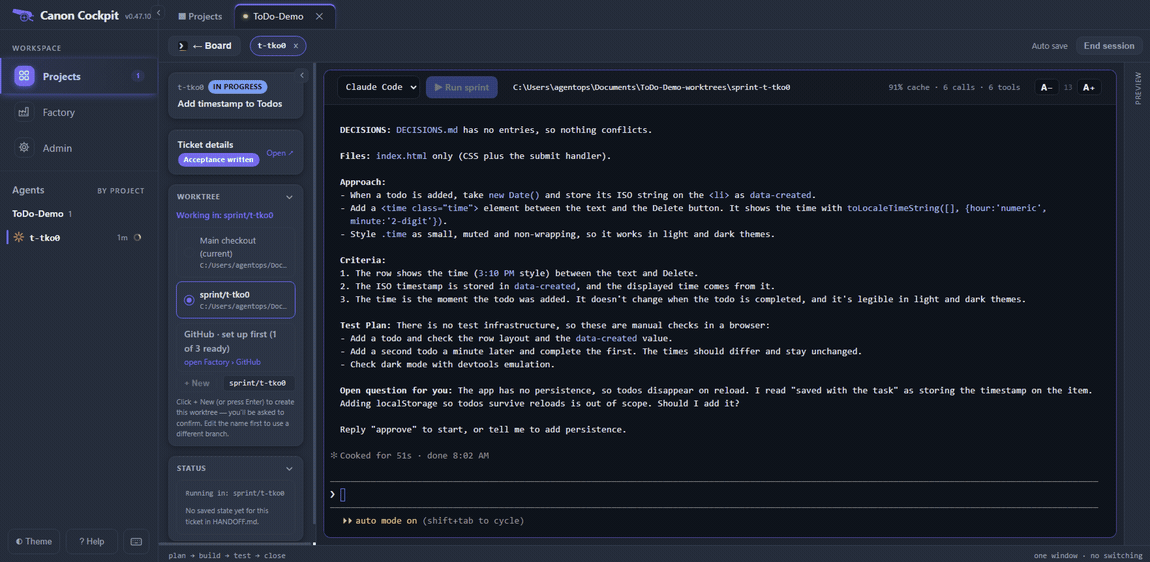
- The pane header shows the worktree folder, not your main project folder.
- The Worktree panel names the branch you chose.
4. Start the first ticket in the main checkout, while the other one runs
Open the CSV ticket. This time no row is selected: the terminal says "Select a worktree above to continue — Run sprint is disabled until a row is selected." The panel lists the timestamp ticket's worktree under "1 worktree unavailable", because that ticket is using it. A red note says the ticket is not committed yet: "t-80kz isn't committed yet — a new worktree won't contain it. + New will offer to commit it first." That matters only for a worktree.
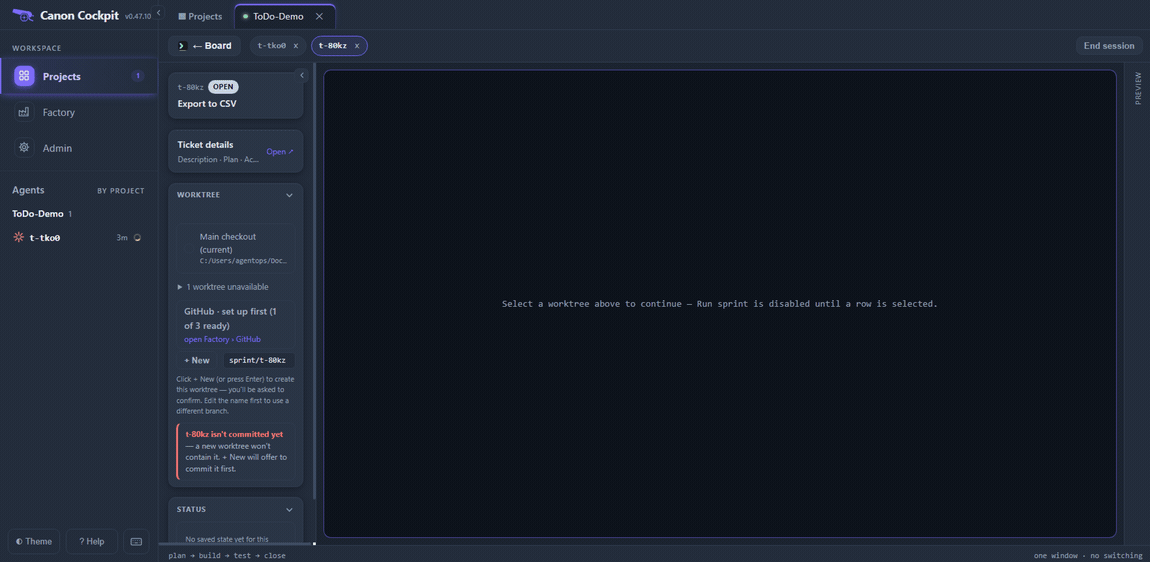
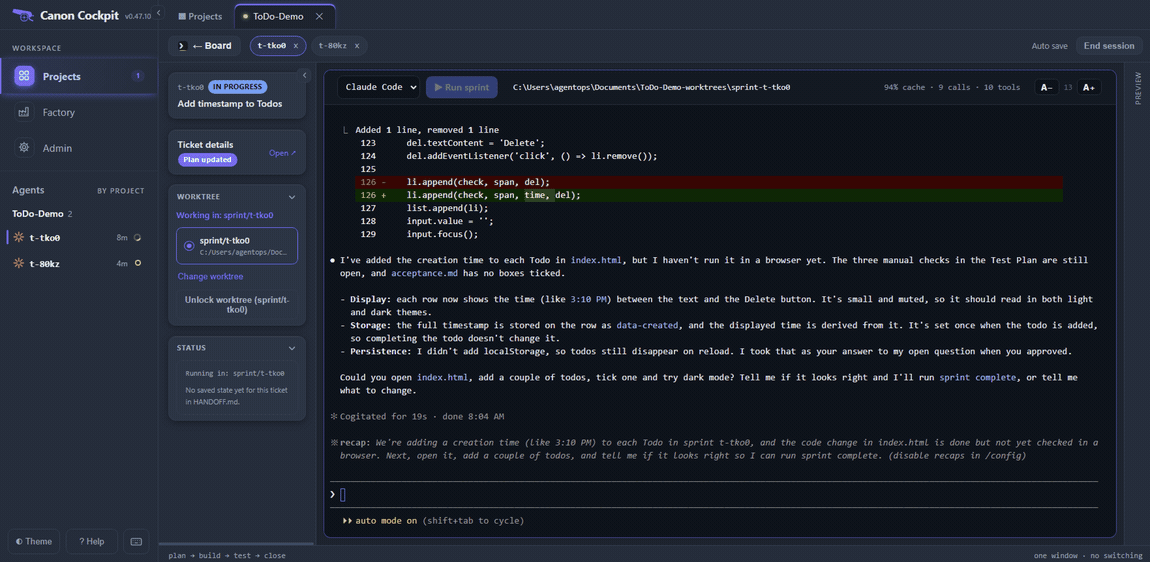
Click Main checkout (current), press Run sprint and approve the plan as before. Its pane header shows the main project folder. Now both agents are working, and both show in the Agents list.
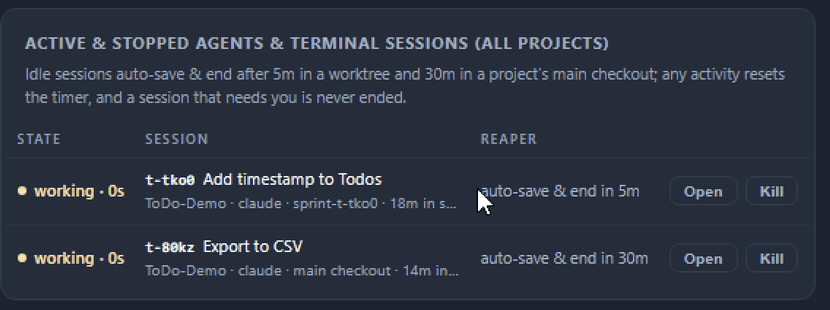
Admin says: "Idle sessions auto-save & end after 5m in a worktree and 30m in a project’s main checkout; any activity resets the timer, and a session that needs you is never ended." Its sessions table shows each session's countdown: ours read auto-save & end in 5m for the worktree and auto-save & end in 30m for the main checkout. The timer counts the agent's own terminal output as activity, so a session that is still printing is not idle. Answer your agents promptly all the same: our timestamp agent sat finished for about 8 minutes and was not ended, but we did not watch its timer and you should not count on that.
5. Close both tickets they can close at the same time
Each agent builds its change and asks you to try it. Open the page yourself, add a couple of todos, tick one, and tell the agent what you saw. Ours was Looks good. All tested and works. The agent then asks you to confirm the close, and you answer yes. Two closes can run at once: the gates compare a snapshot of the repository before and after, and leave out any branch checked out in another worktree.
A close runs the reviewer first, which is advisory, then the evaluator, which is binding. Each runs as a subagent, and the sub figure in the pane header counts them (see the session header numbers in the Quick start).
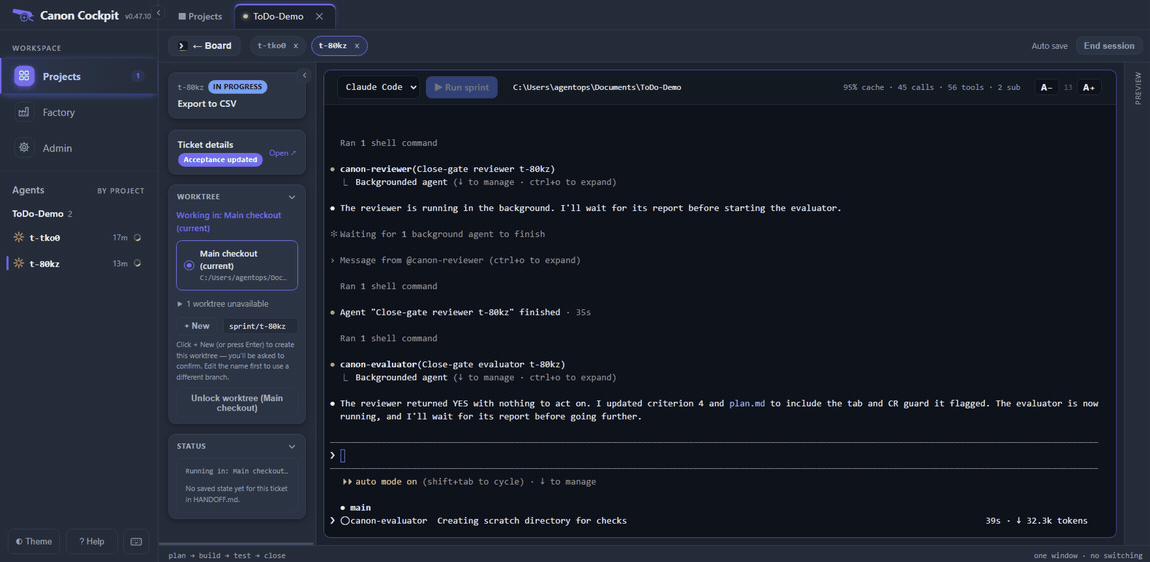
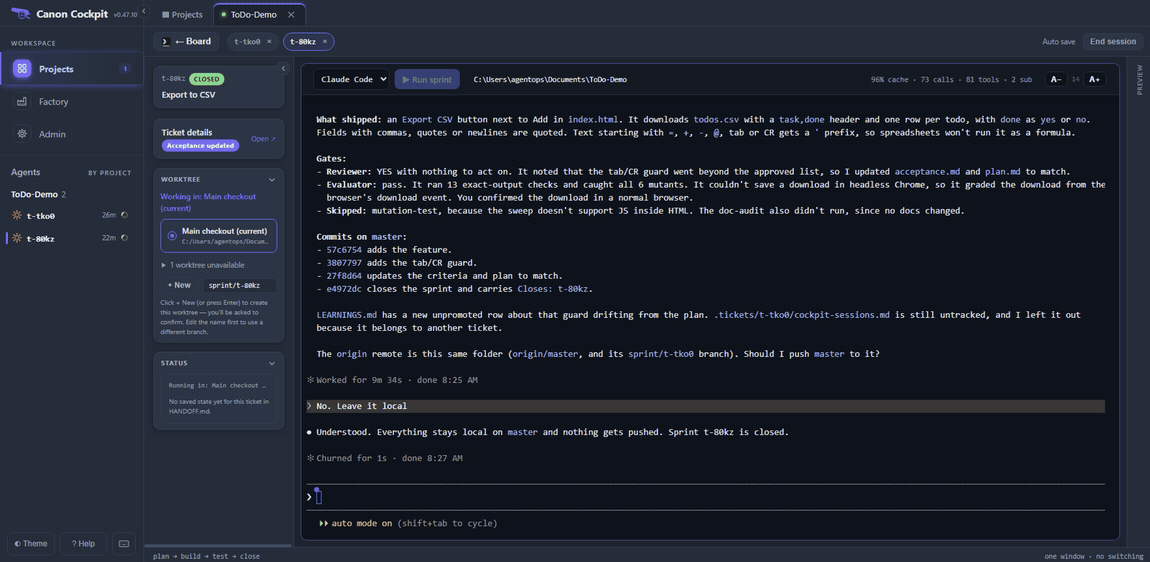
The CSV ticket closed on the first run. Wrapup widened a guard in the CSV code, the reviewer said yes with nothing to act on, and the evaluator passed. The close report lists four commits on master, and then asks whether to push. Our project's origin is the project folder itself, so we answered No. Leave it local. Then we pressed End Session; for a closed ticket the dialog says there is nothing to save, as in the Quick start.
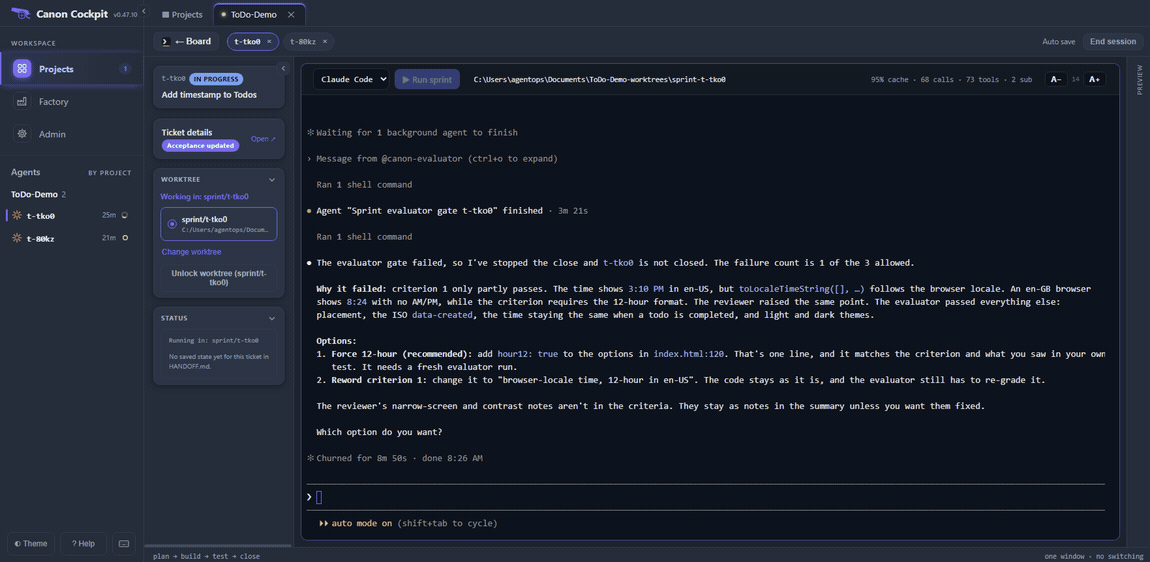
The timestamp ticket failed its first evaluator run. The time followed the browser's locale, and the agent reported that a browser set to British English would show 8:24 with no AM or PM, while the ticket's criterion said 12-hour. The agent stopped the close, reported that the failure count was 1 of the 3 allowed, and offered two fixes. We chose the one-line code change, forcing a 12-hour clock.
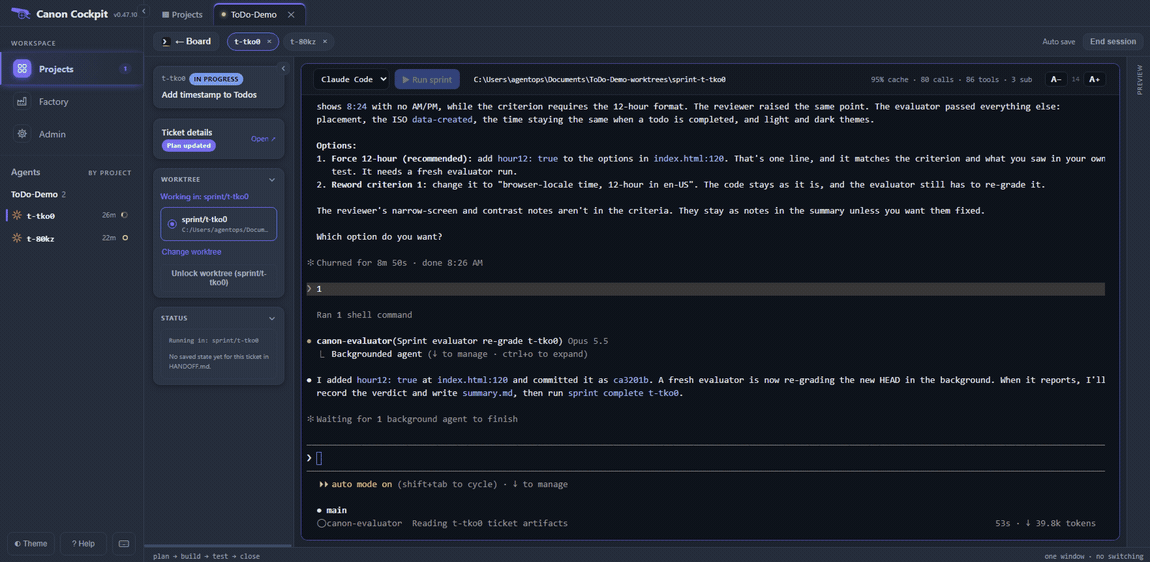
The agent made the change, committed it and started a fresh evaluator on the new head. It passed. The close then stops again to say what it left undone: the close files were not committed yet, and nothing was pushed or merged.
We answered Commit the close files. Don't run the merge, I'll use Check & merge on the board. The agent committed them with Closes: t-tko0 in the body, and the tree was clean. Then we pressed End Session again.
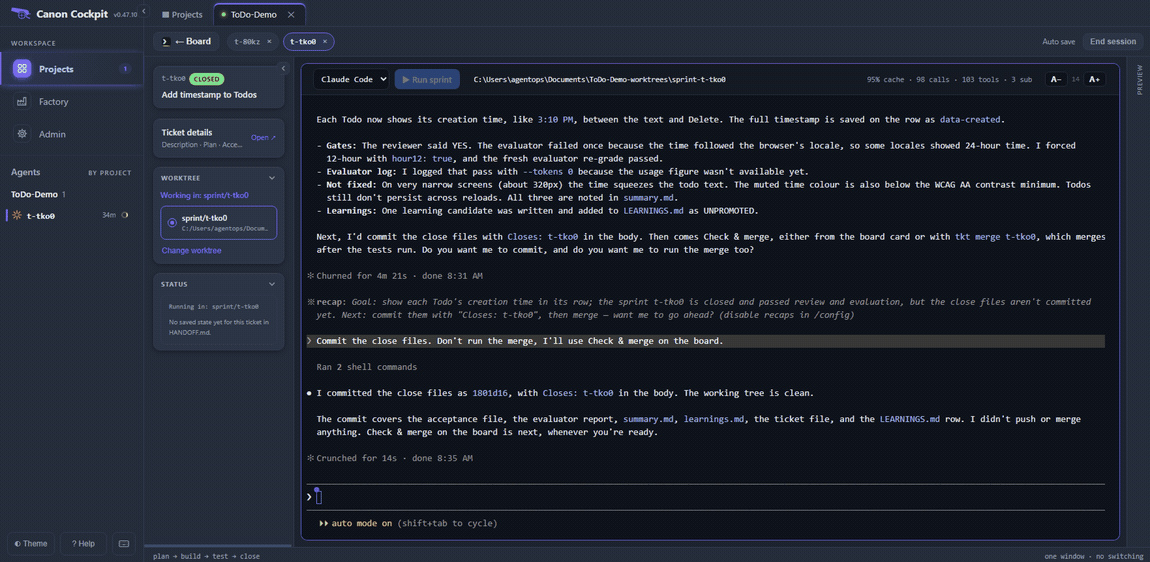
- Read each close report. This is where a failed gate, a skipped check or a reviewer note shows up.
- Answer the push question for your own project. Ours had no real remote, so we declined.
- Both sessions are ended. Closing a ticket in a worktree means it closed on its branch. It does not mean the branch is merged.
6. Check & merge and what to do when it refuses
Both cards are now in Done, and the worktree ticket's card has a Check & merge button. Hover it: "Check sprint/t-tko0 and merge it into master here after your confirmation".
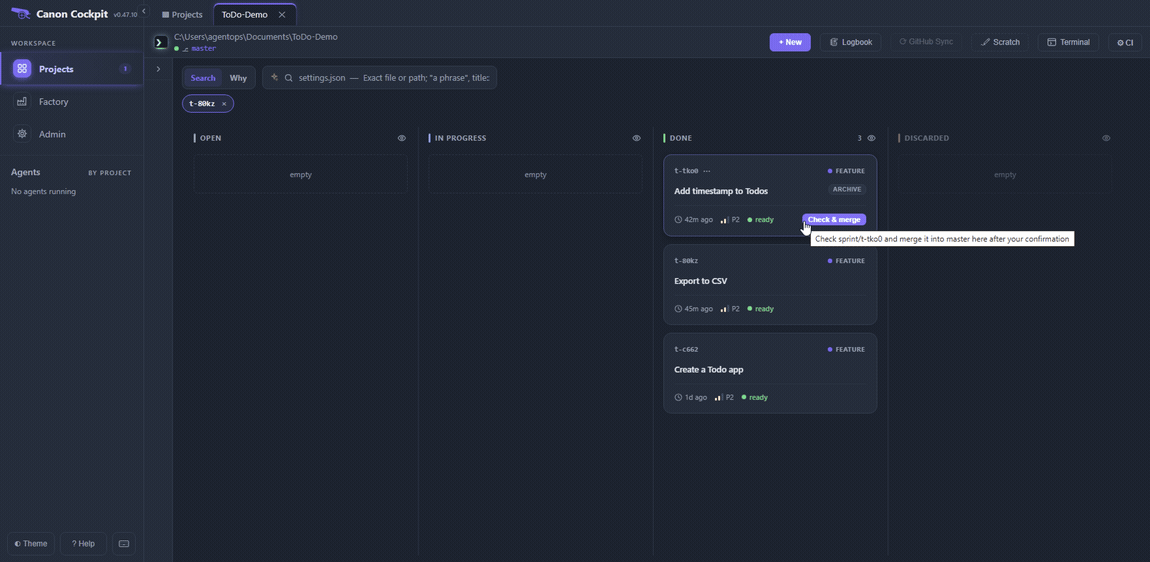
Press it. Canon checks the branch before it merges anything, and it refuses, without changing anything, when the evaluator did not pass on the branch's head, when the worktree has uncommitted changes, when the branch is already in the default branch, when the default branch is checked out in another worktree, or when the merge conflicts. Ours conflicted.
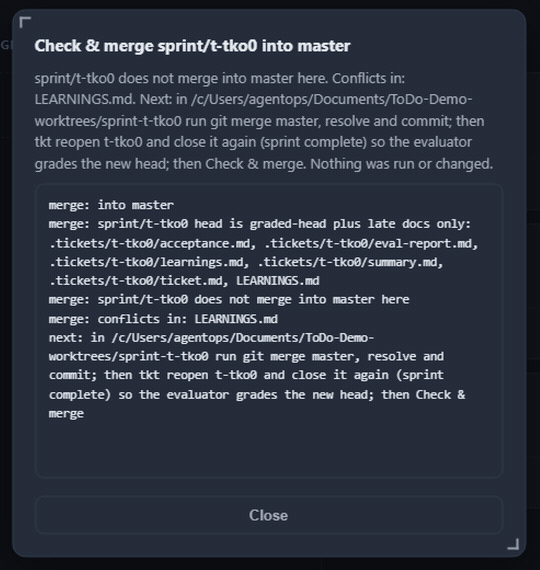
The conflict was in LEARNINGS.md, not in index.html. Closing a sprint can write into that file: the learnings step adds a row and rewrites the learnings-sweep last run: line. Two tickets closed in different checkouts both changed it. The change to index.html merged cleanly.
The dialog names the way out, and it is a few commands in the Terminal, run inside the worktree:
cd ../ToDo-Demo-worktrees/sprint-t-tko0
git merge master
cat LEARNINGS.md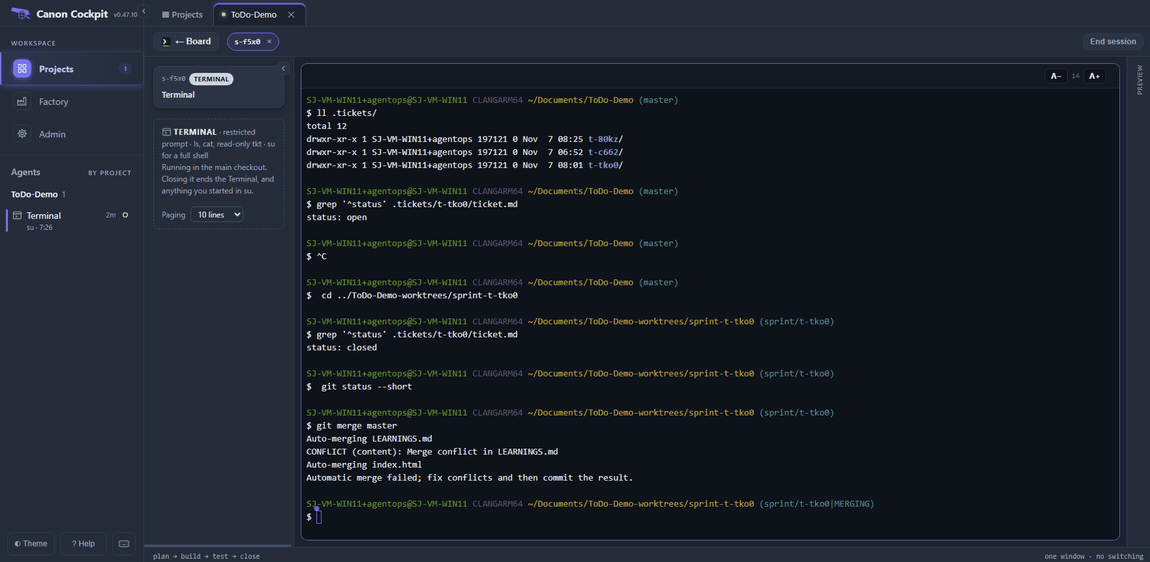
The file has two conflict blocks. The first is the last run line, with a different time on each side: keep the newer one only, or the file ends up with two such lines. The second is the table of rows, one row from each ticket: keep both.
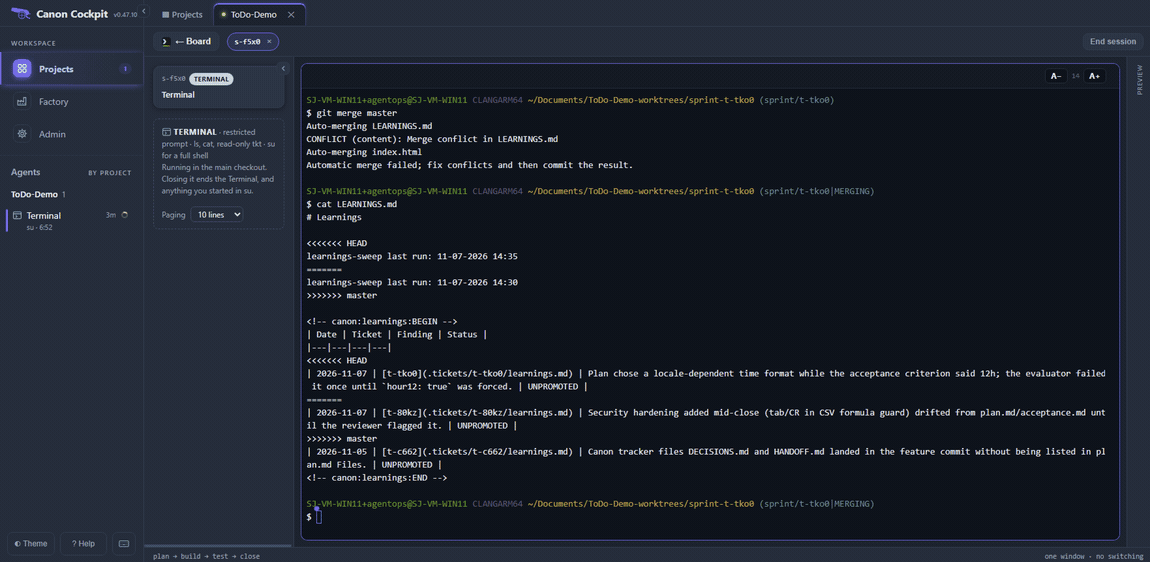
We deleted the older line and the three kinds of marker line with one command. The date and time in it are ours: use the older of your two last run lines.
sed -i -e '/^learnings-sweep last run: 11-07-2026 14:30/d' -e '/^<<<<<<< /d;/^=======$/d;/^>>>>>>> /d' LEARNINGS.md
cat LEARNINGS.md
grep -c '^<<<<<<<\|^=======$\|^>>>>>>>' LEARNINGS.md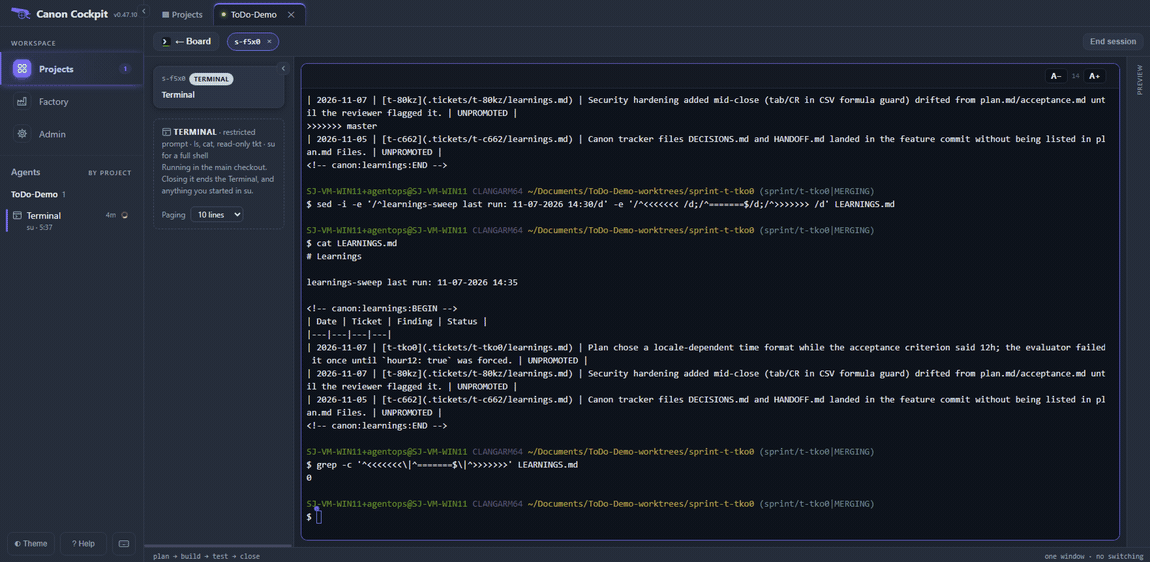
Then commit the merge and reopen the ticket, so that the evaluator can grade the merged head:
git add LEARNINGS.md
git commit --no-edit
git status --short
tkt reopen t-tko0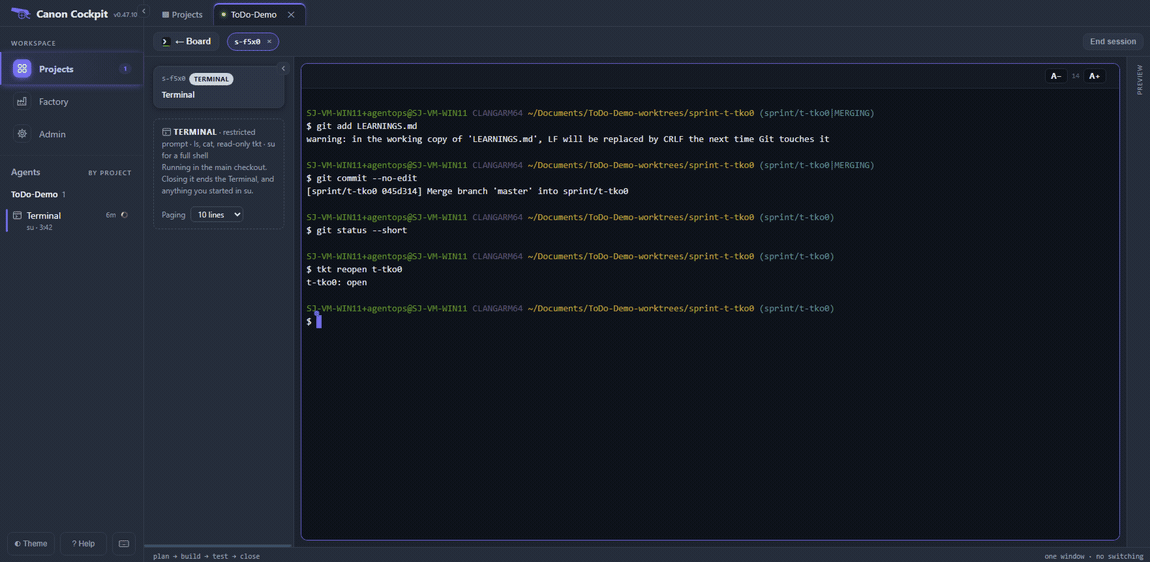
tkt reopen puts the ticket back in Open, with a Start button. Press it, check that the Worktree panel shows sprint/t-tko0, and press Run sprint. The agent runs sprint start on a ticket that is already built and closed, so say plainly what you want. We typed: Branch sprint/t-tko0 now has master merged in (045d314). Do not change any code. Run sprint complete so the merged head is graded.
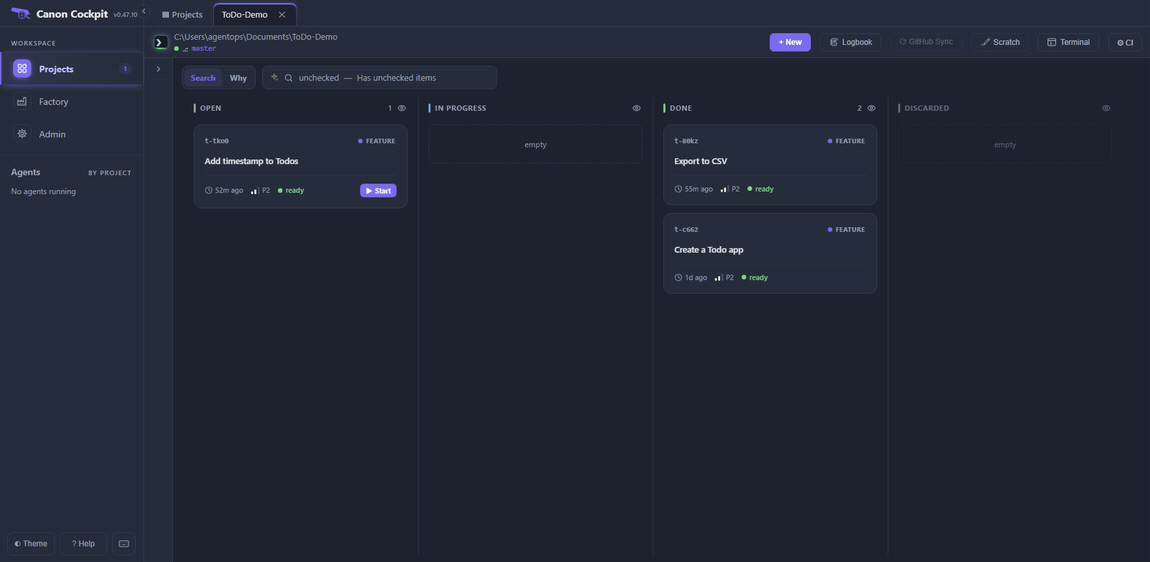
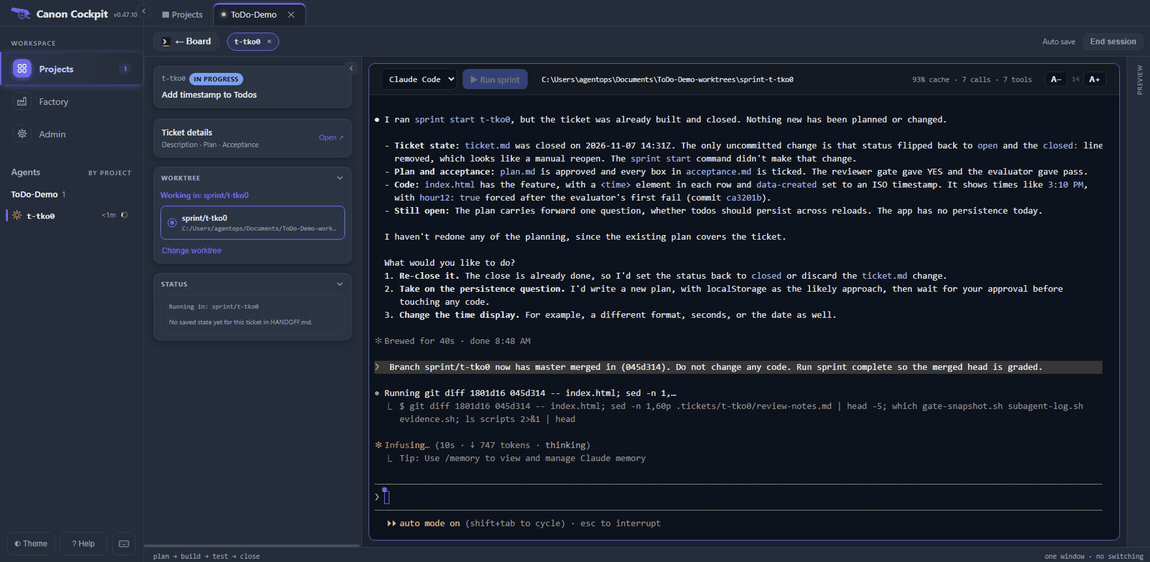
The agent did not ask for confirmation this time. It ran the reviewer and the evaluator on the merged head, and both passed. Its report says the time does not leak into the export, which still contains only task,done. It skipped the code-simplifier, security-review, doc-audit and mutation-test gates and said the first close had covered them.
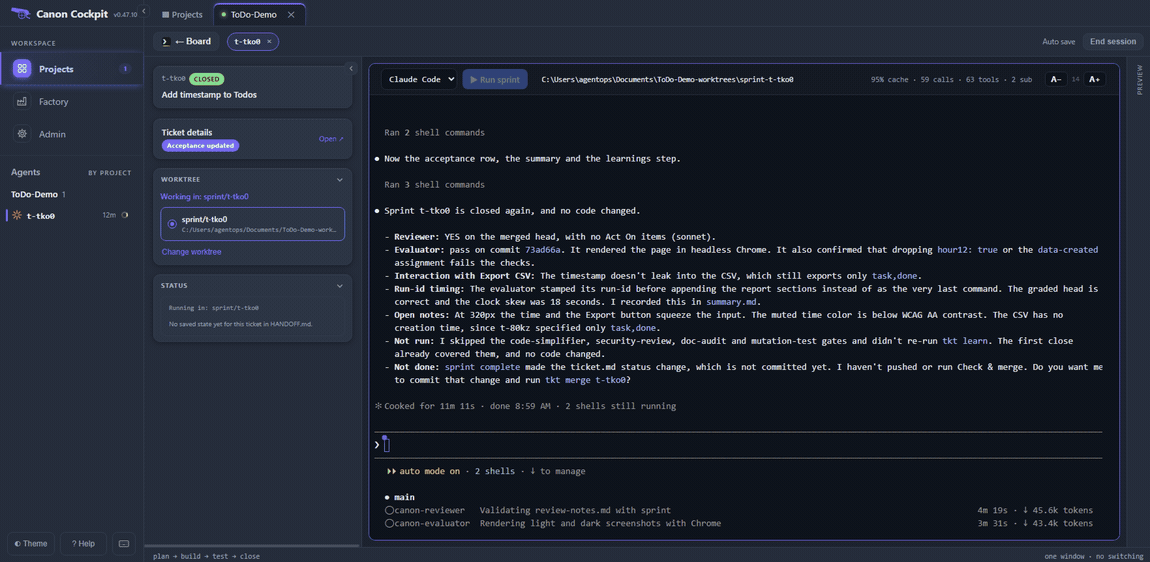
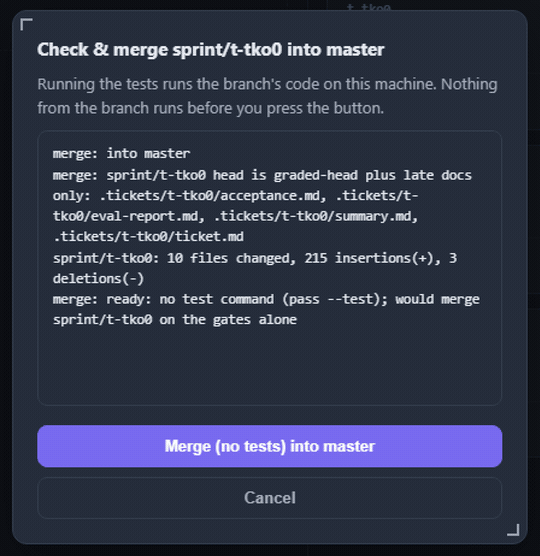
Commit the status change the same way, end the session, and press Check & merge again. With no test script in the project the button reads Merge (no tests) into master, and the log says the branch head is the graded head plus late docs only. Add a scripts/test.sh if you want the tests to run on the merged result first.
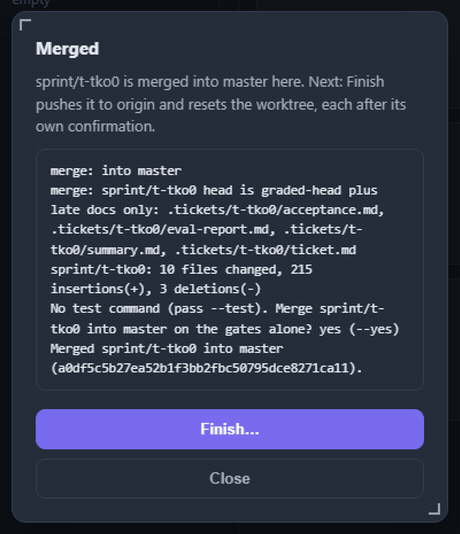
Press it. The dialog says Merged.
7. Finish push the default branch, reset the worktree
Finish… has two steps, each after its own confirmation. The first pushes the default branch to origin, and the dialog reads what origin already has first. In our run it printed finish: push: master is already on origin, because our origin is the project folder, so there was nothing to send. With a real remote, this is where the merge goes up.
The second step resets the worktree. It puts the worktree back at origin's default branch so the next ticket starts clean, and it refuses uncommitted work.
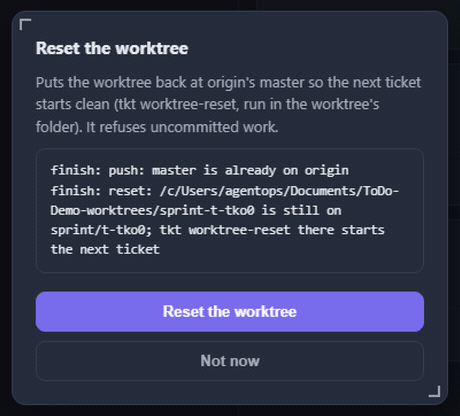
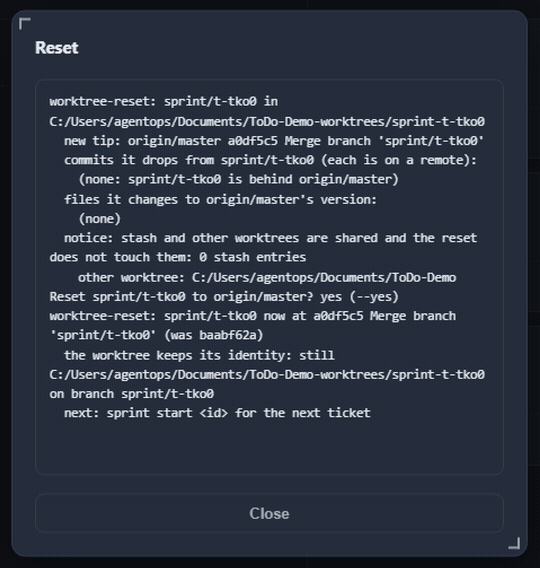
The result lists what the reset changed. It dropped no commits and changed no files. The worktree is not deleted: it keeps its folder and its branch name, now at the merge commit, ready for sprint start on the next ticket.
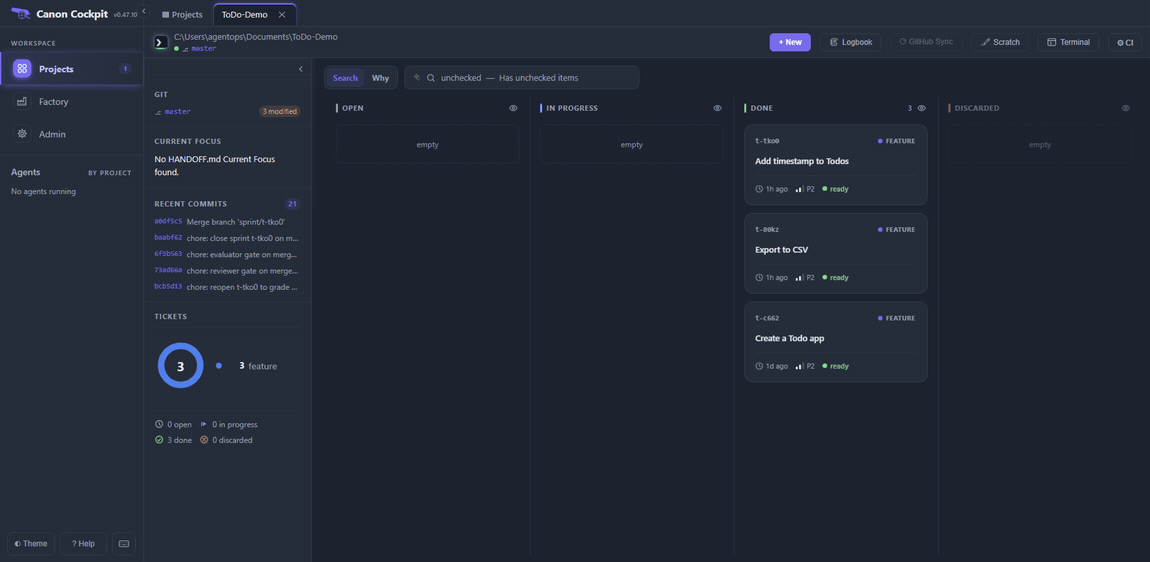
Both tickets are merged and the worktree is ready for the next one. All three tickets are in Done and no agents are running.
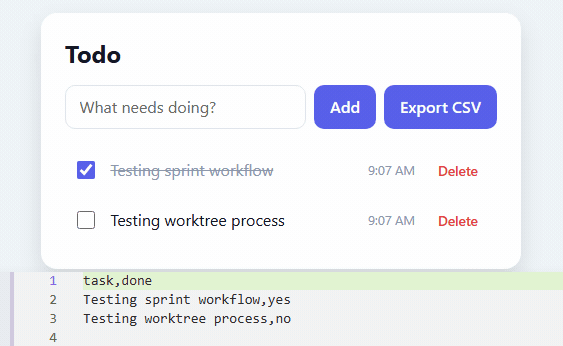
Open the app from the main checkout. It now has the Export CSV button and the time on each todo, and the exported file has no times in it.
The Git badge on the board says 3 modified. In our run they were .tickets/t-tko0/ticket.md, where canon recorded the merge, HANDOFF.md, and the ticket's session log, which is untracked.
git status --short
git diff .tickets/t-tko0/ticket.md
git log --oneline -6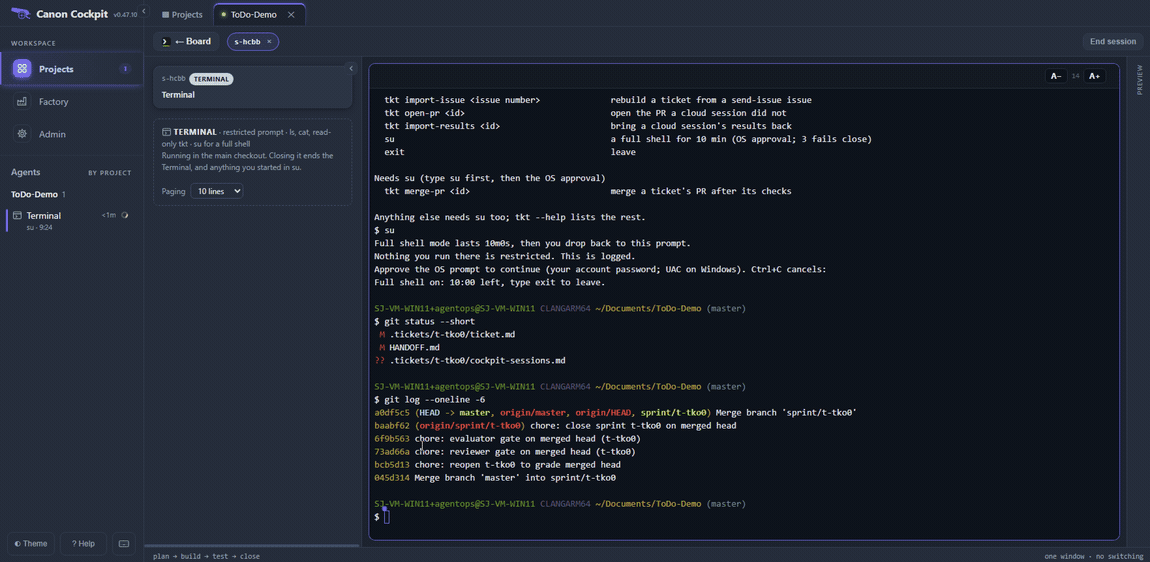
To remove the worktree instead of reusing it, use git: git worktree remove on its folder, then git branch -d on its branch. We did not run those in this run.
For the red note about a ticket that is not committed yet, see Troubleshooting.