Lite close
A lighter close for two kinds of work: a live demo, and docs, research or UX-mockup work. You turn it on for a ticket.
The Cockpit calls it Lite. Under the hood the ticket flag is still demo: true and the terminal command is still tkt demo, and canon's reports still say "demo mode". They all mean the same thing.
What changes
- Runs:
security-review, in your session, and the binding evaluator, on Haiku. - Skipped: the advisory reviewer and the rest of wrapup:
code-simplifier,code-reviewer,repo-checkanddoc-audit. - Never skipped: the evaluator, an approved plan and the acceptance checks.
- Never quiet: the Wrapup Gates table marks every skipped gate as skipped for demo mode, and
summary.mdsays the ticket was closed in Demo mode. Those are canon's words for a Lite close.
Turn it on
In the Cockpit, either of these:
- New ticket: choose the Lite option when you create it.
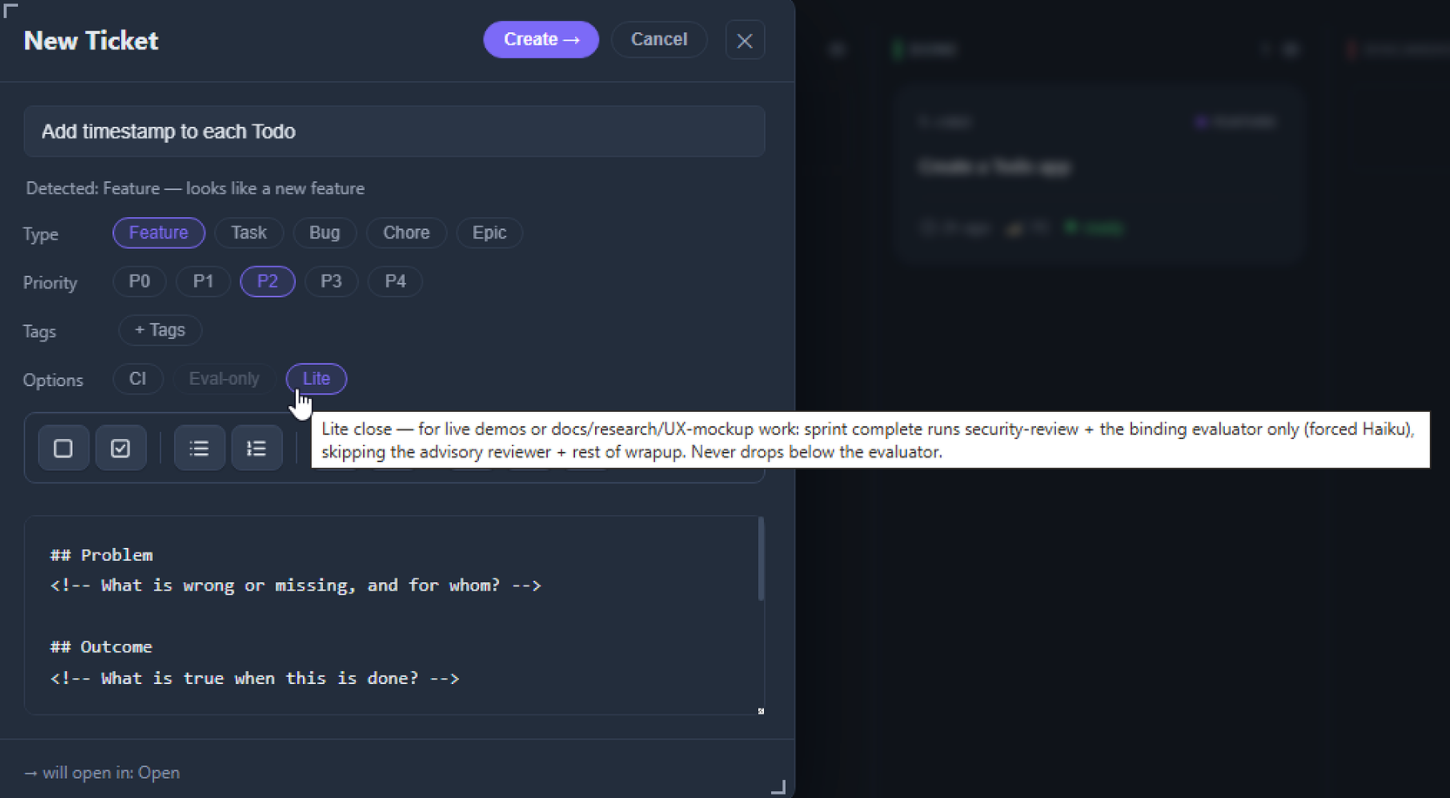
- Ticket window: use the Lite switch in the row of chips at the top, after Ready. It is green when on, and it locks once the ticket is closed. Hover over it for what it changes.

Prefer the terminal?
Run tkt demo with the ticket id:
tkt demo t-1234 on
tkt demo t-1234 off
tkt demo t-1234
The last one prints the current state.
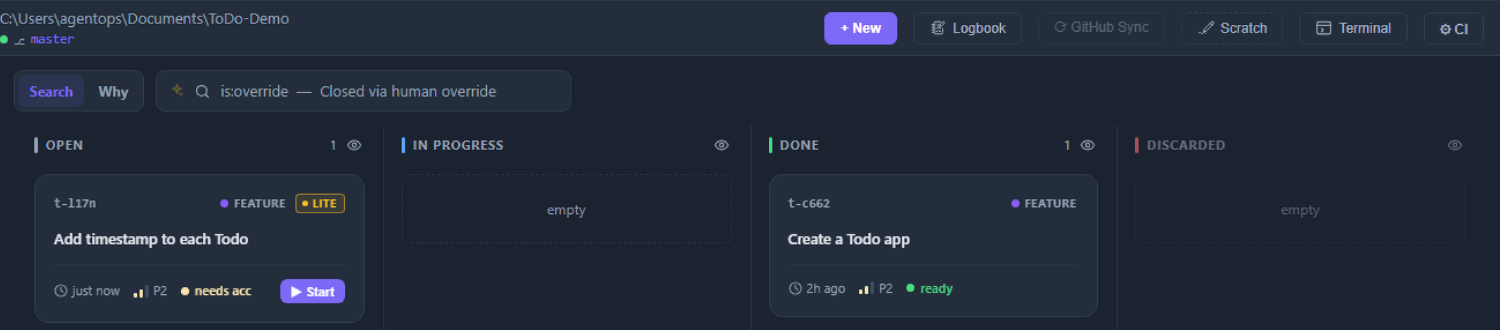
A Lite ticket's card on the board carries a LITE badge: amber capitals with an outline, beside the type label.
The model
The evaluator runs on Haiku. A Gate model set on the ticket beats that. See Model tiers.
Where it does not apply
Headless and CI runs never skip a gate for it. sprint-headless ignores the flag. sprint-headless-eval runs every gate and only defaults its evaluator to Haiku. See Headless CI.
It is your call
Canon does not check the flag against what the ticket changed. It is meant for docs and demos, but it is honoured on a ticket that changes code too, so use it for the work it is meant for.
Maintenance tickets (those with a skills: line) follow what actually changed: a run whose whole output is Markdown reports takes the light close, and one that changes any other file gets the full close.
What it looks like
These rows are from the Wrapup Gates table of a real Lite close in this repo, .tickets/t-633f/acceptance.md. The security-review row, which reads ran, is left out.
| code-simplifier | skipped | demo mode |
| code-reviewer | skipped | demo mode |
| reviewer | skipped | demo mode (advisory reviewer not dispatched) |
| repo-check | skipped | demo mode |
| doc-audit | skipped | demo mode |
| eval | ran | verdict: pass — `eval-report.md` written, run-id 1791060527-18217 (model: haiku — demo mode (fallback: Plan)) |For the full close, see Sprint and gates.