Sprint and gates
A sprint is two commands your agent runs for you: sprint start, which plans before any code is written, and sprint complete, which checks the work before the ticket can close. The Quick start walks through one sprint; this page explains the parts.
Plan before code
sprint start makes the agent read your repository and the ticket, then write three files in .tickets/<id>/:
research.md: what it found about the code and its constraints.acceptance.md: the definition of done, as a checklist under Criteria and a Test Plan, plus a QA box.plan.md: the approach, the files, and a Sign-off block.
It then stops with a brief and builds nothing until you approve.
Here is the brief for a ticket that adds an "Export CSV" button to a small ToDo app. It says what the change does, picks the tier, lists the files it will touch, checks the plan from the user's, security's and architecture's side, and ends with the acceptance criteria.
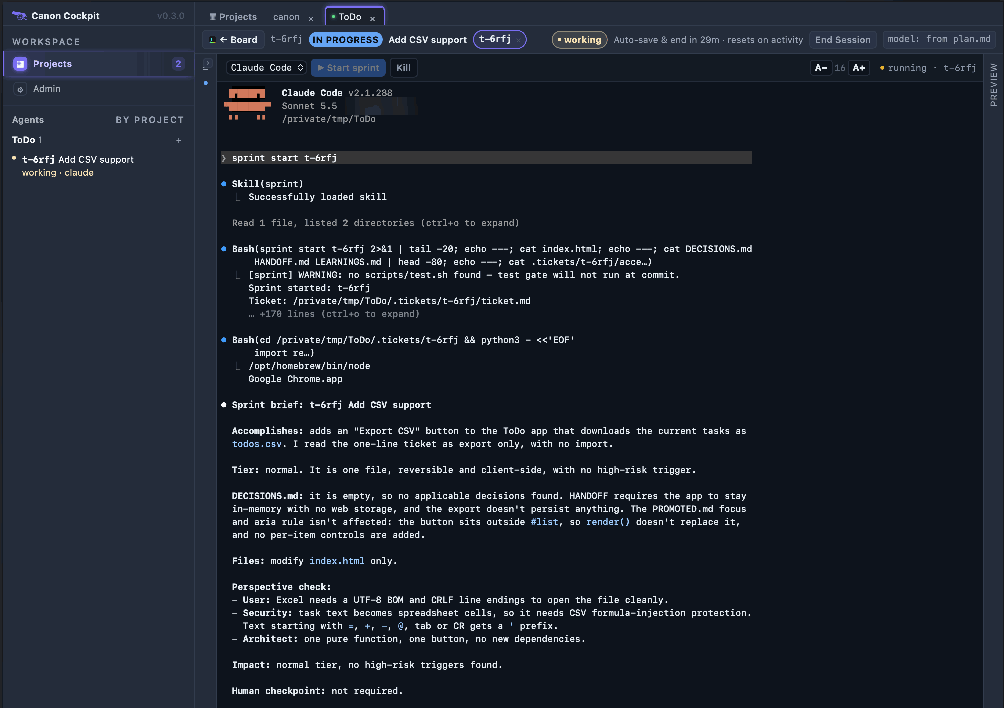
The agent picks the lightest tier that still protects the work:
- Normal: most work. A short plan and a test plan.
- High-risk: a change that touches security, can't be undone, reaches many users, has several ways in or has real gray areas. It runs the full planning pipeline: reading the code, resolving the gray areas with you and rating the risk.
- Trivial: skips the sprint.
- Bugfix: a small fix of one file and its test. It keeps the binding evaluator and skips the advisory reviewer.
Sign off the plan
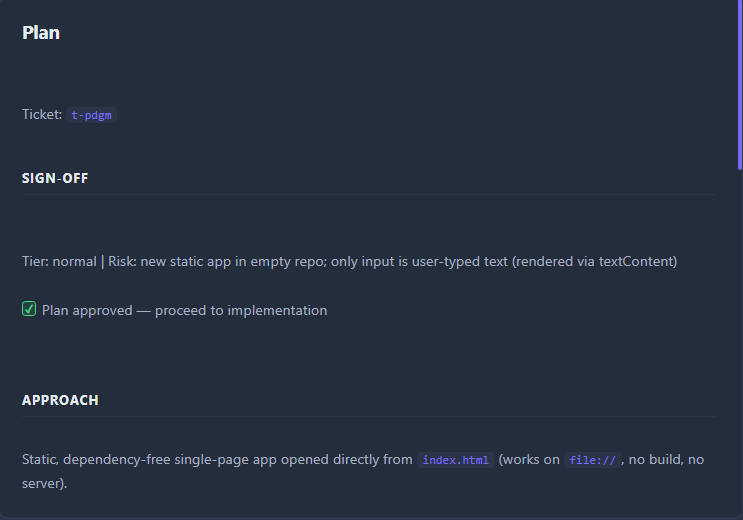
The ticket's Plan, opened from the Open ↗ link on the Ticket details card, has a Sign-off section: the tier, one line of risk, and a Plan approved box. You tell the agent to go ahead, and it ticks the box. sprint complete refuses to close a ticket whose plan was never approved.
Build and test
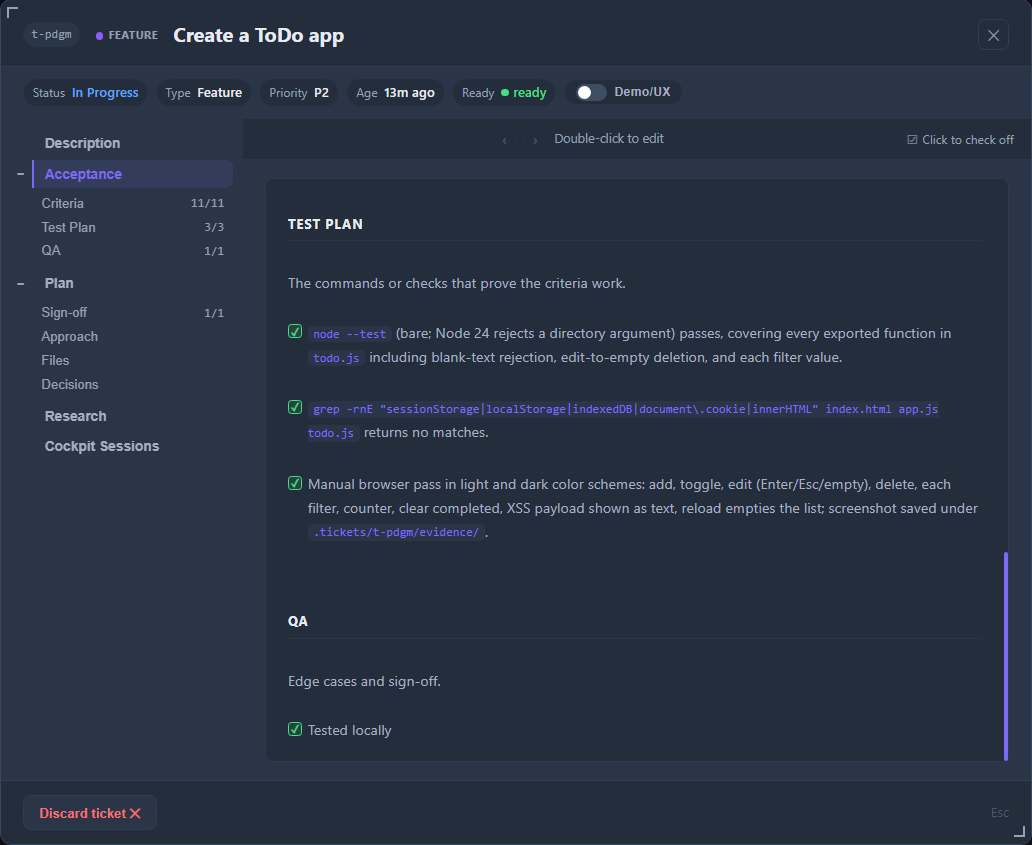
While the agent builds, the Test Plan section of Acceptance lists the checks that prove the criteria. The protocol says each box is ticked when its evidence exists, not in bulk. A ticked box is the agent's claim that the check passed. Canon checks that the boxes are ticked, not that they are true; checking that is the evaluator's job.
Close the sprint
Ask for sprint complete. Before it closes anything, the agent runs its own checks in order: code simplification, code review, a security review, a repository check and a docs audit. It skips the ones that do not apply and says why. Then it starts two fresh agents, one after the other, that have never seen the build:
- the reviewer, which is advisory: it reads the changes and writes
review-notes.mdwith findings and a verdict; - the evaluator, which is binding: it grades every acceptance criterion against the actual code and writes
eval-report.md.
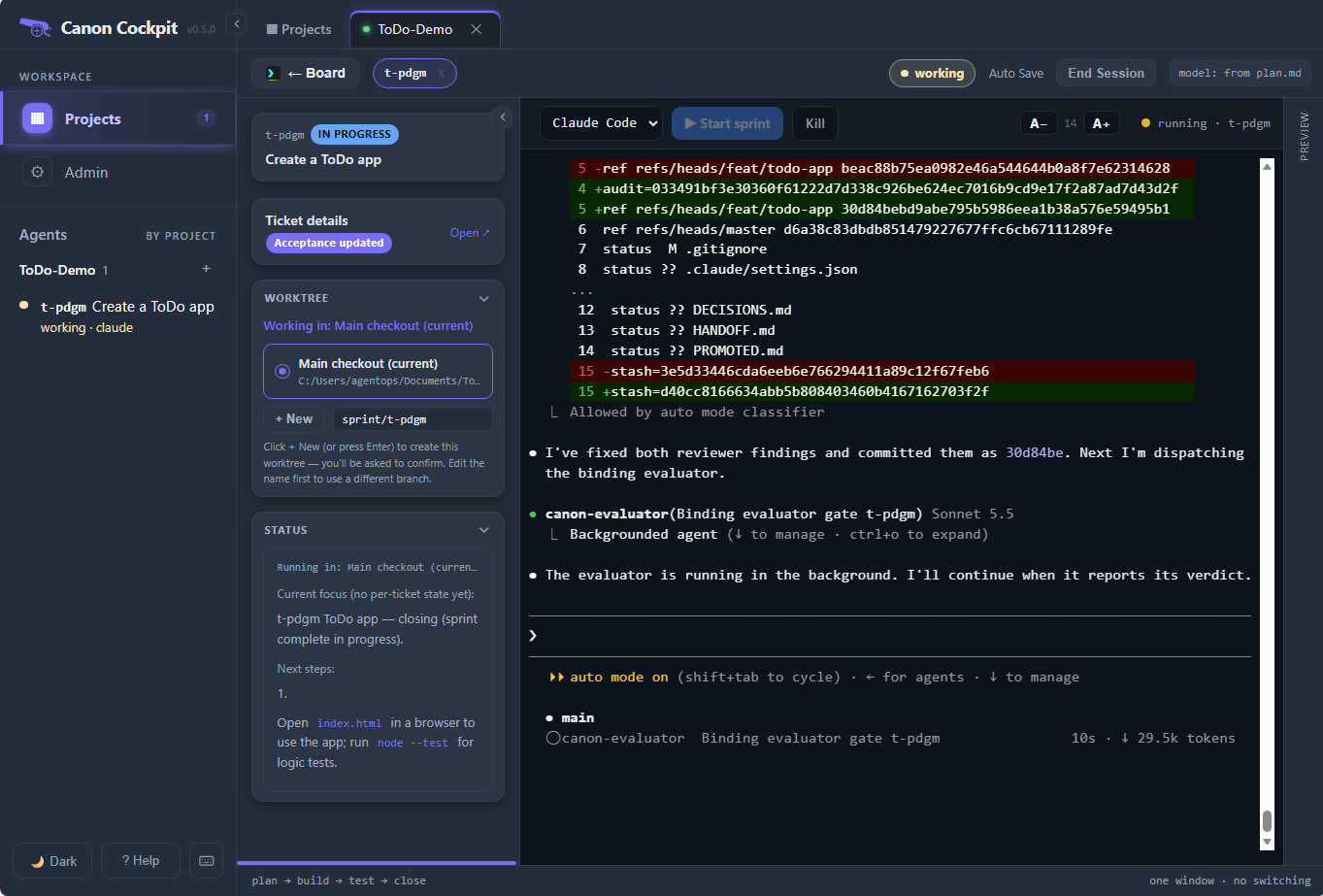
The evaluator marks each criterion pass, fail, partial or not-run, with evidence. Anything other than pass makes the verdict fail, and a failing verdict blocks the close. A reviewer's "no" is a note for you; the evaluator's "fail" is a refusal.
Canon also checks the sprint's paperwork. The close is refused if a required file is missing, a checklist item is unchecked, the plan has no approach or no approved sign-off, summary.md or the gates table is missing, or the evaluator's verdict is not pass. A refused close says which of these it was; fix it and run sprint complete again.
For what each gate does and does not cover, see Wrapup gates.
What the ticket shows afterwards
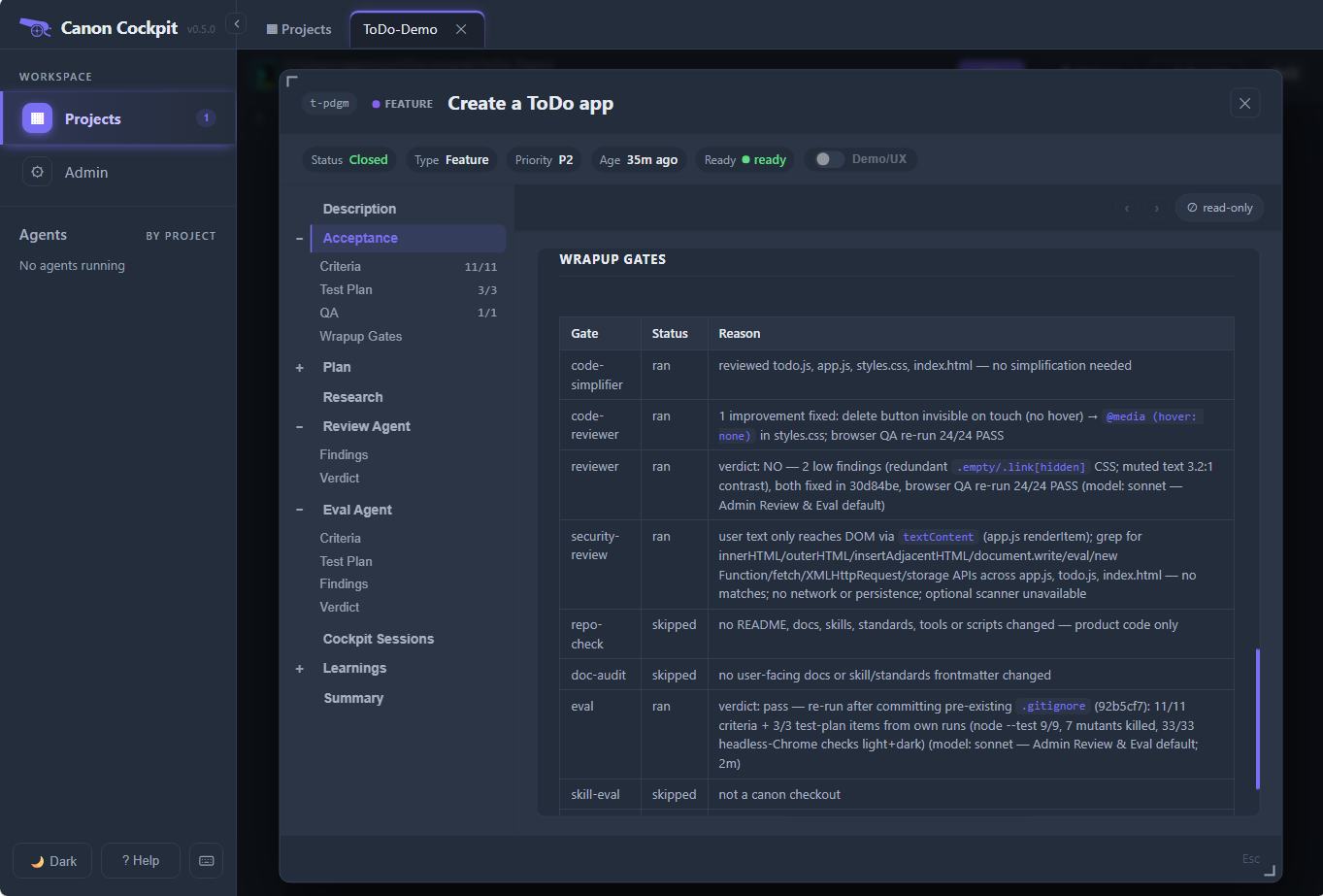
Open the closed ticket on the board. Its tree keeps the record. Wrapup Gates, under Acceptance, is the table of which gates ran, which were skipped, and why.
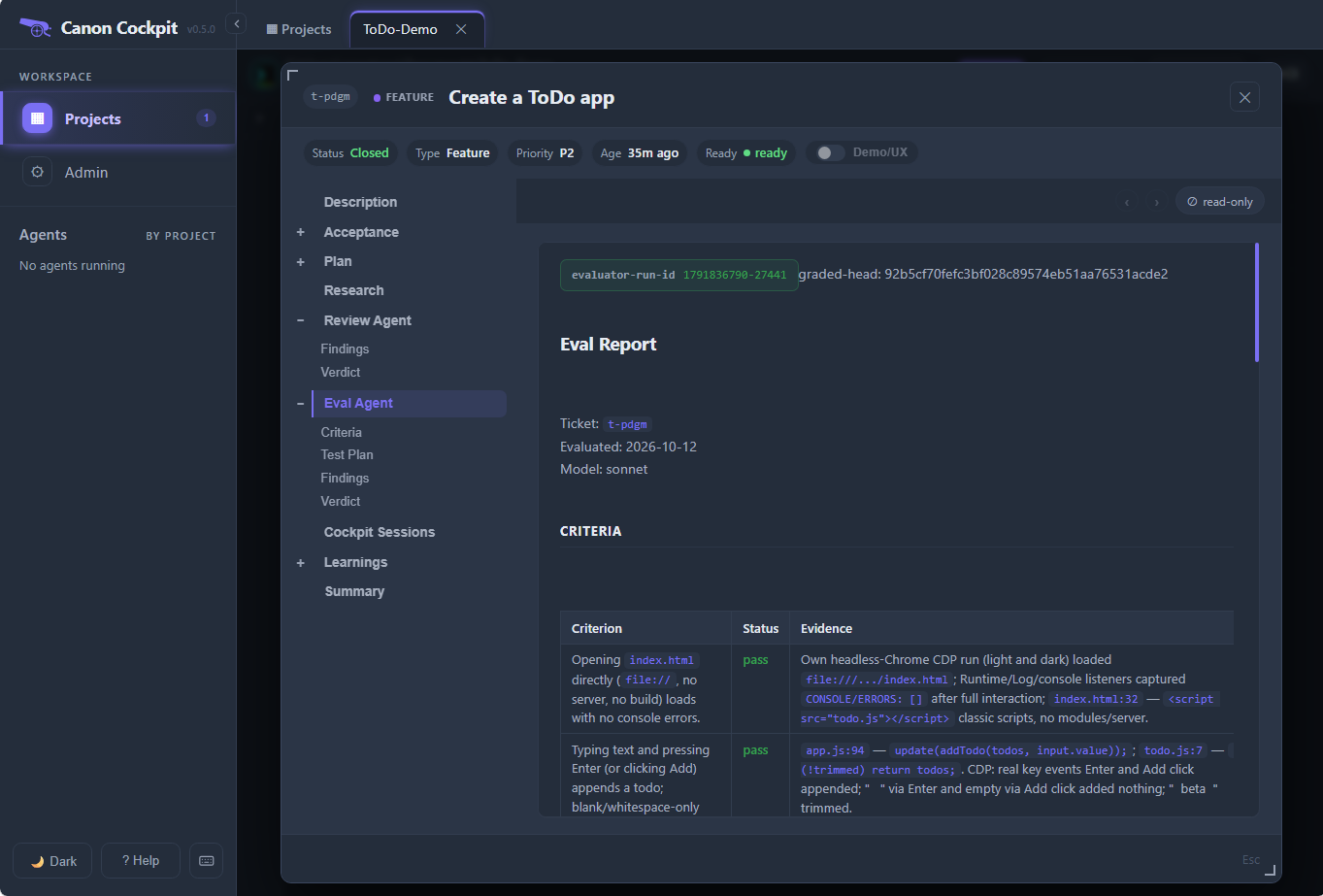
Once the evaluator has run, the Eval Agent entry holds its report: the per-criterion grades with the evidence for each, and the run id that shows it was a separate run. Once the reviewer has run, the Review Agent entry holds its findings and verdict; a bugfix-tier sprint skips the reviewer, so it has none.
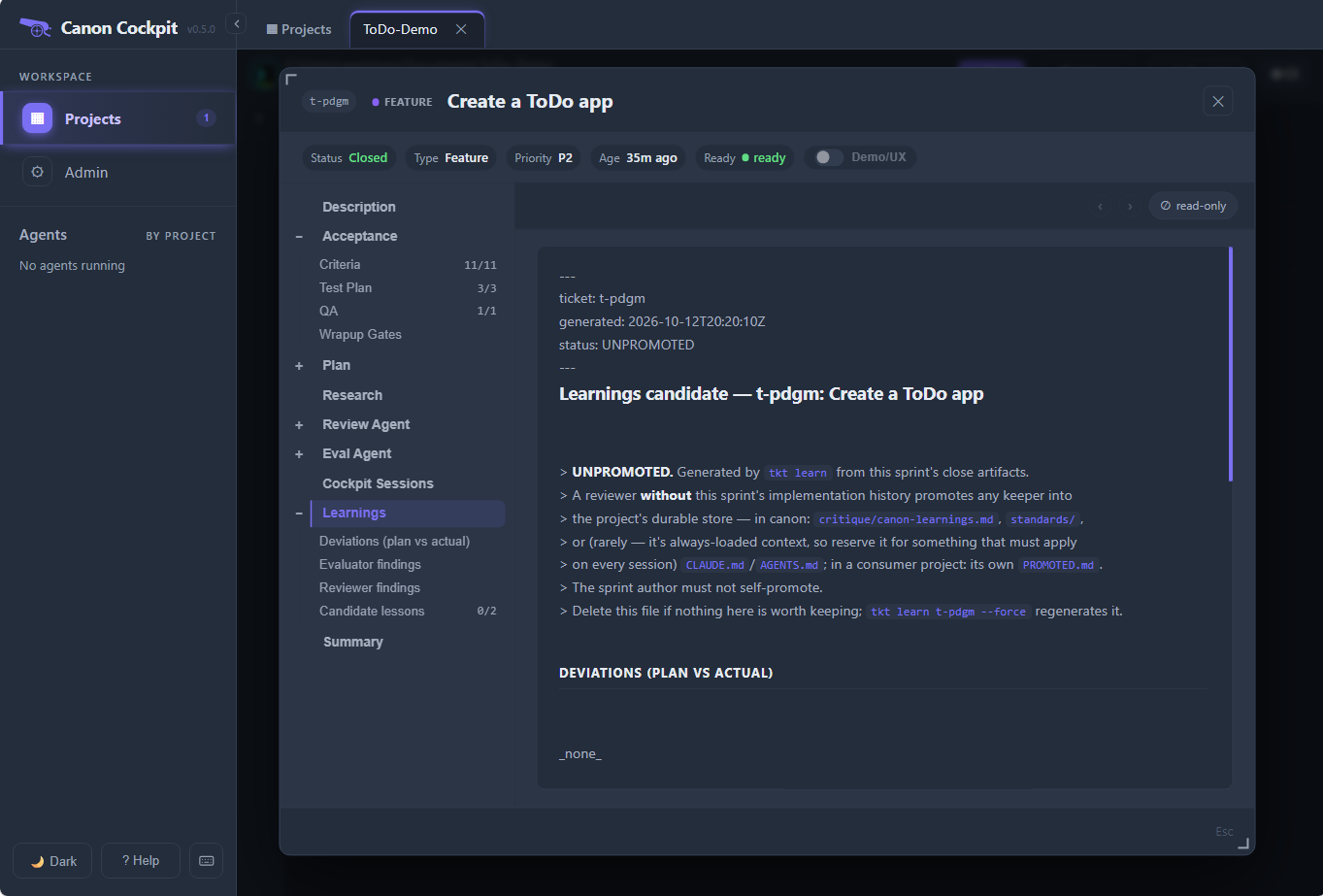
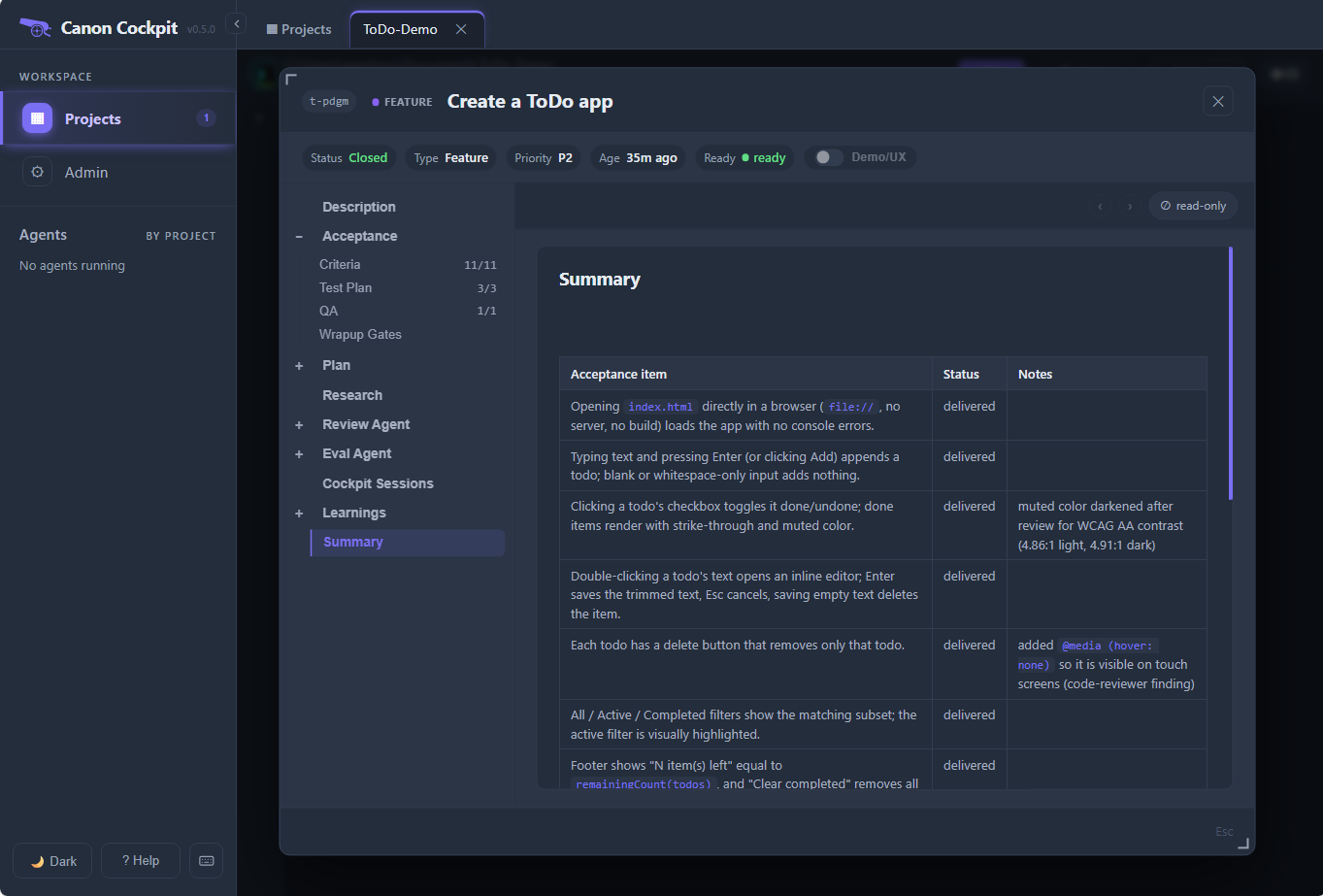
The Learnings entry holds a candidate lesson from the sprint, written for a later reader to judge; see Learnings. The Summary entry compares what was planned with what was delivered.
A lighter close for docs and demos
For work that is only documents or mockups, or for a live demo, a ticket can be marked Lite when you create it.
Its close keeps the security review and the binding evaluator, which runs on a smaller model, and skips the reviewer and the rest of the checks. It is your choice for a ticket, never automatic, and the evaluator is never skipped. See Lite close.