Troubleshooting
Claude Code asks whether you trust the folder
The first time Claude Code opens in a new folder it asks whether you trust it. Choose Yes, I trust this folder. It also lists one pre-approved permission in .claude/settings.json, Bash(subagent-log.sh:*): canon's own rule for logging review runs.
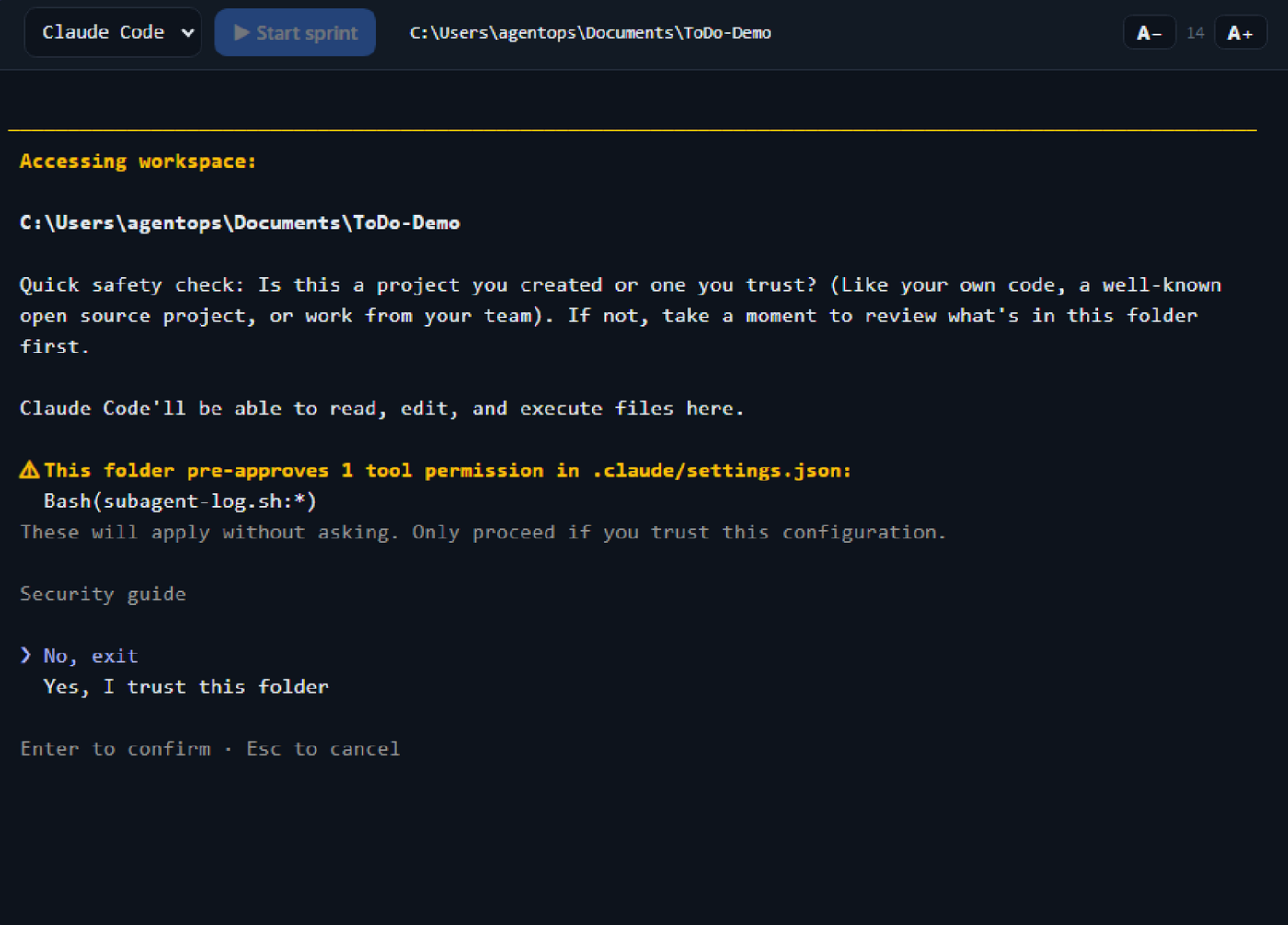
Claude Code sends no notification for this prompt, so the session shows as idle while it waits. Answer it in the terminal.
Claude Code asks "Allow external CLAUDE.md file imports?"
This is Claude Code's own prompt, not canon's. It names the files it wants to read, and appears when a CLAUDE.md or rules file imports files from outside the folder it is working in.
Read the file the prompt lists. If it is under .canon/standards/ in your home folder, it is canon's efficiency standard, which your project's AGENTS.md imports once efficiency is registered. Choose Yes, allow external imports. With No the agent still starts, but without that standard.
If it lists a file you do not recognise, such as a CLAUDE.md in a parent of your project folder, choose No, disable external imports, then remove or move that file, or keep the project in a folder of its own.
canon, skills.sh or sprint: command not found
Canon's tools folder is not on your PATH yet.
- macOS and Linux: the installer offers to add it to your shell file. Answer
y, then run thesourcecommand it prints (source ~/.zshrcorsource ~/.bashrc), or open a new terminal. - Windows: open a new PowerShell window.
Windows: "install.ps1 is not digitally signed"
The full message includes UnauthorizedAccess. Windows' PowerShell execution policy is blocking an unsigned script. It is not a canon bug. Run install.cmd instead (a batch file is not subject to the policy), or run:
powershell -ExecutionPolicy Bypass -File .\install.ps1The bypass applies to that one run and changes nothing permanent.
Windows: "bash not found on PATH"
Git for Windows puts git.exe on your PATH but not bash.exe, so where git can succeed while bash is missing. Canon's command-line tools (sprint, tkt, skills.sh) are bash scripts. Run them from the Git Bash terminal, or add C:\Program Files\Git\bin to your PATH. If Git is not installed at all, get it from git-scm.com.
where bash can also list ...\WindowsApps\bash.exe. That is Windows' launcher for WSL, not Git Bash, and canon's canon.cmd skips it. To check that canon found Git Bash, run canon --version: it prints the version when it did, and says that Git for Windows is required when it did not.
Start sprint fails because claude is not found
The Cockpit runs your agent by name, so claude must be on your PATH. If it is not, Start sprint shows the error in the terminal rather than hanging. Install Claude Code, or fix the PATH, and press Start again.
A session will not end
If Save & End seems stuck, press End Session again and choose End without saving, which ends it at once. Canon also gives up waiting for a save after a time limit; see Agents and sessions.
Resume starts a fresh conversation
Continuing the earlier conversation needs a saved transcript. A Cockpit started from inside a Claude Code session passes that session's settings to the agents it launches, and they then cannot save one. Start canon from a plain terminal.
"t-xxxx isn't committed yet" on a ticket
The red note in the ticket's Worktree panel means a new worktree would not contain the ticket yet, because a worktree carries only committed files. If you are working in the main checkout you can ignore it. If you choose + New for a worktree, canon offers to commit the ticket's documents first.
The note is drawn when the ticket's tab opens and is not redrawn after you commit, so it can stay on screen for a while. Close the tab and reopen the ticket, and it goes.
Port 8899 is already in use
Run canon <port> with a free port, or set CANON_COCKPIT_PORT to change the default. See CLI.