GitHub and cloud sessions
A ticket can be built somewhere else. canon sends it to your GitHub repo as an issue, a Claude cloud session builds it there on your Claude subscription (no API key), and you bring the result back and merge it on your own machine.
The cloud session does the whole sprint: it plans and waits for your approval, builds, runs the reviewer and the evaluator, closes the ticket and opens a pull request. Your machine imports the result, checks it and merges it. It grades again only in four cases: a change to the board, a Go change that needs a release (the daemon, the Go board or the headless helper), a high-risk ticket, or a pull request head that no longer equals the head the evaluator graded. The import says which apply, or that none does.
This page follows one real ticket on a small ToDo app, "Export to CSV", on canon 0.47.2: from a project with no GitHub repo, through setup and a first cloud run, to a merged pull request. The recovery section and a few troubleshooting pictures are from earlier runs on canon 0.22 to 0.31, and each caption says which.
One-time setup
Setup has three parts: make the project ready on your machine, connect GitHub to your Claude account, and create a Claude cloud environment that has canon in it.
Make the project ready
Open Factory in the sidebar, then the GitHub tab. Its Checks box lists what must be true before a ticket can be sent, with a fix command and a Copy button beside each check that fails. Here ToDo-Demo has no GitHub repository yet, and no test command.
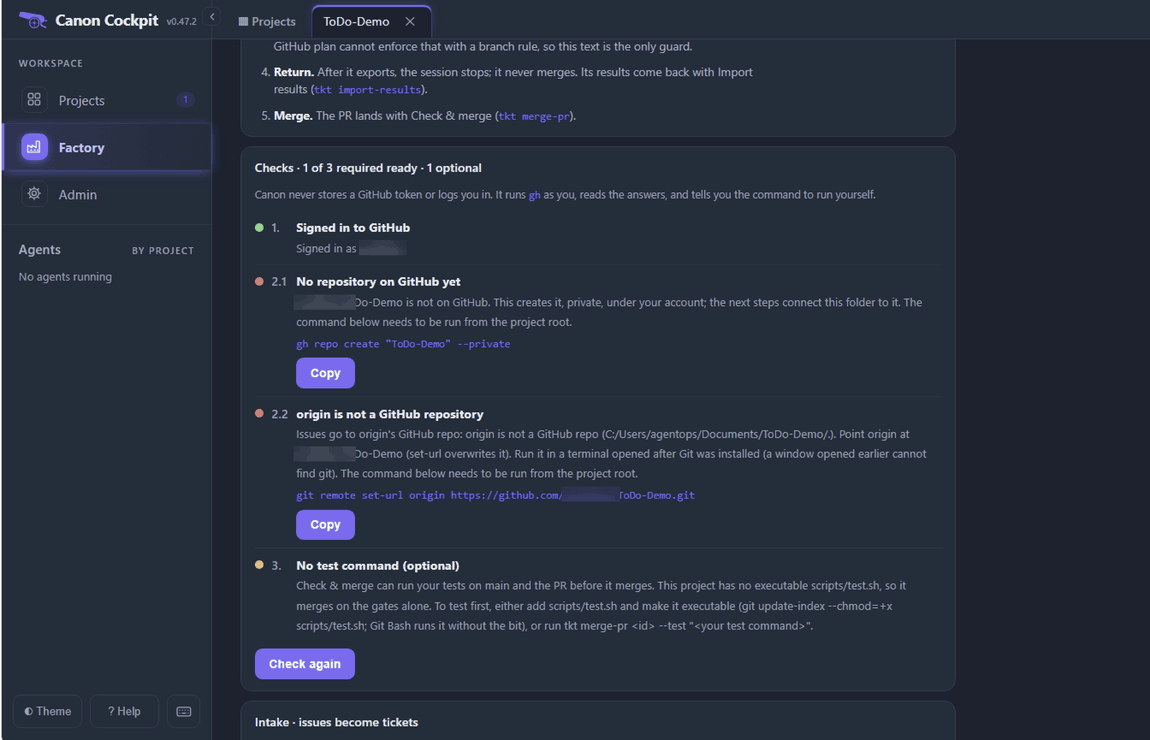
The checks are:
- Signed in to GitHub.
ghis GitHub's command line. Install it from github.com/cli/cli (type the address in your browser), then rungh auth loginand follow the prompts. Until then the check reads GitHub CLI (gh) is not installed or gh is installed, but not signed in. canon never stores a GitHub token: it runsghas you. - Step 2 is three checks in the order they must happen, each with its own status and at most one command:
- 2.1, the repository is on GitHub. Without one the check reads No repository on GitHub yet, with
gh repo create "<name>" --private. When it is found it reads Repository found on GitHub, or Repository found, and private once origin points at it. A public repository gets an amber Repository found, and public, because tickets carry paths, notes and decisions and Send then needs--public. - 2.2,
originpoints at it. When it does, the check reads origin points at it. When the folder has nooriginat all it reads No git remote named origin, withgit remote add originand the repository's address. When it has one that is not a GitHub repository, as this folder did, it reads origin is not a GitHub repository, withgit remote set-url originand the address. - 2.3, the first push. It appears only while the repository is empty, as First push, with
git push -u origin HEAD, because the cloud session starts from a clone of whatoriginholds.
- 2.1, the repository is on GitHub. Without one the check reads No repository on GitHub yet, with
- No test command (optional). Check & merge runs your tests before it merges. With none, it merges on the gates alone. To add one, make
scripts/test.shexecutable.
The title counts the required checks. In our run it read 1 of 3, then 2 of 3 once the repository existed, 3 of 4 while First push was waiting, and 3 of 3 when it was done.
Run each fix command from a terminal in the project folder, then press Check again. The board's Terminal can do it: it opens a restricted prompt, and su gives you a full shell for ten minutes (check here for su setup). Copy the command from the check first, then type su, accept the operating system's prompt, and paste. On Windows 11 the Terminal needs sudo switched on in Settings and starts Git Bash in the project folder. If a pasted command shows ^[[200~ in front of it, paste again with Paste as plain text, Ctrl+Shift+V.
Create the repository first:
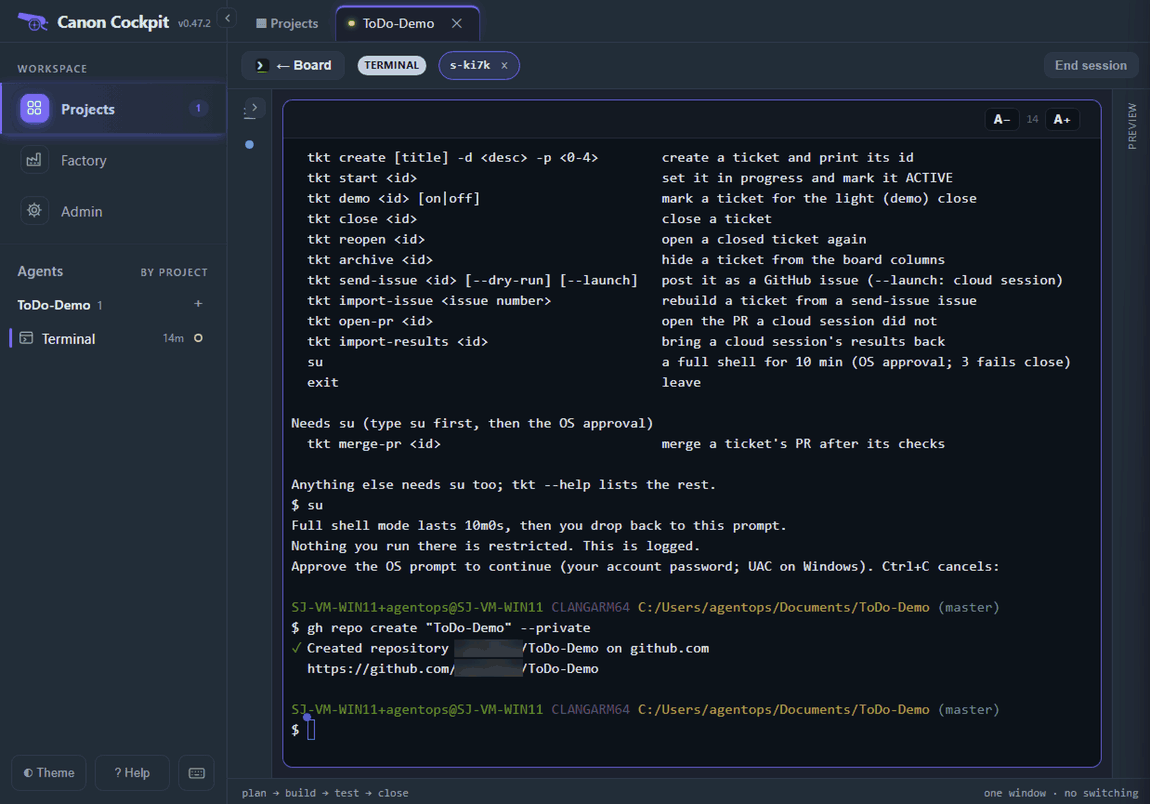
Press Check again. The repository check turns green and the title moves to 2 of 3. Check 2.2 stays red until origin points at the new repository.
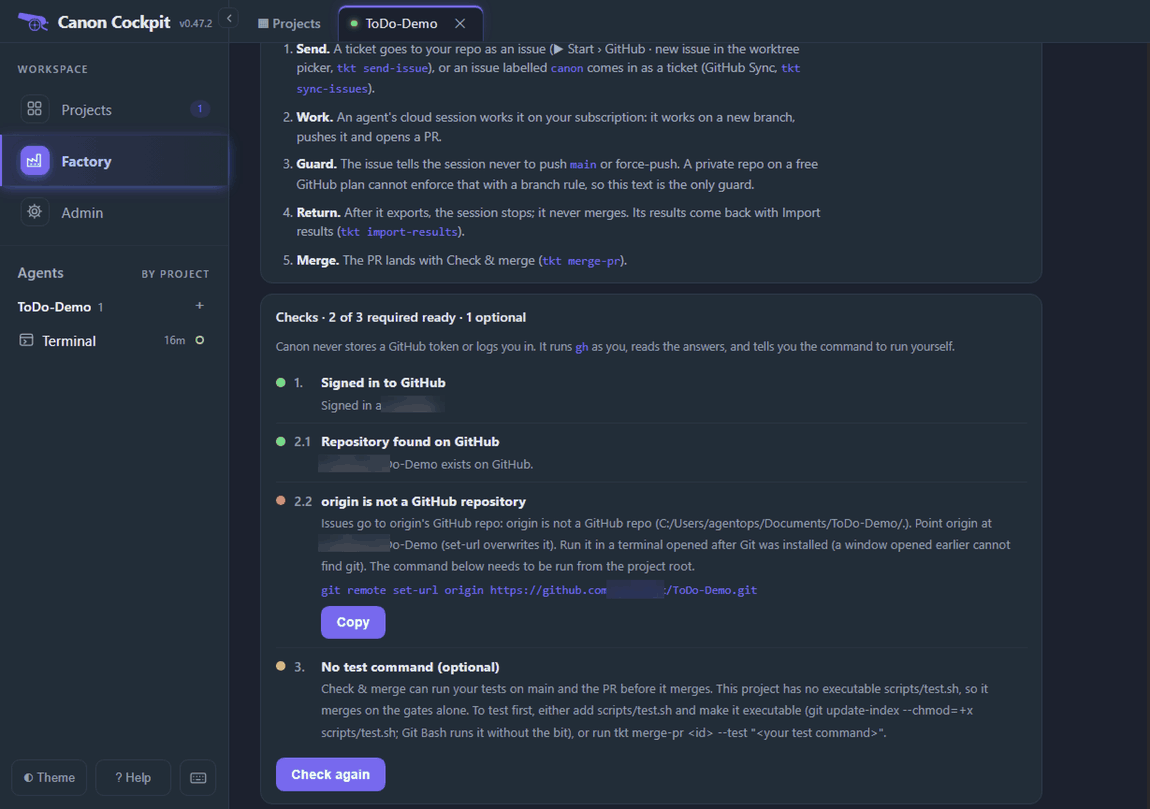
Run the command from 2.2 the same way (copy it, su, paste; check here for su setup), then press Check again. With origin set, the repository is still empty, so the check for the first push appears:
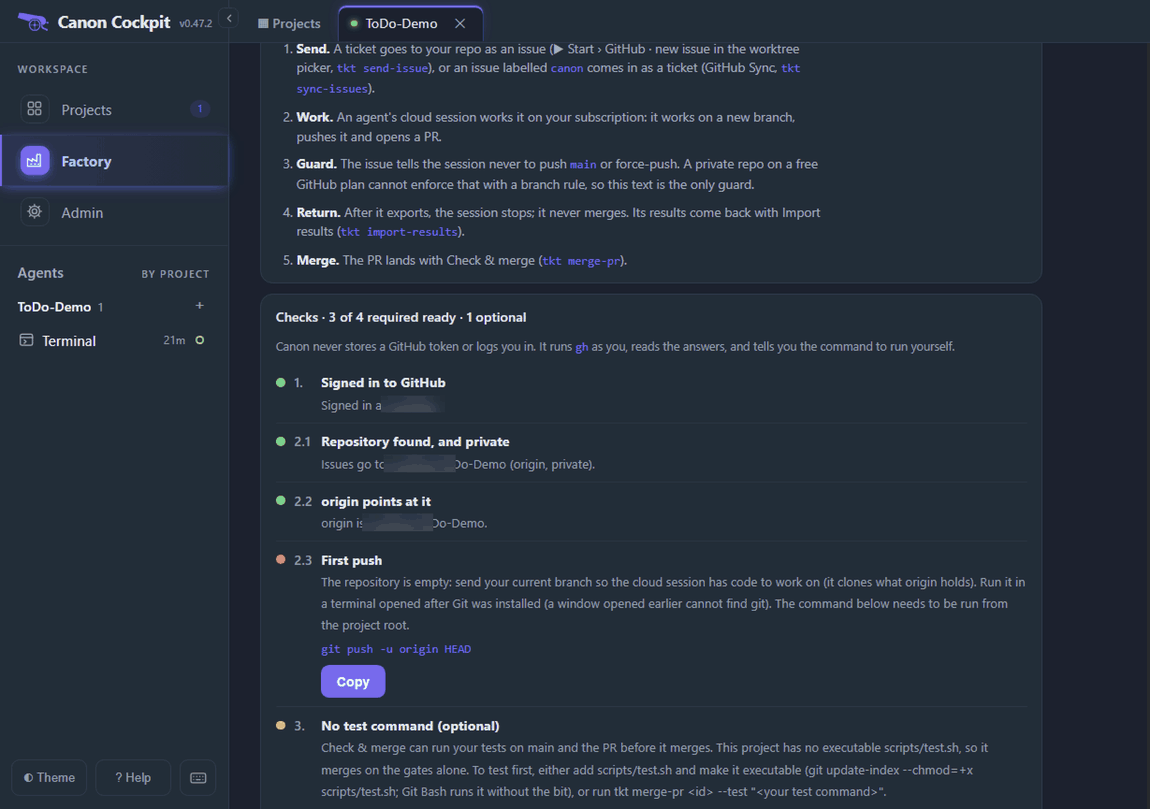
Run the push the same way. HEAD is the branch you are on, so it sends that branch whatever it is called: in this project it is master.
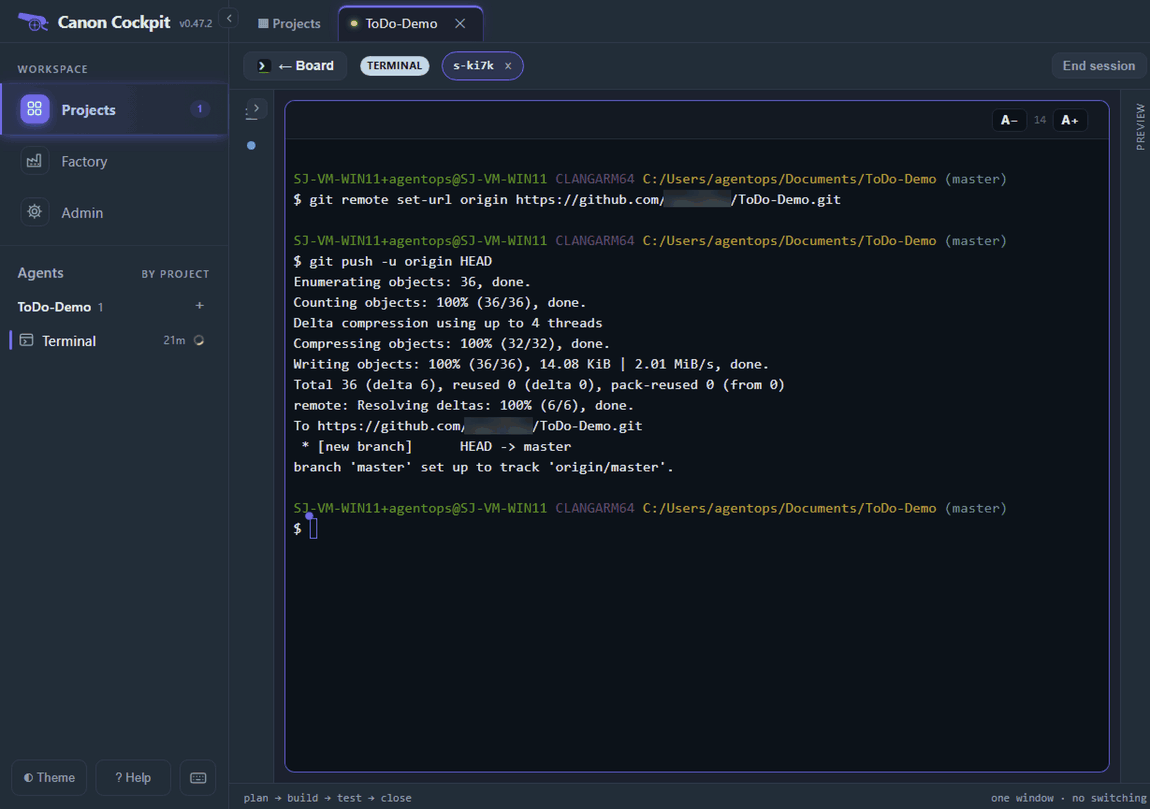
Press Check again once more.
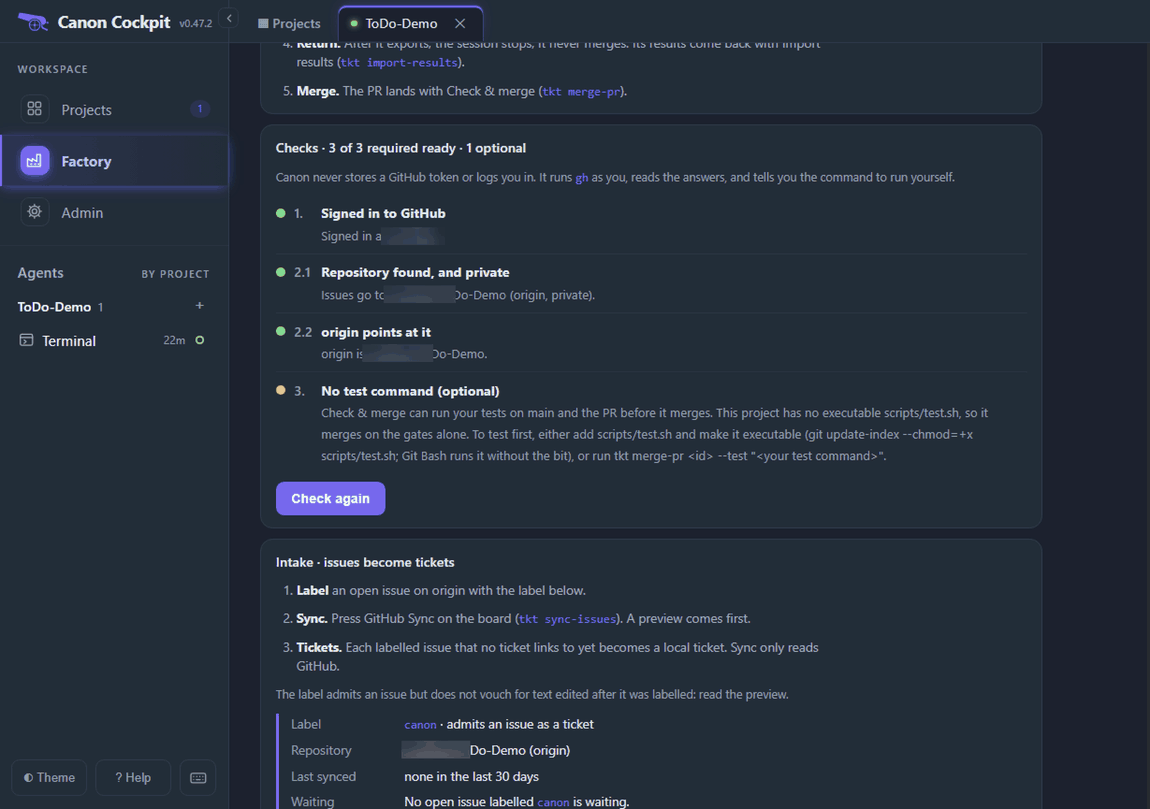
Prefer a terminal window of your own?
Any terminal in the project folder runs the same commands, and tkt github-doctor runs the same checks.
tkt github-doctorPush the project's agent files too, such as CLAUDE.md, AGENTS.md and PROMOTED.md: the cloud session starts from a fresh clone of the repository.
Connect GitHub to Claude
A cloud session works on your repo through Claude, not through your gh. In Claude's settings, open Connectors, then GitHub, and do both steps: connect your GitHub account, and install the Claude GitHub App on it. Claude's screen marks the app as for cloud sessions only. In our run, a session with no repository connected started, but could not read the issue.
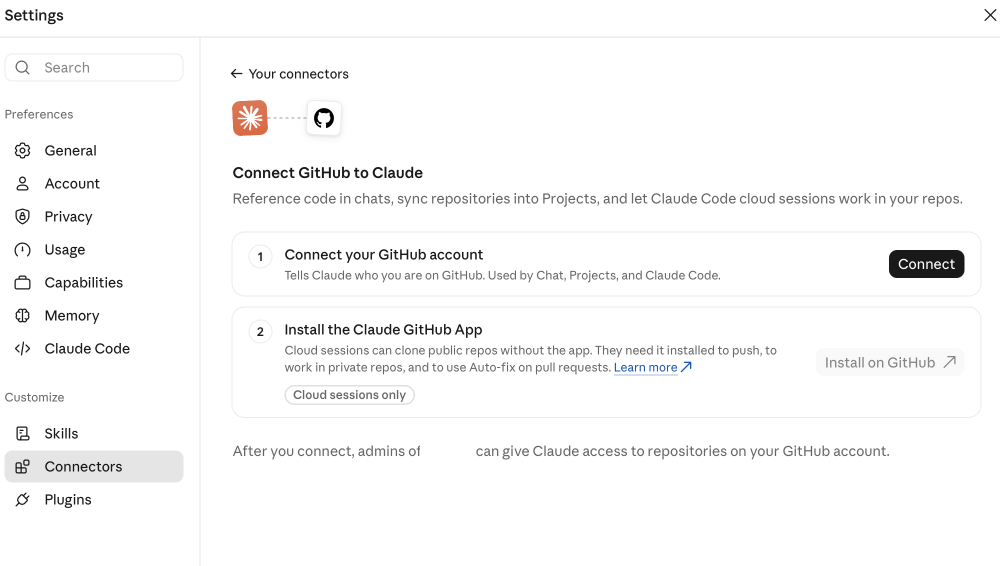
These screens belong to Claude, not to canon, and may change.
Create the cloud environment
A cloud session starts from a clean machine. An environment tells it which sites it may reach and what to install first. canon needs both: the allowed sites, and a setup script that installs canon and gives the session its reviewer and evaluator.
In Claude's session list, open the environment menu and create or edit a cloud environment. Name it canon. Open Network access. Full reaches every site and needs no list. If your organisation needs Limited, add these domains under Allowed domains, one per line, and keep Allow package managers ticked:
getcanon.dev
github.com
raw.githubusercontent.com
objects.githubusercontent.com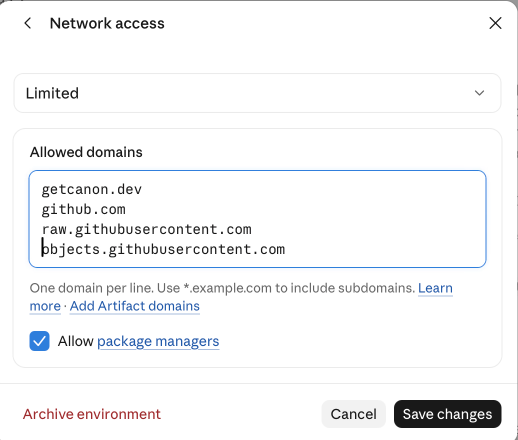
Then open Setup script and use this script:
#!/bin/bash
set -e
curl -fsSL https://getcanon.dev/install.sh | bash

for t in canon sprint tkt sprint-check skills.sh evidence.sh gate-snapshot.sh subagent-log.sh mutant-sweep; do
  printf '#!/bin/bash\nexec "$HOME/.canon/tools/%s" "$@"\n' "$t" > "/usr/local/bin/$t"
  chmod +x "/usr/local/bin/$t"
done
mkdir -p "$HOME/.claude/agents"
cp "$HOME/.canon/current/agents/canon-reviewer.md" "$HOME/.canon/current/agents/canon-evaluator.md" "$HOME/.claude/agents/" \
  || echo "setup: could not copy canon gate agents from $HOME/.canon/current/agents" >&2
git config --global user.name >/dev/null || git config --global user.name "canon cloud session"
git config --global user.email >/dev/null || git config --global user.email "noreply@getcanon.dev"- Copy the script above. Either paste it into the Setup script form, or save it as a file and use Choose file (files up to 64 KB).
- Add your own install lines after the first line if your project needs them, such as
npm install. Leave the rest as it is. - Save changes, and make this environment your default. A session started from your terminal uses the default.
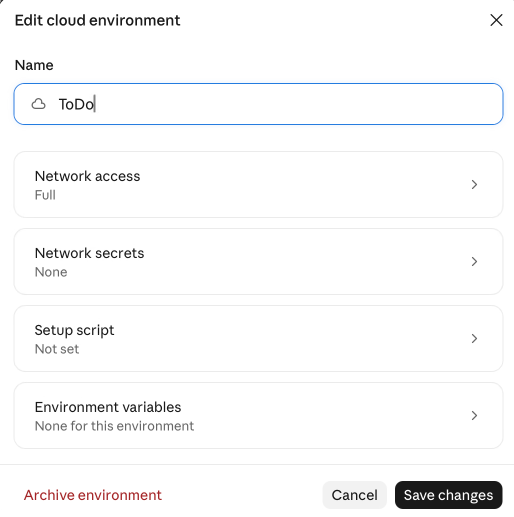
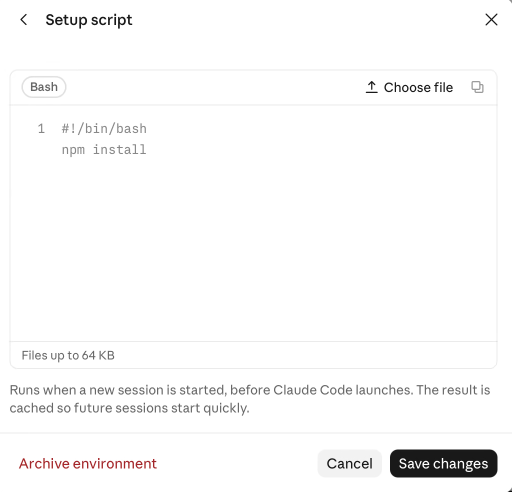
The script runs before Claude starts. A session picks up an environment only when it starts, so changes to an environment reach new sessions, not one that is already running: archive the old session and start another. If the setup script is missing, the session has no sprint or tkt.
A Go project needs a longer script and four more domains. The Cloud environment box on Factory › GitHub has the exact recipe for the project you are in, with Copy domains and Copy setup script buttons.
Prefer the terminal?
tkt cloud-env prints canon's own recipe: the domains first, under a # Network access comment, then the script under # Setup script. Paste only the lines below # Setup script into the form. It is the recipe for the canon you have installed, so if it differs from the script above, use the one it prints.
tkt cloud-envTicket to issue
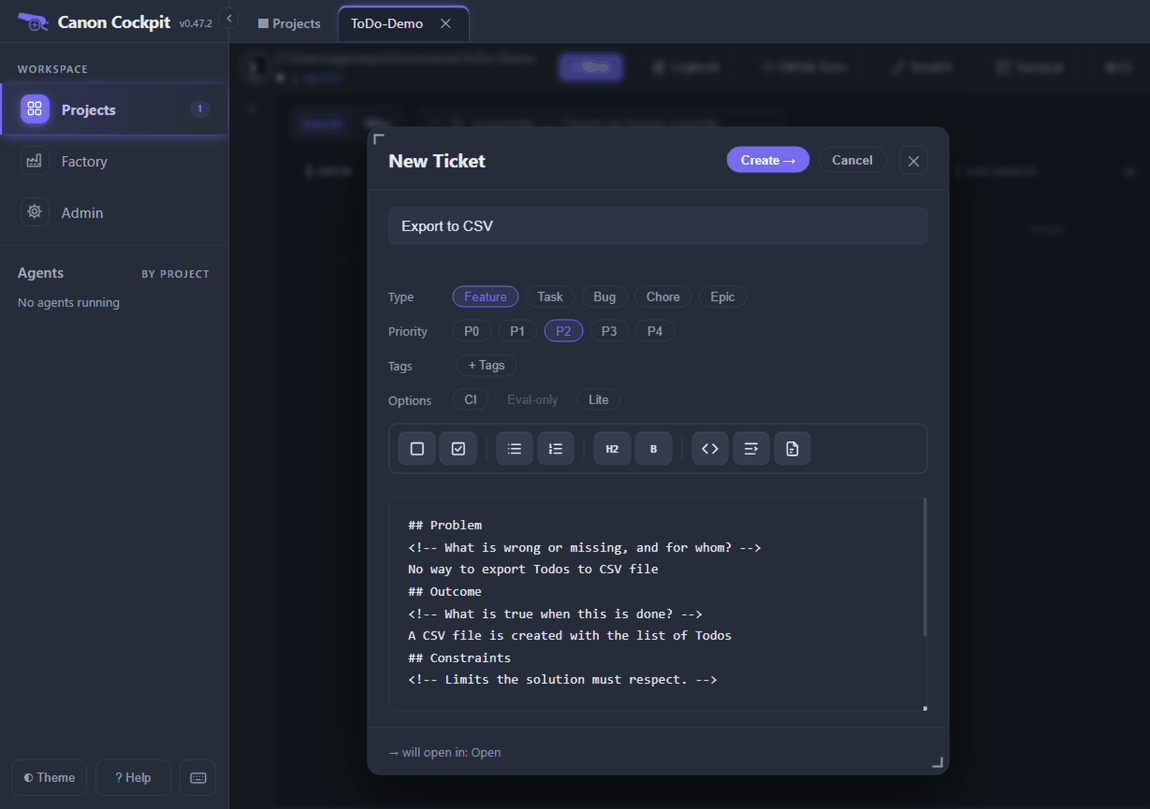
Create the ticket as usual with + New. This one, "Export to CSV", has only a problem and an outcome. It has no acceptance criteria and no plan, and that is allowed: the cloud session then drafts both and stops for your approval, as the Send panel's warning says.
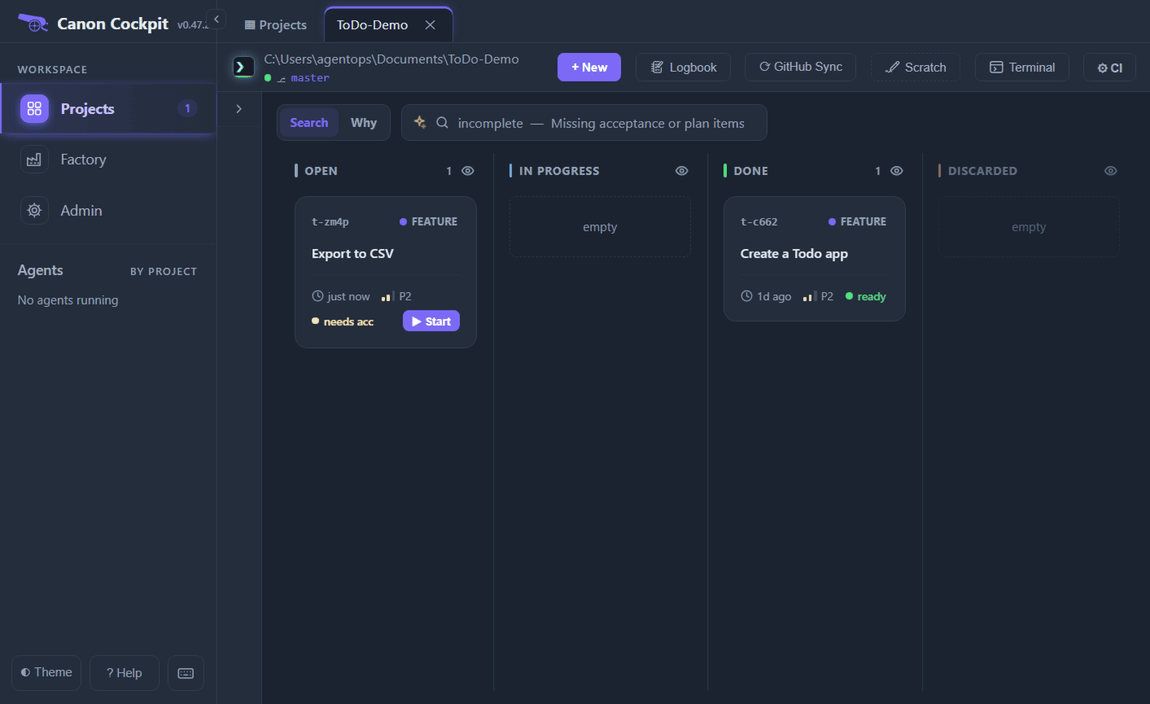
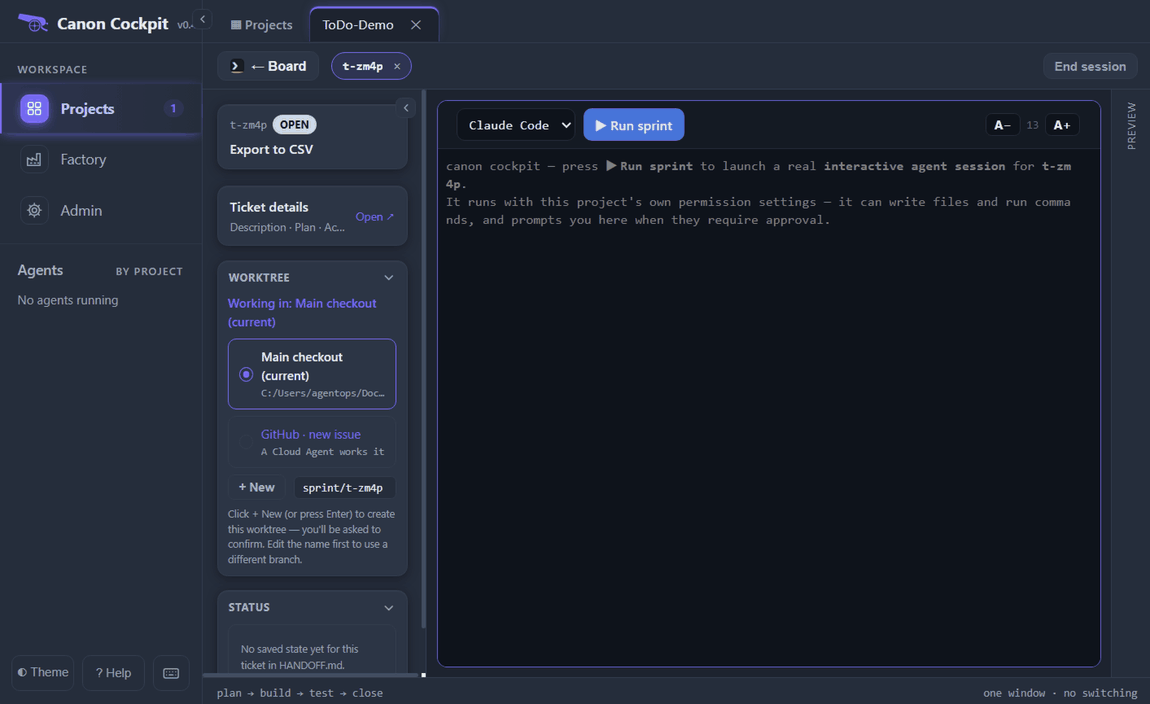
Press ▶ Start. The session opens with a Worktree box, and one of its choices is GitHub · new issue.
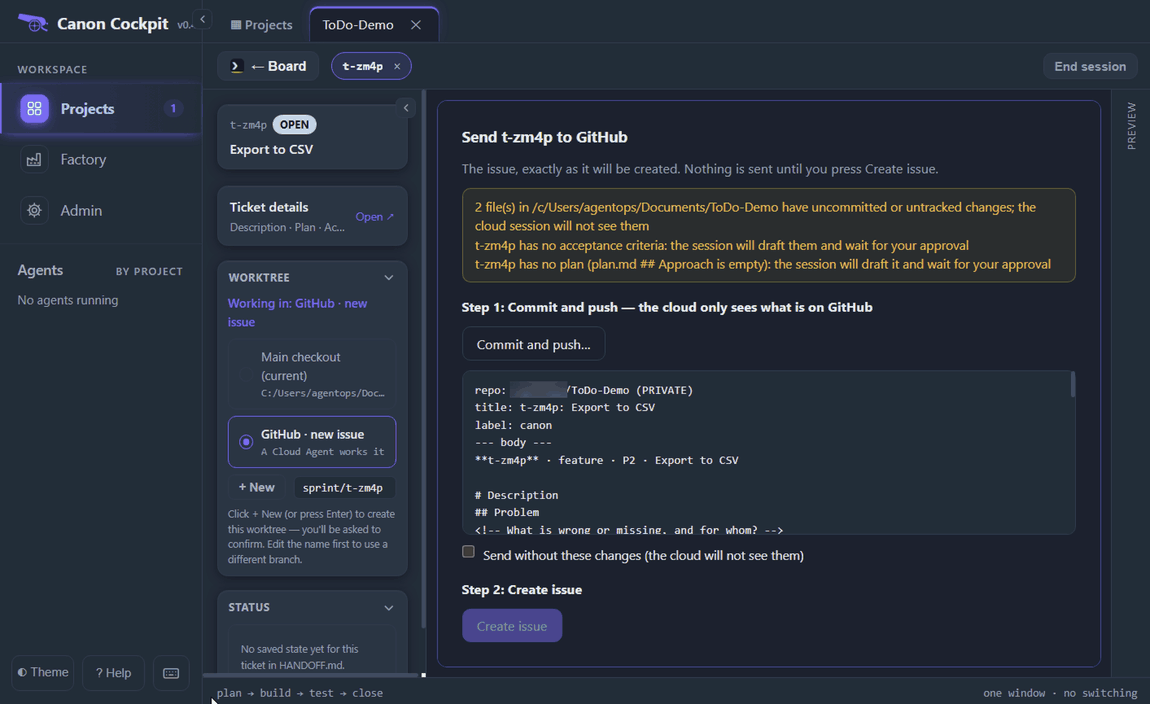
Choose GitHub · new issue. The Send panel shows the issue exactly as it will be created and sends nothing until you press Create issue. At the top it warns about what the cloud will not see: uncommitted files, and here the missing acceptance criteria and plan.
The cloud works from GitHub, not from your machine, so it sees only what is on origin. The panel splits the send in two. Create issue stays greyed out while a tracked file has uncommitted changes, until you either commit and push them in step 1 or tick Send without these changes (the cloud will not see them).
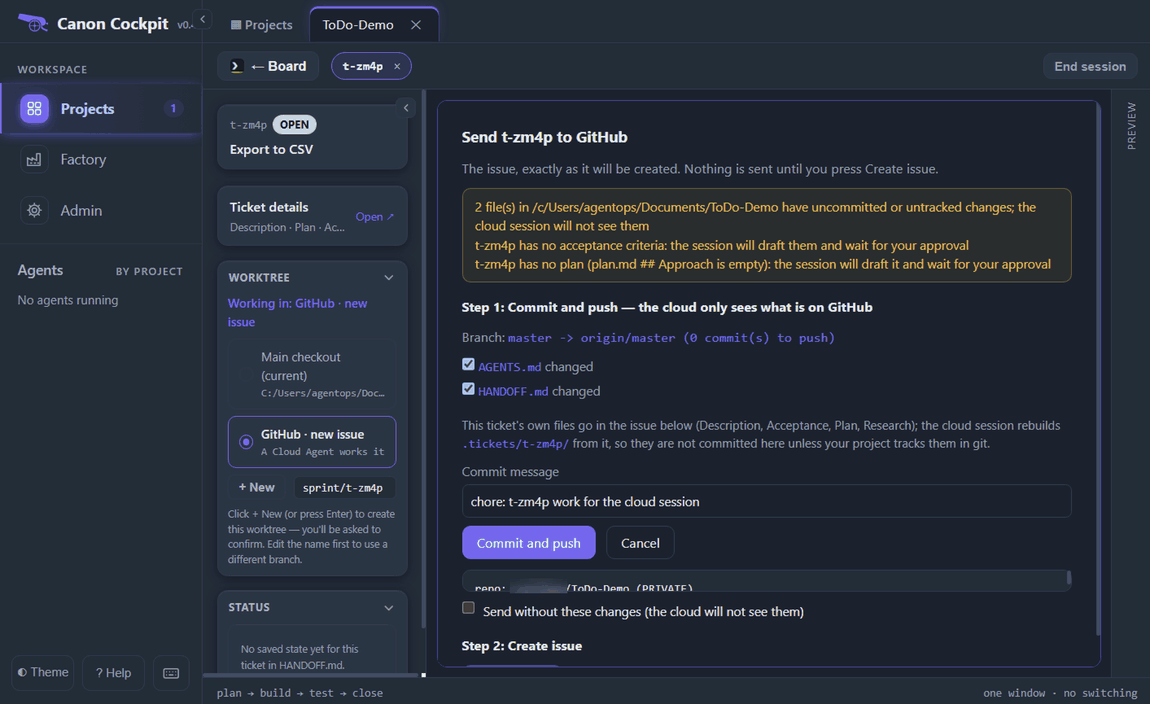
Commit and push… lists the files that changed. Changed tracked files start ticked, except a file written in the last five minutes, which starts unticked and is marked with its age, and every file while an agent session is working in the project, since those may be its work in progress. New files that git does not track yet start unticked, and nothing new is added unless you tick it. You can edit the commit message.
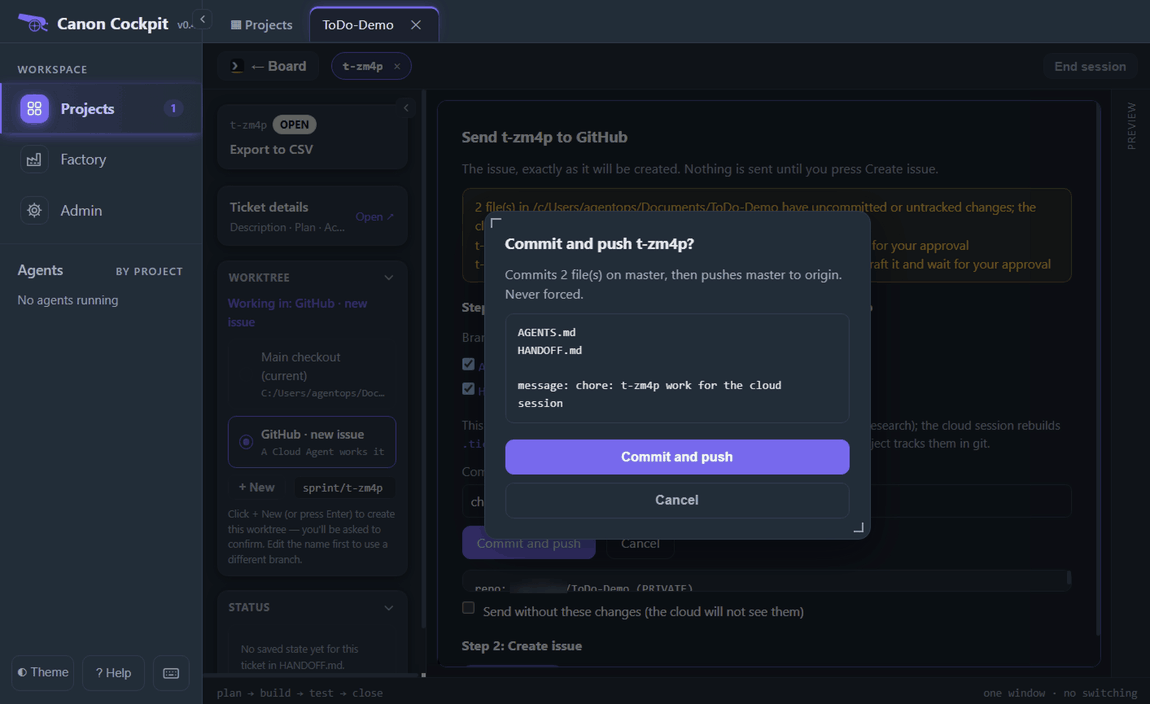
A confirmation says what it will do: commit the ticked files on master, then push master to origin, never forced.
After the push the amber warning keeps only the lines about the missing acceptance criteria and plan, and the two steps give way to the issue and the Create issue button, now enabled.
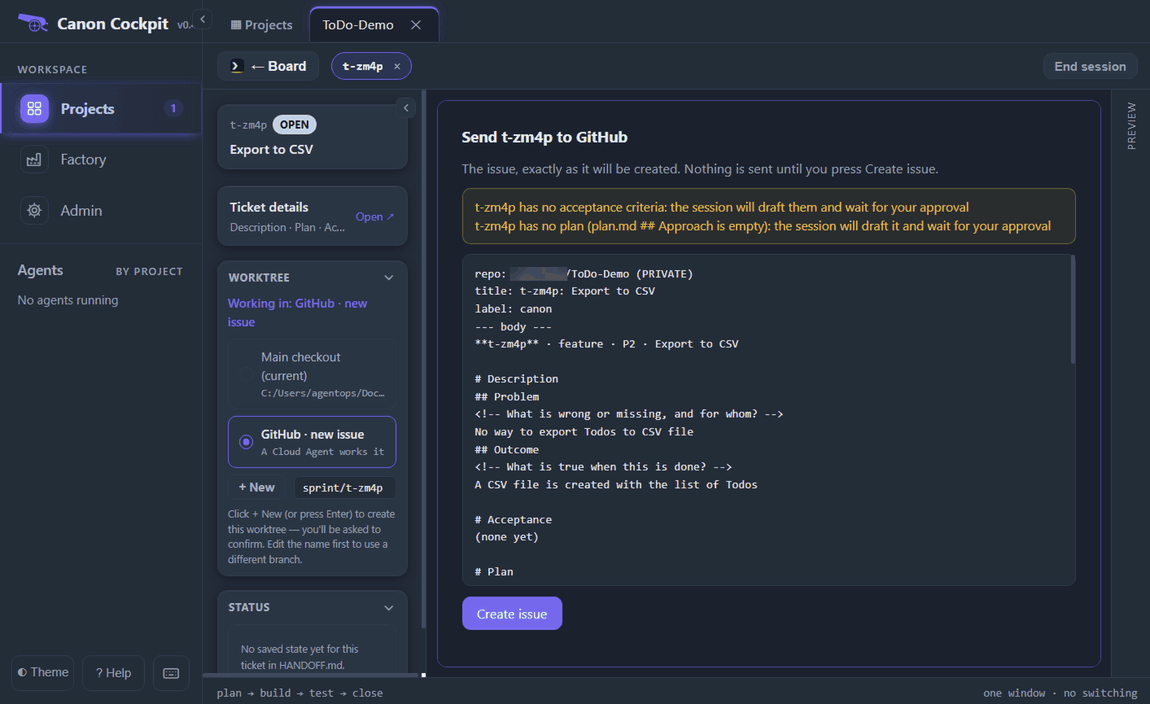
If you tick the checkbox instead, Create issue is enabled at once and the cloud works from origin as it is.
Prefer the terminal?
tkt send-issue <id> --dry-run prints the same text and creates nothing. Without --dry-run it creates the issue, adds the canon label and records the issue in the github: line of ticket.md. Commits that are on no branch of origin are refused; push first, or add --allow-unpushed in a terminal.
tkt send-issue t-0igh --dry-run
tkt send-issue t-0igh
A ticket with no acceptance criteria or plan shows (none yet) for them. The picture is from an earlier run, on canon 0.31.0, with ticket t-0igh.
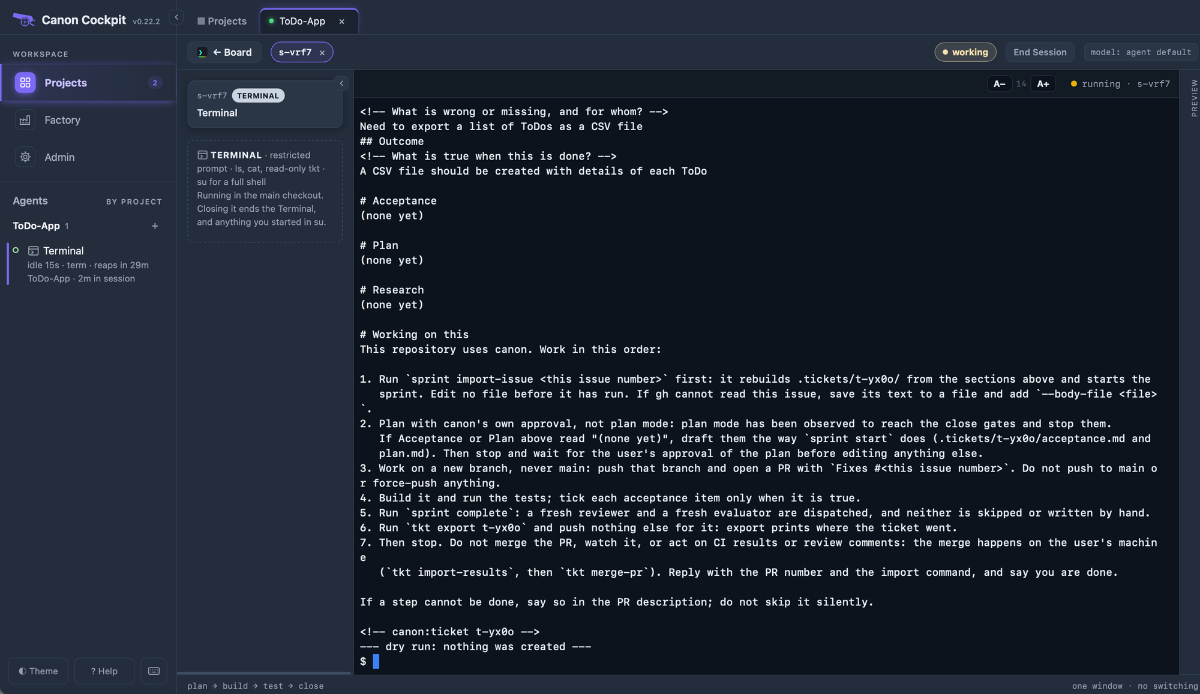
canon refuses to send a ticket to a public repository unless you add --public (tkt send-issue <id> --public), because anyone could read the issue.
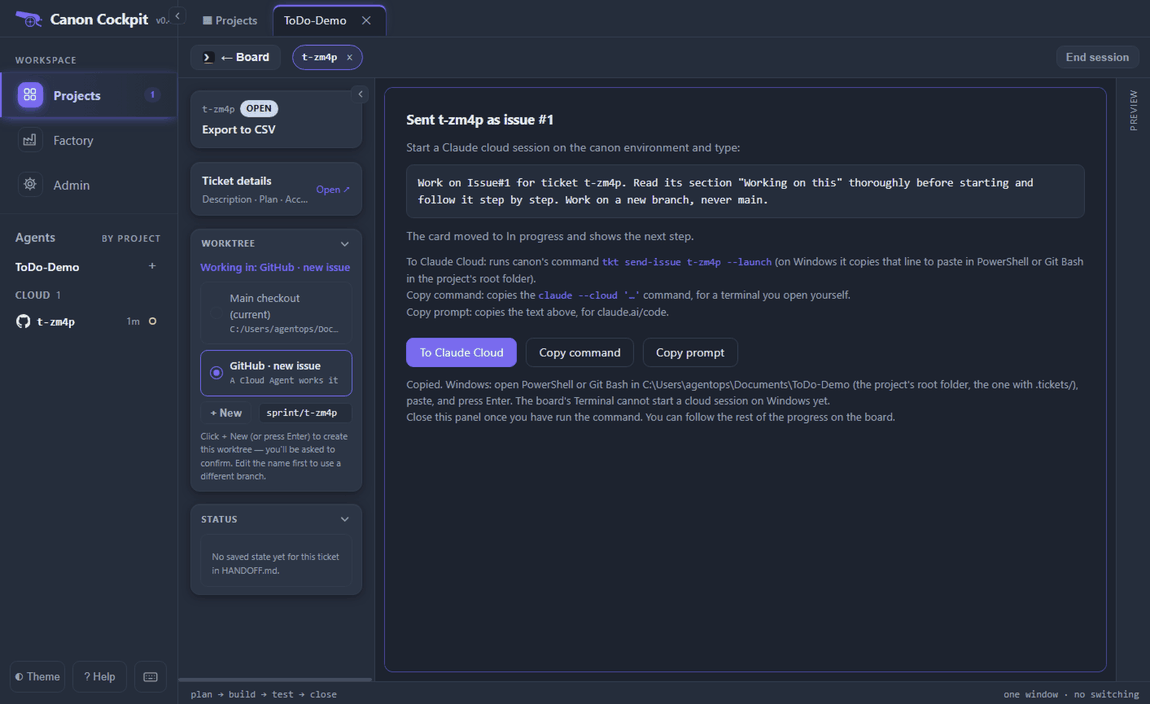
Press Create issue. The panel then says the ticket was sent as issue #1 and gives you the prompt to start the cloud session with. It says the card moved to In progress and explains three buttons: To Claude Cloud, Copy command, which copies the same prompt as a claude --cloud command for a terminal you open yourself, and Copy prompt, which copies the text for claude.ai/code.
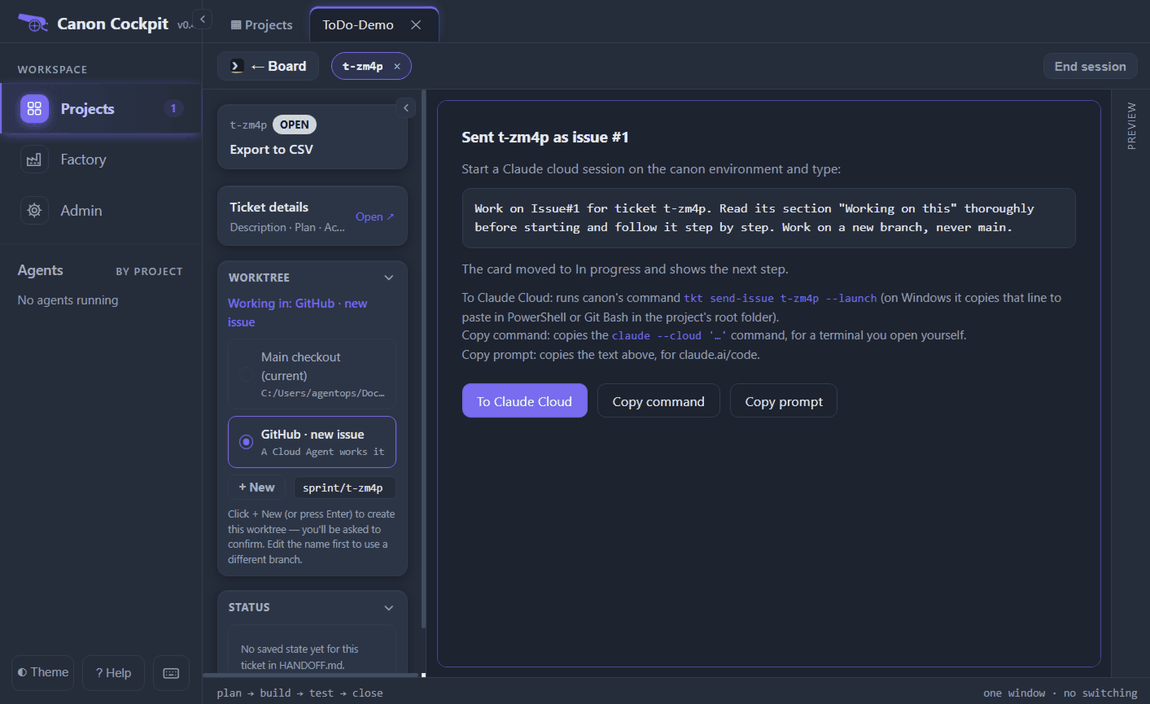
The prompt is one line. It points the session at the issue rather than repeating the ticket:
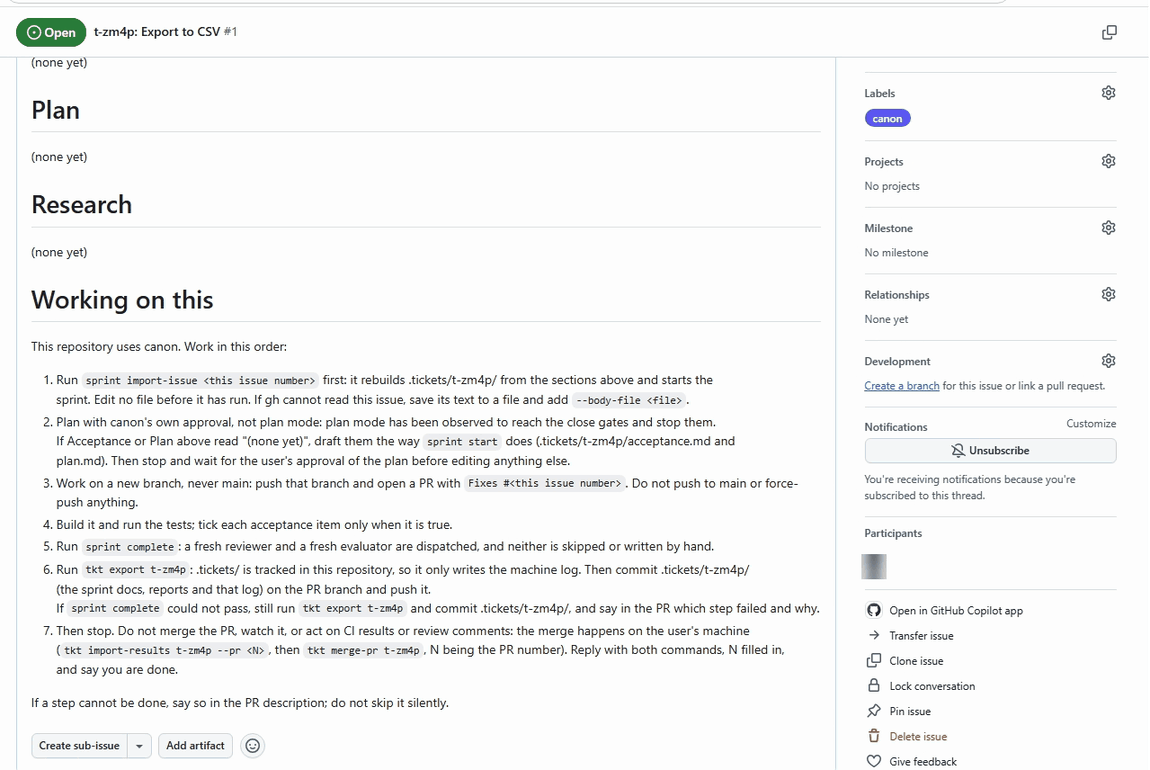
Work on Issue#1 for ticket t-zm4p. Read its section "Working on this" thoroughly before starting and follow it step by step. Work on a new branch, never main.On GitHub the issue carries the canon label, the ticket's description, and (none yet) where the acceptance criteria, the plan and the research would be.
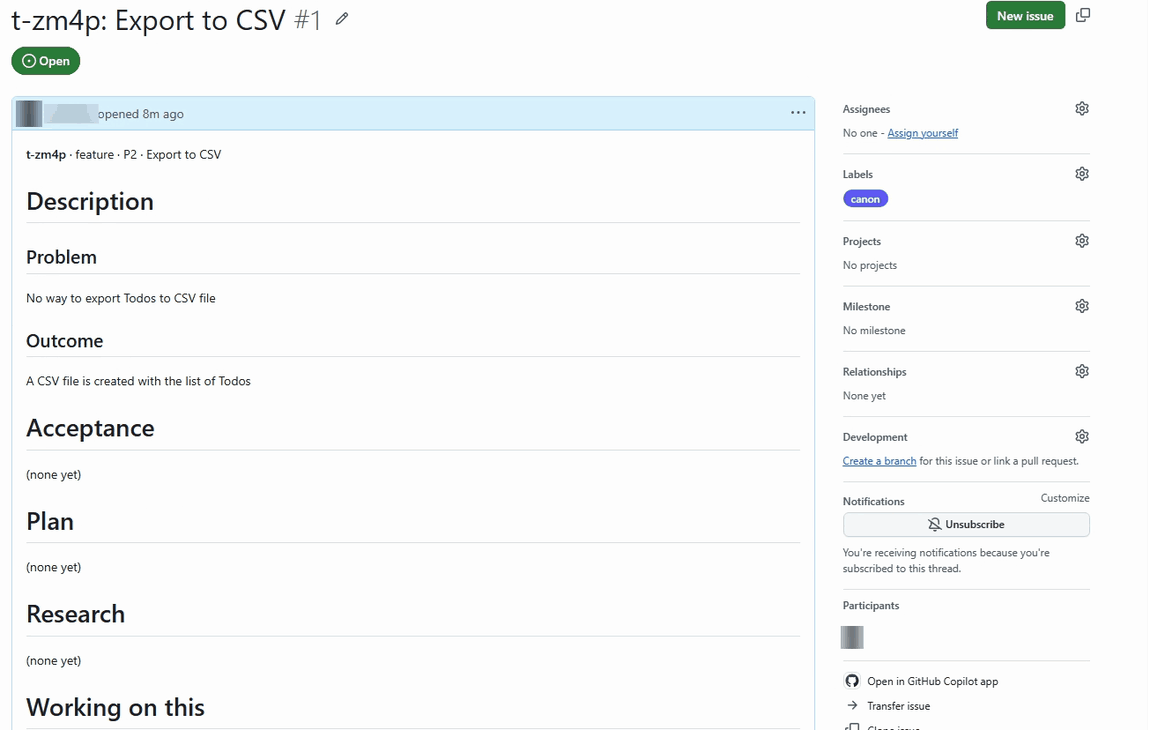
Further down is a section called Working on this, which tells the session what to do, in order: import the issue, draft and get approval for the plan, work on a new branch, build and test, run sprint complete, run tkt export, and stop. If a step cannot be done it says to say so in the pull request.
To Claude Cloud starts the session from tkt send-issue <id> --launch. On macOS and Linux it opens the board's Terminal with that command already typed; press Enter and answer y when it asks whether to start a cloud session. On Windows the button copies the line instead, and the panel says what to do with it.
That note about the board's Terminal was out of date in our run: after su and the operating system's prompt, the same command ran in the board's Terminal, and canon's release notes list that under t-353a. Paste it with Ctrl+Shift+V, press Enter, and answer y when it asks whether to start a cloud session. It prints the prompt, the claude --cloud command, the session's name and a link to open it.
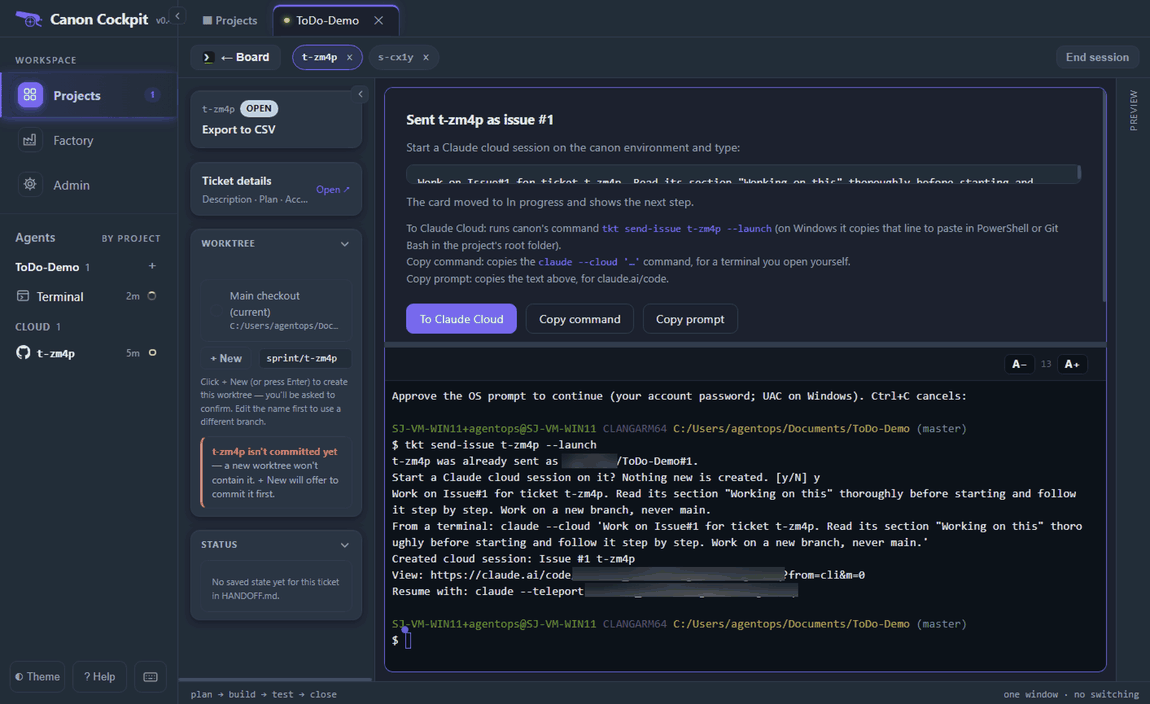
The claude --teleport line comes from Claude's command line, not from canon. Do not use it for this flow: the point is that the cloud builds and grades and your machine only imports, checks and merges.
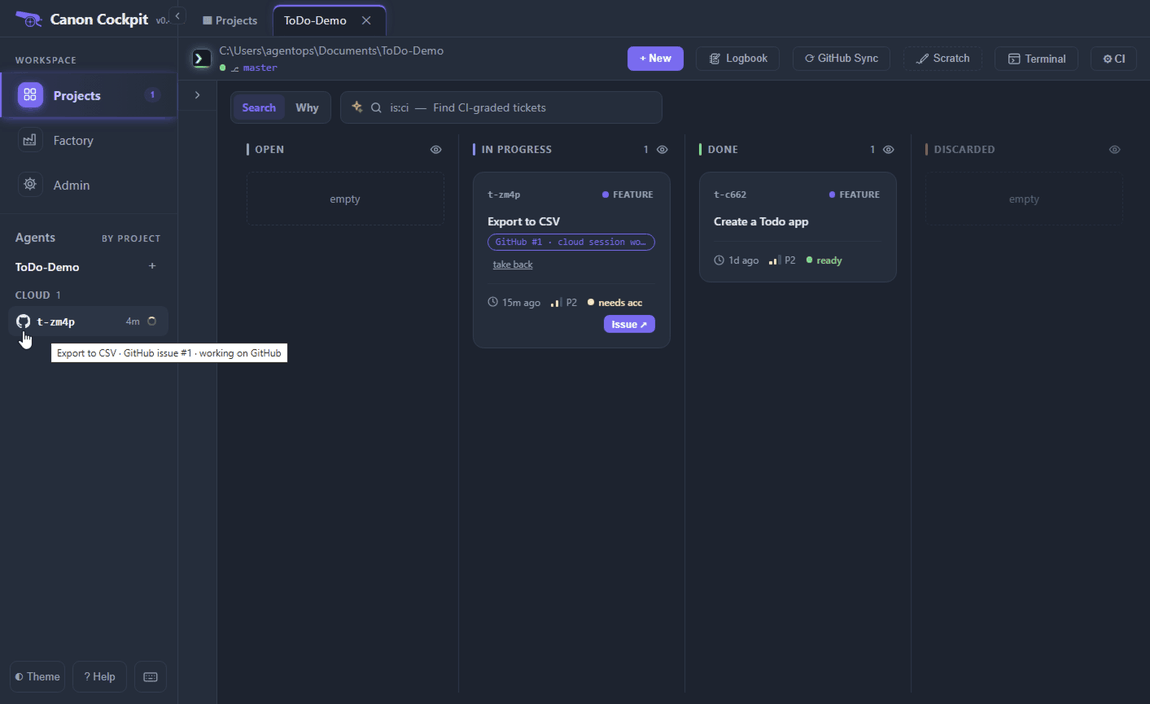
While the session works, the card shows a GitHub #1 · cloud session wo… badge, the sidebar has a Cloud group, and pointing at its row says what it is doing. The card's Issue ↗ button opens the issue on GitHub.
In the cloud
The session opens on claude.ai/code with the prompt as its first message. It reads the issue and runs sprint import-issue 1, which rebuilds the ticket in the clone from the issue's sections. Because there were no criteria or plan, it drafts both in acceptance.md and plan.md and stops for your approval. It works on its own branch and has not touched your code. In our run a hook then re-prompted the session, which committed the imported ticket files and pushed them to its branch before you approved; it reported that the commit held only the drafted acceptance and plan, and that index.html was unchanged.
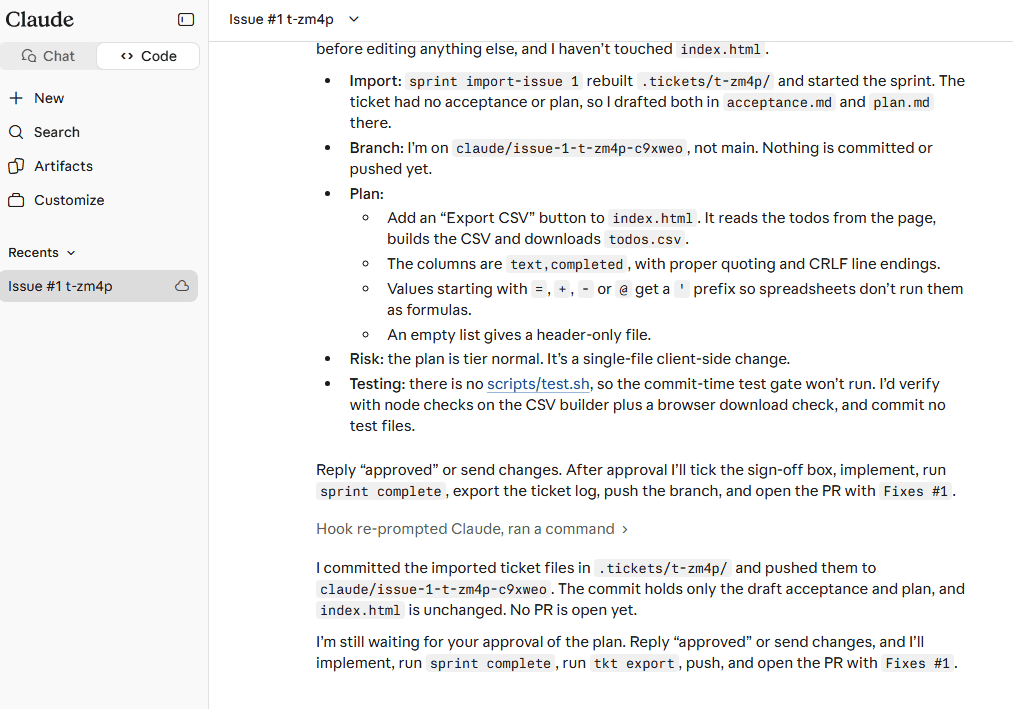
Read the plan, answer its questions and approve it by replying in the session. Do not switch the session to Claude Code's plan mode: a session that planned in plan mode has passed its plan to the reviewer and evaluator, which then cannot run.
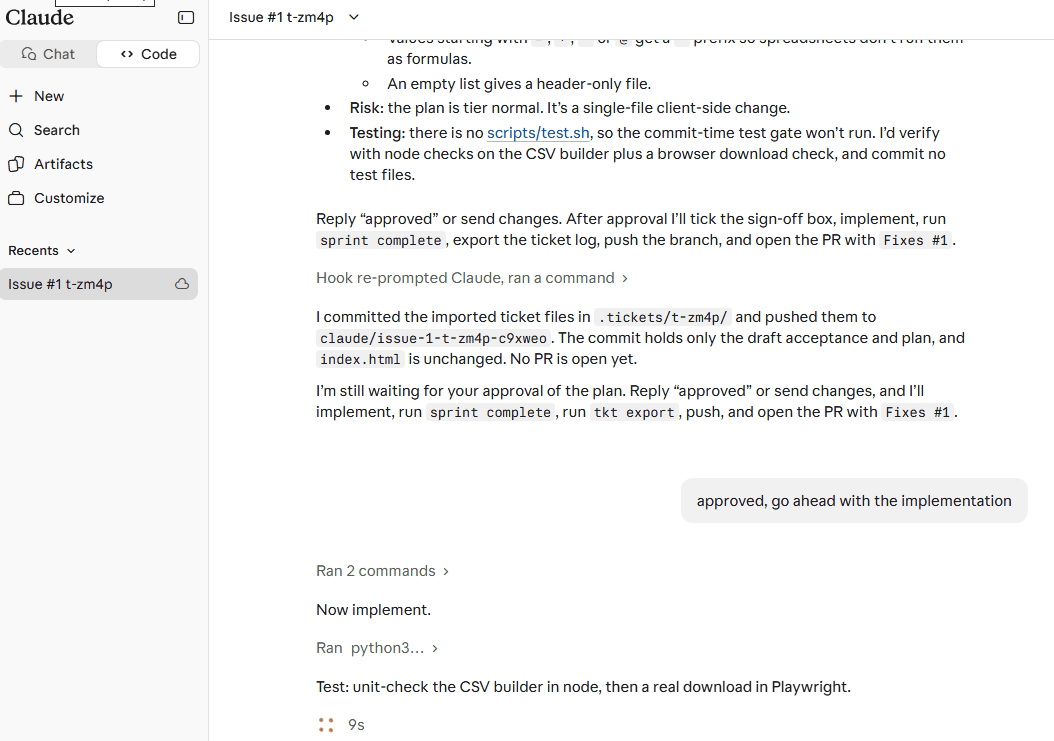
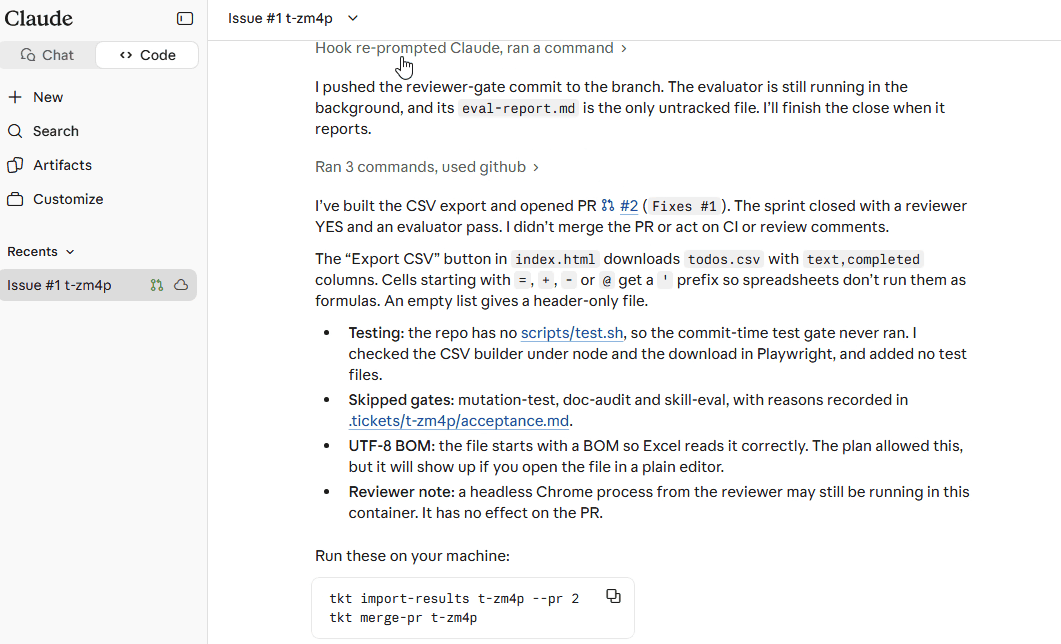
The session builds the change, tests it, runs sprint complete and closes the ticket. It opens a pull request with Fixes #1, runs tkt export t-zm4p and stops. It does not merge, and it does not watch the pull request: the merge happens on your machine. It ends with the two commands to run, with the pull request number filled in.
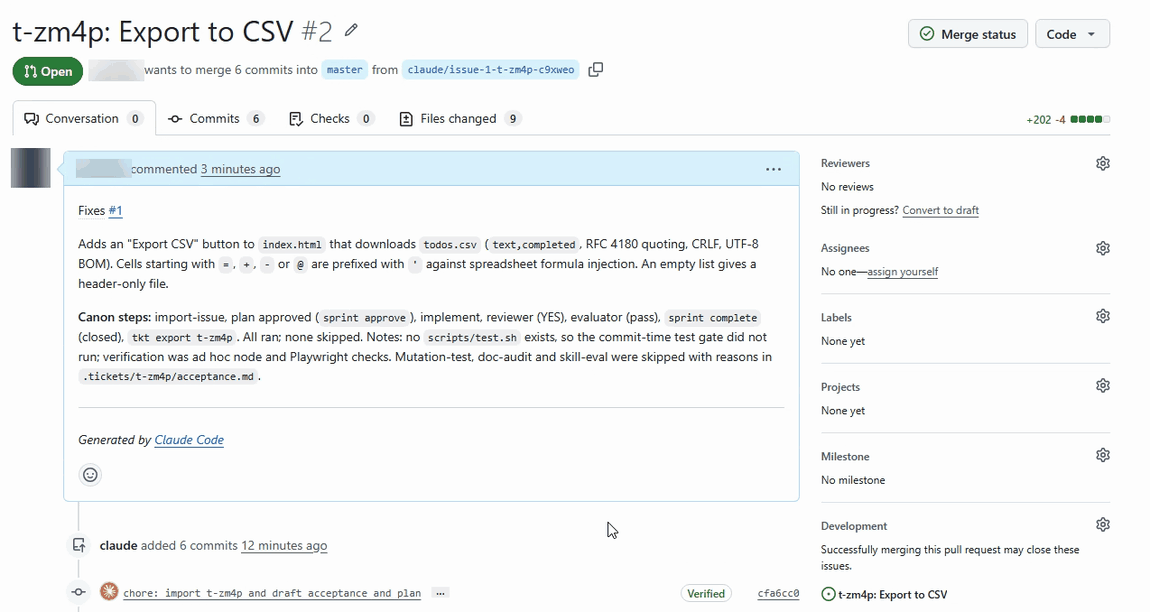
The pull request description says the same. It lists the canon steps that ran, and it names any step that was skipped or ran as a fallback: an earlier run reported that canon's reviewer and evaluator agents were not loaded in the cloud session, so both gates ran as fallbacks, and said so there. Check the description for the same note on your own runs.
Back home
When the session has pushed, the sidebar's cloud row shows a Results badge and the ticket's card shows a "GitHub #1 · results ready" badge and an Import results button.
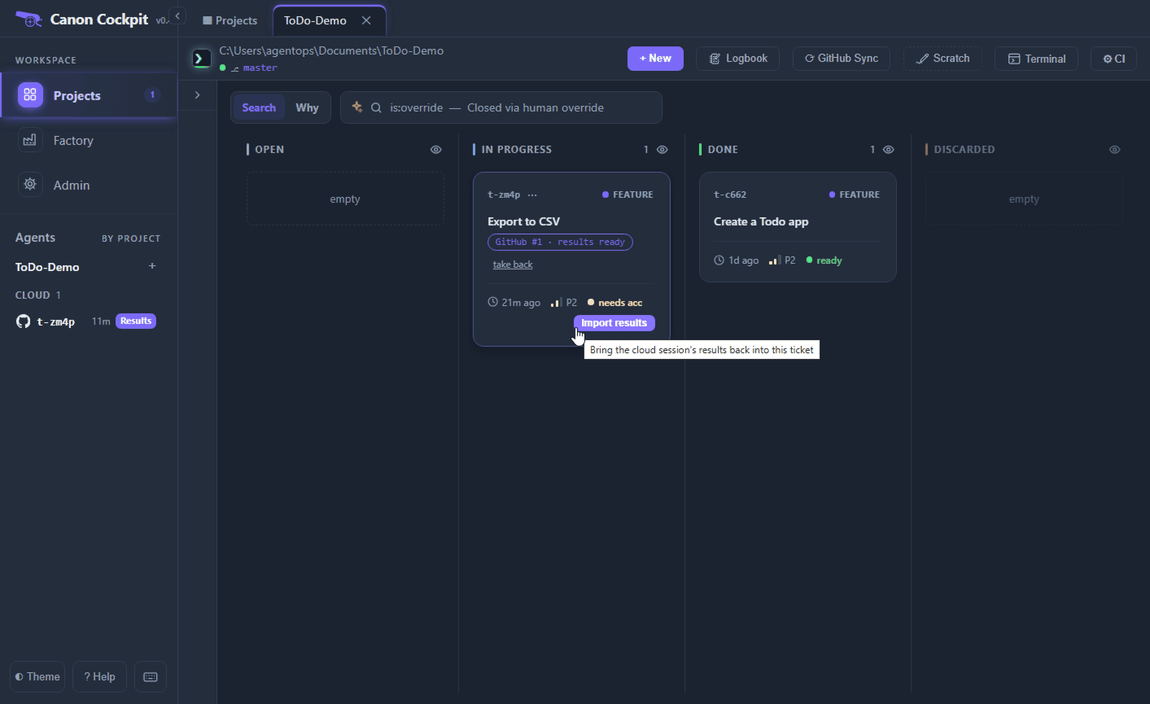
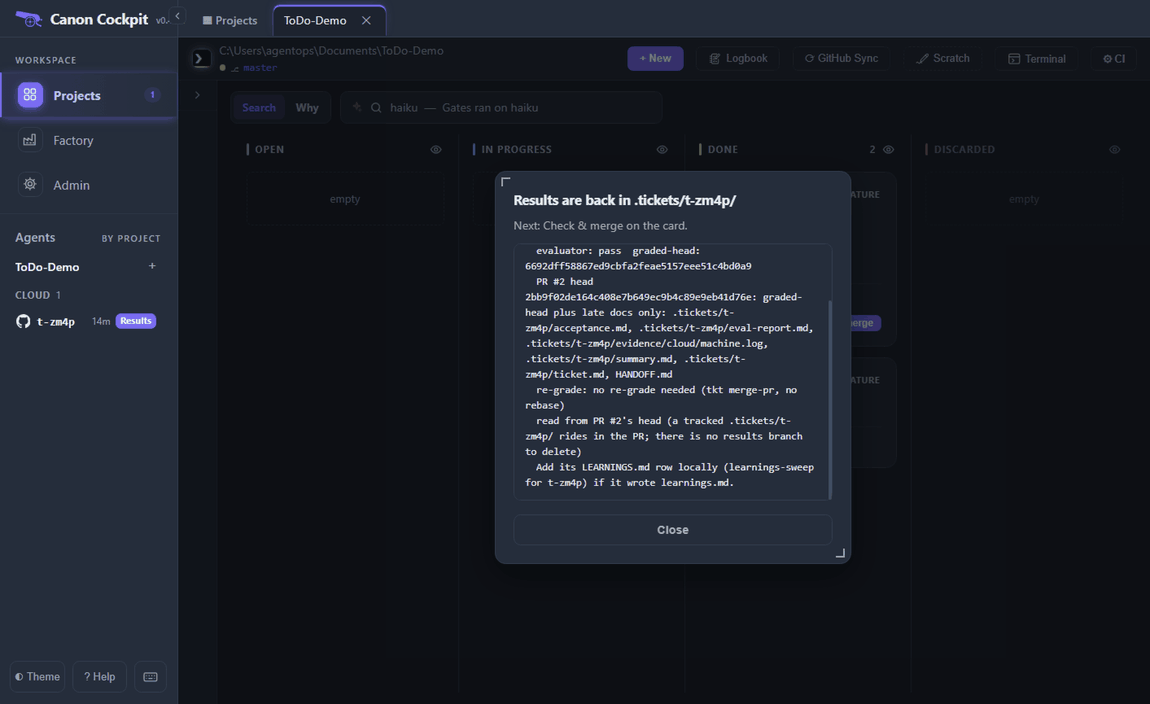
Import results brings the ticket back: every file as the cloud wrote it, any local file that differed kept in .tickets/<id>/.before-import/ (which git ignores), and a report of the ticket's status, the evaluator's verdict and the head it graded. A project that commits .tickets/ gets the results with the pull request; otherwise they travel on a branch called canon-results/<id>. An import whose pull request head is not the graded head is refused, and the trail says so.
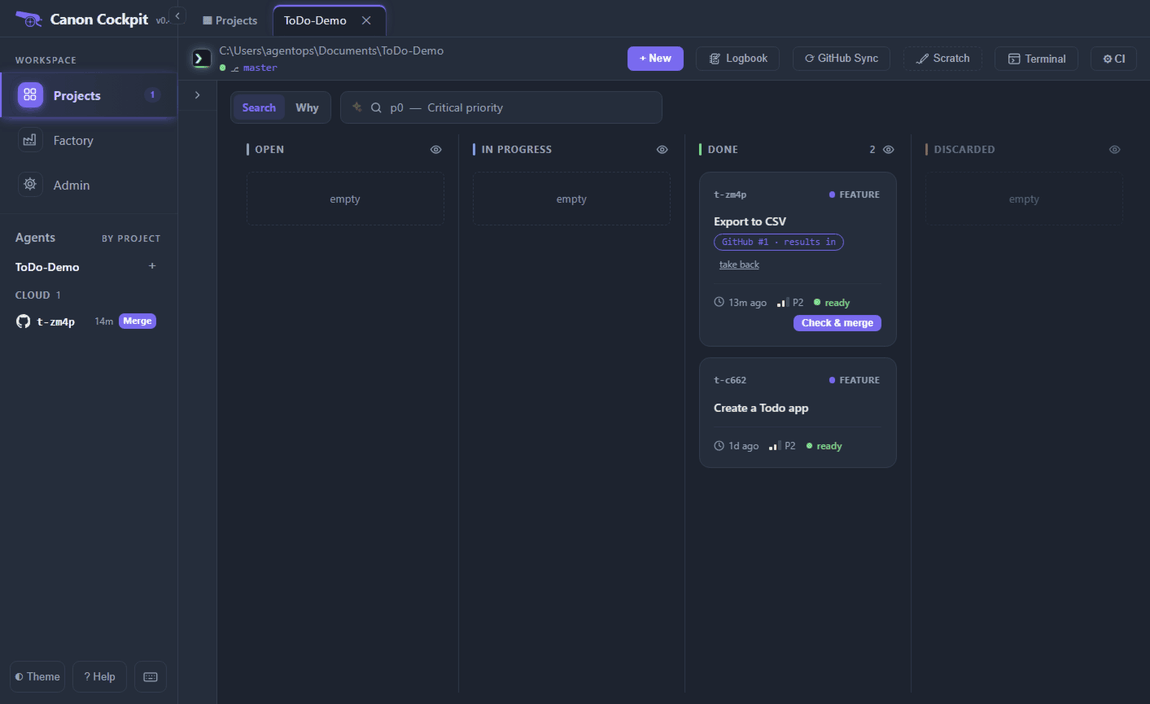
The card then reads "GitHub #1 · results in" and shows Check & merge.
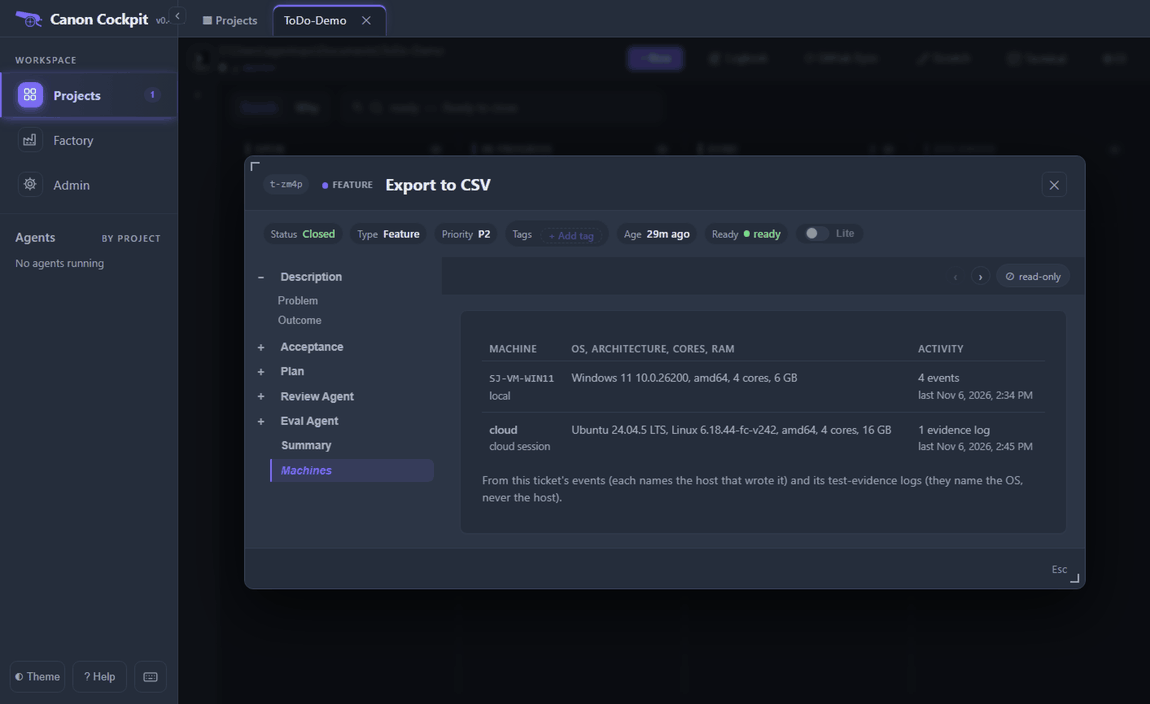
The ticket now records where it ran. Open it on the board and choose Machines in its tree: the table lists the machines that wrote to the ticket, taken from its events (each names the host that wrote it) and from its test-evidence logs (they name the OS, never the host). After a cloud run it has two rows, yours and cloud.
Check & merge first runs the checks that run none of the pull request's code. It tells you whether the pull request's head is the head the evaluator graded, or that head plus files that are safe to arrive late: the ticket's own folder, LEARNINGS rows, HANDOFF.md when canon's own Recent activity block is all that changed in it, and lines added to the audit log .claude/subagent-runs.jsonl (the log may only grow). It shows what the pull request changes, and says what it will do. Nothing from the pull request runs until you press the button, which reads Merge (no tests) when the project has no test command.
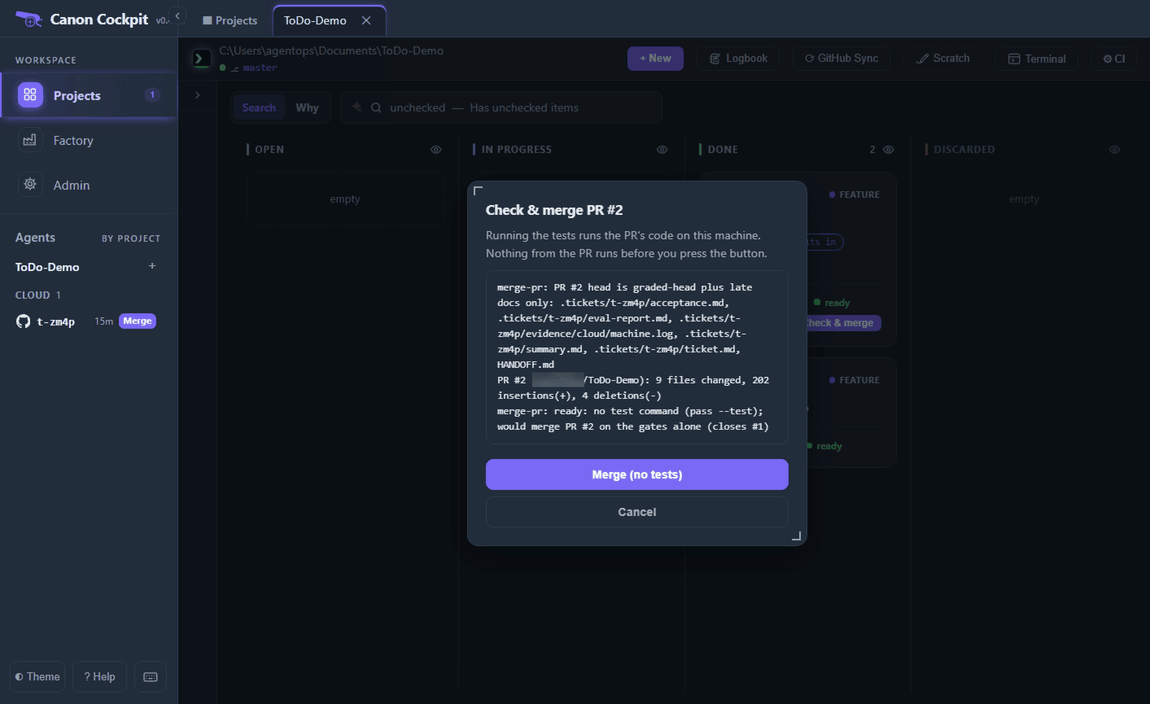
A cloud pull request can open as a draft, and GitHub will not merge a draft. When it is one, Check & merge stops within seconds and offers Mark ready (tkt pr-ready <id>); press it and run Check & merge again. Here the pull request was not a draft.
While it runs, the dialog shows the log and a Stop button.
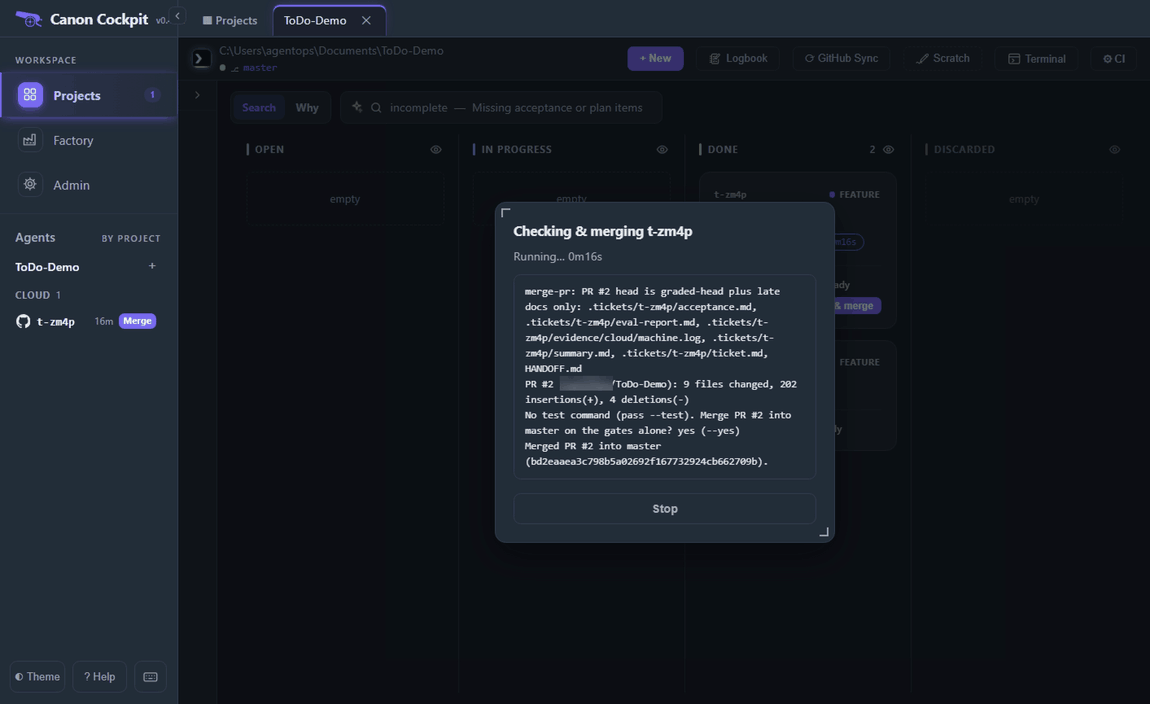
When it has merged, the dialog says so. GitHub closes issue #1 through the pull request's Fixes #1 line, and canon tries to move your local master forward to the merge commit.
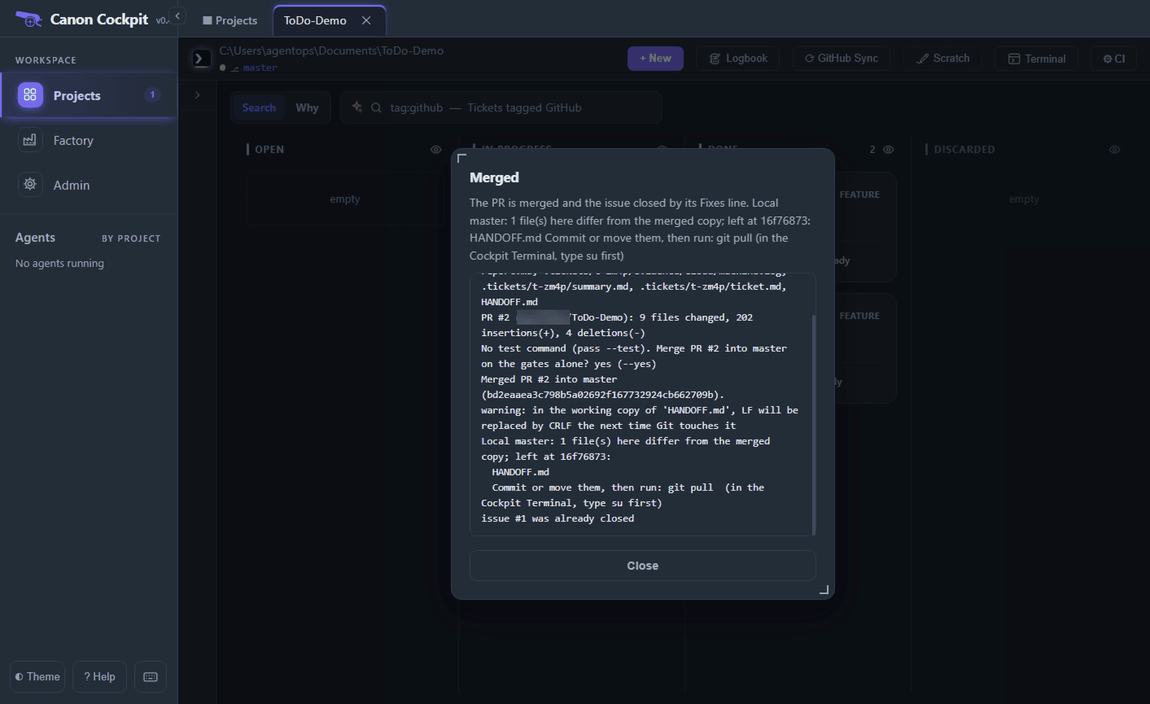
canon moves local master forward itself. The usual thing that stops it is a file it would overwrite that differs from the merged copy (a staged file, a branch checked out in another worktree and a git refusal stop it too). These do not stop it: a file identical to the merged copy, the ticket's own ticket.md where it differs only in canon's local fields, local lines in the audit log, and a HANDOFF.md whose only local change is canon's own Recent activity block. In our run HANDOFF.md also held three lines under ## Scratch that canon had written after our Terminal sessions, so canon stopped, named the file and left master at the commit it was on. The merge on GitHub had already happened.
Compare the file before you move anything. In the Terminal, after su, git fetch and then git diff origin/master -- HANDOFF.md show what differs. Here every differing line was one canon had written itself: its Recent activity block and the Scratch lines. See Troubleshooting for what comes next.
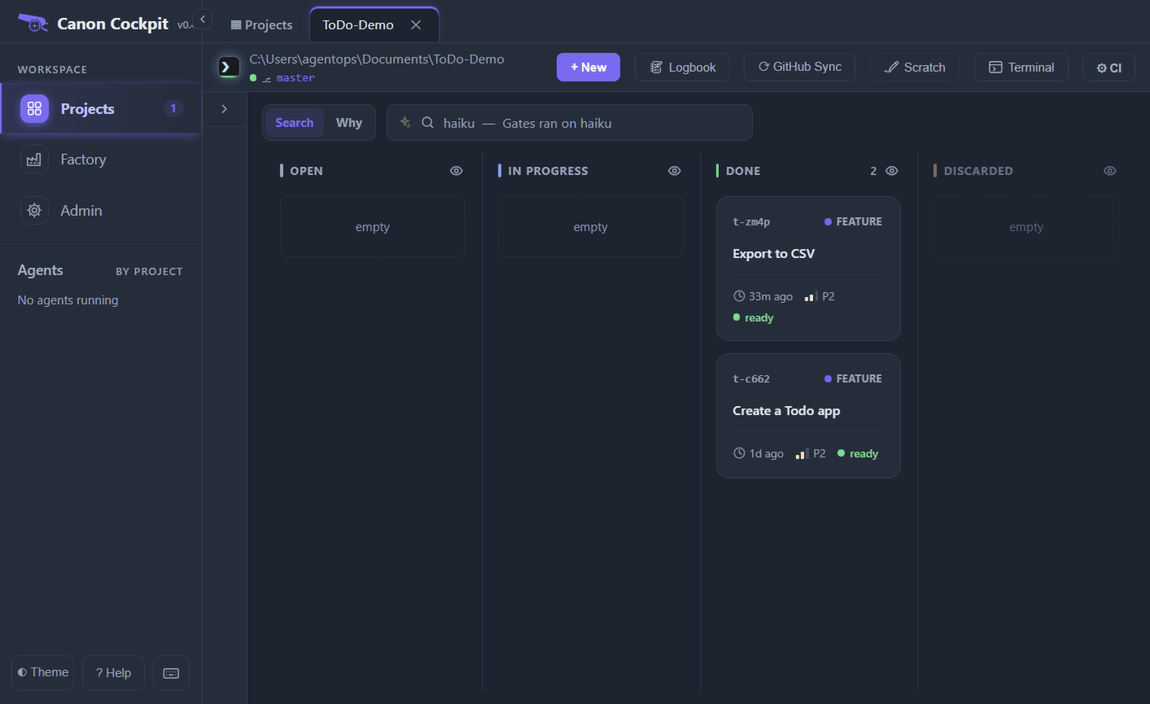
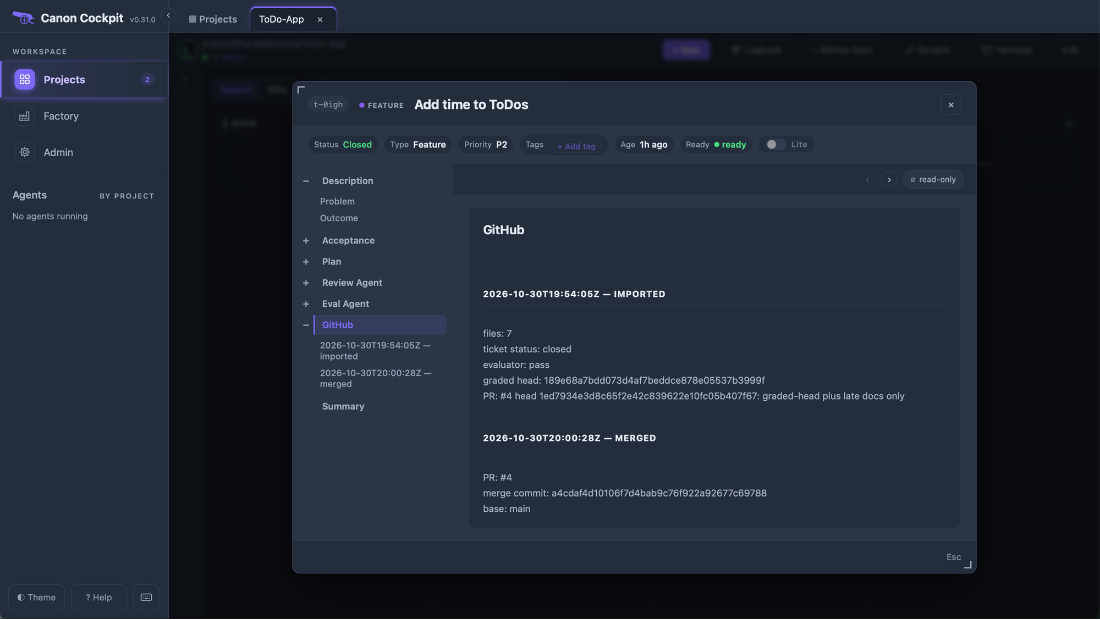
In canon 0.31.0 the ticket's GitHub tab kept the trail: each send, launch, import and merge appended a dated entry to .tickets/<id>/github.md. In that run the file was not committed, so after the folder was lost the trail started at the import.
Prefer the terminal?
The same steps as commands. tkt merge-pr needs su first in the board's Terminal.
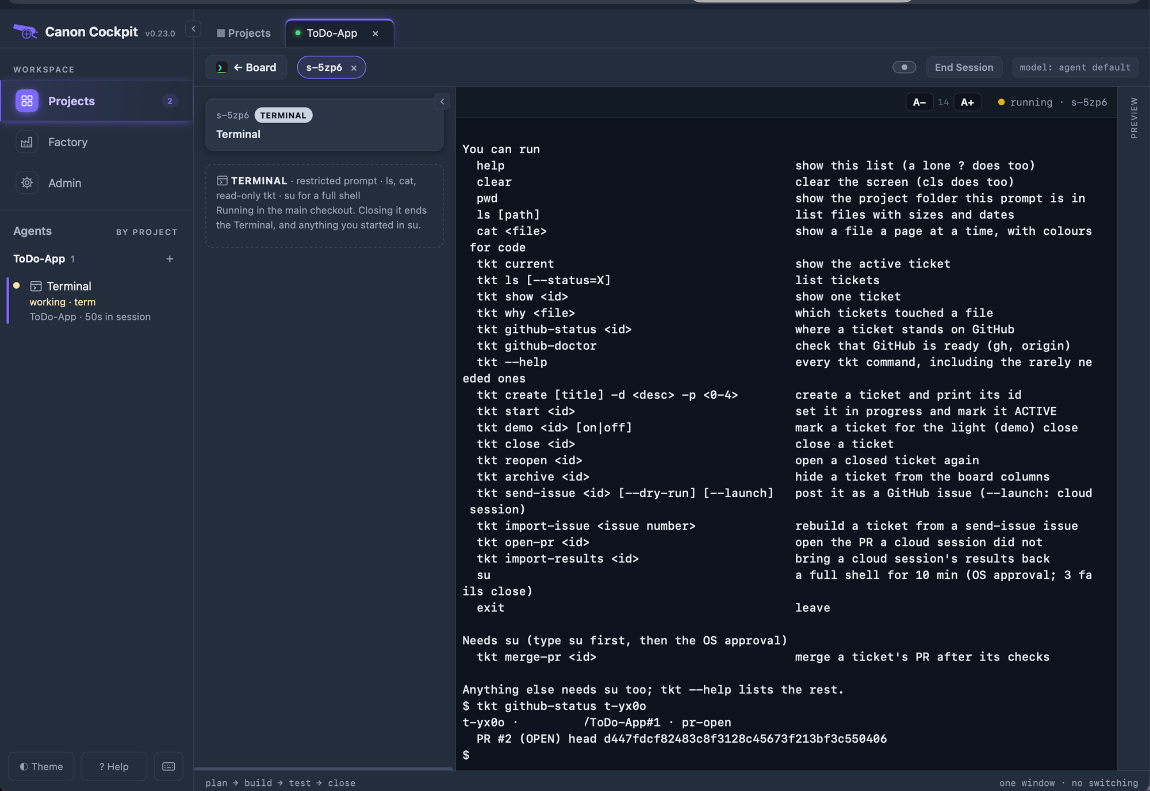
tkt github-status t-zm4p
tkt import-results t-zm4p --pr 2
tkt merge-pr t-zm4p
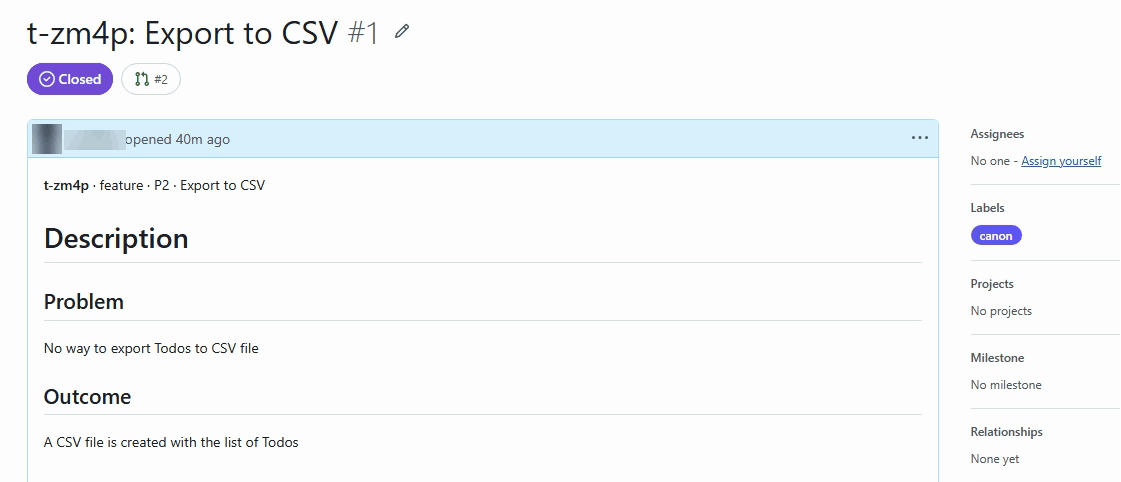
On GitHub, issue #1 is closed with the canon label, and its pull request is linked.
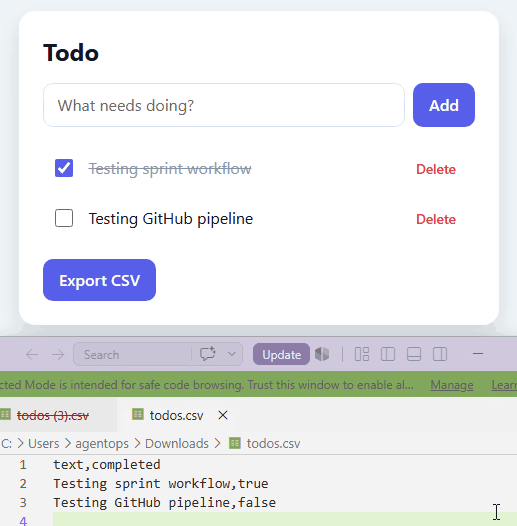
Once your local master has the merge, the app has the feature. An "Export CSV" button under the list downloads todos.csv, with the columns text and completed.
If your project folder is gone
The cloud works from GitHub, so losing your copy does not lose the work. In an earlier run (canon 0.31.0, ticket t-0igh, issue #3, pull request #4) the project folder was lost while the cloud session was waiting for approval. The issue still held the ticket's text, and GitHub still knew the pull request, so the way back was:
- Clone the repository to a new folder, for example
gh repo clone <owner>/<repo> <folder>, and add that folder with + Add Project. - In the new project's Terminal, run
tkt import-issue 3. It rebuilds the ticket from the issue and links it to the issue. - Run
tkt github-status t-0igh. It reports where the ticket stands, here that the results were ready on pull request 4, and gives thetkt import-resultscommand to run. - Run
tkt import-results t-0igh --pr 4, then merge.
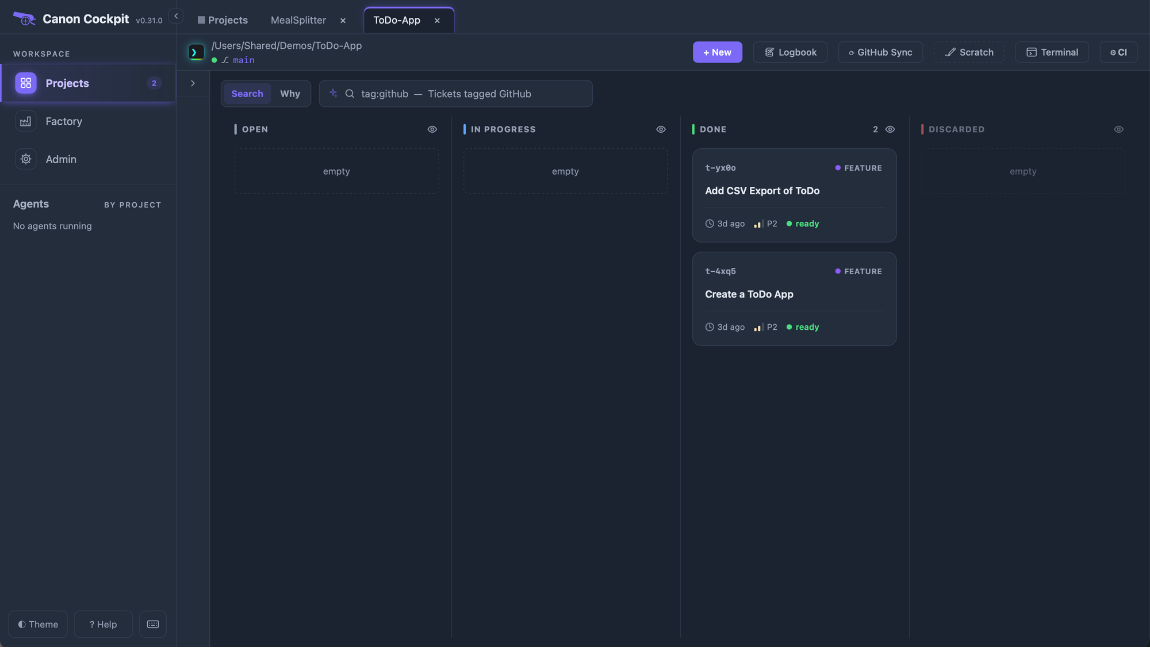
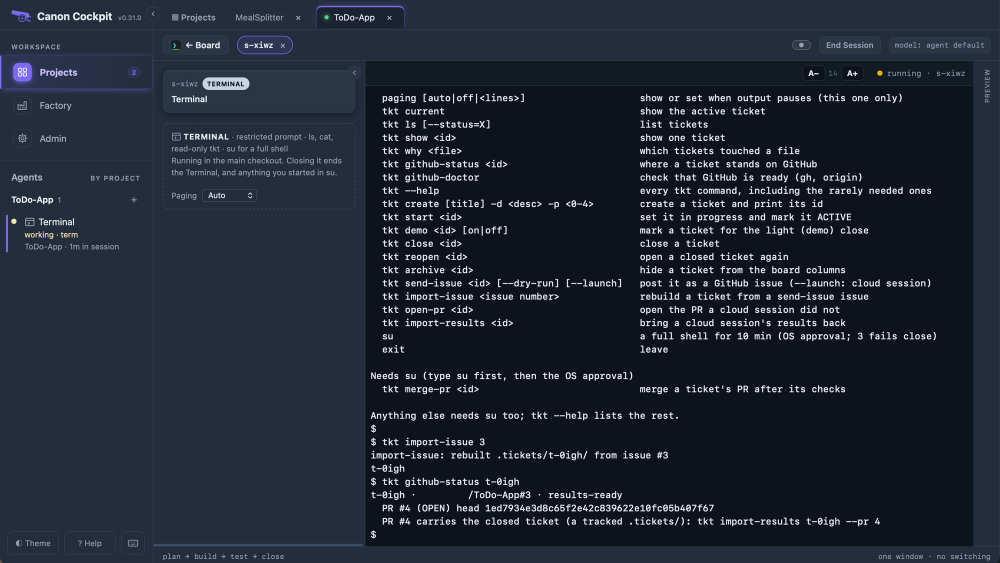
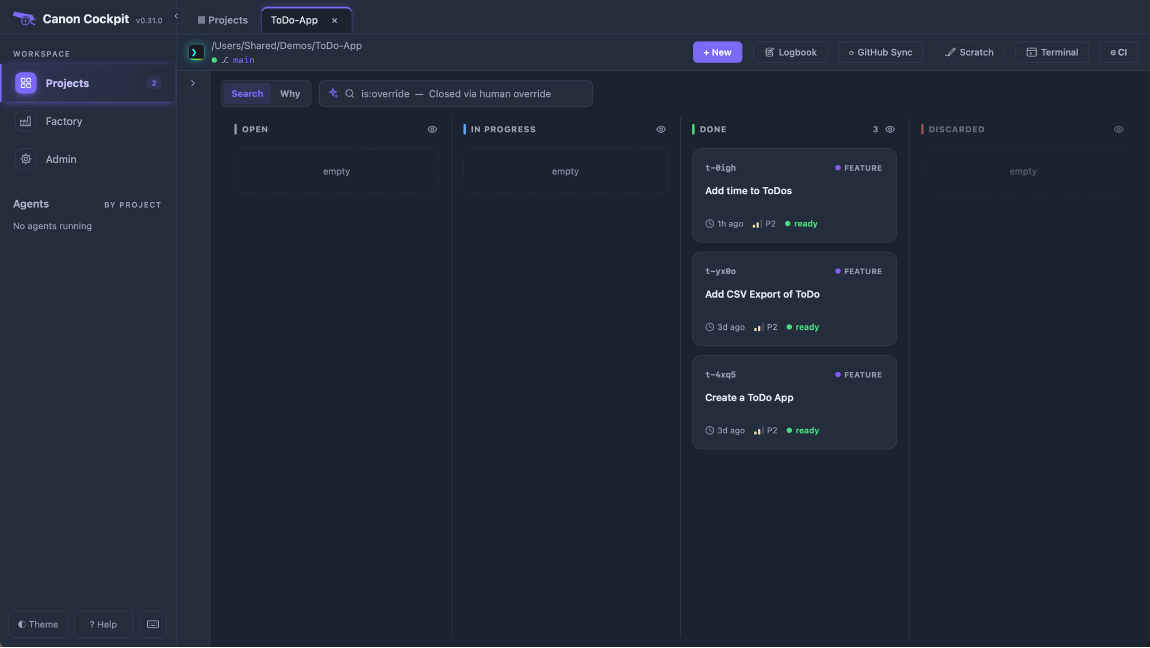
A ticket rebuilt this way is not marked as out on GitHub, so the card shows an ordinary ticket, even after the import, and offers no Check & merge. This is how canon 0.31.0 behaved in our run, and newer releases may differ. The way to the merge is the terminal: tkt merge-pr <id>.
Issues to tickets
The header button GitHub Sync turns open issues labelled canon into tickets (tkt sync-issues). It stays greyed out until the checks on Factory › GitHub pass. It opens a preview table with an index, the issue, a reason and a checkbox for each issue. Issues it would create start ticked; the others are disabled, with the reason. Create tickets creates only the ticked ones. Factory › GitHub's Intake box shows the issues waiting and when the project last synced.
When a cloud sprint cannot close
If the gates cannot run in the cloud (plan mode, or a QA item that needs your machine), the session opens the pull request, exports without closing and stops. Import brings the ticket back open, with cloud_status: in_progress recording what the cloud left.
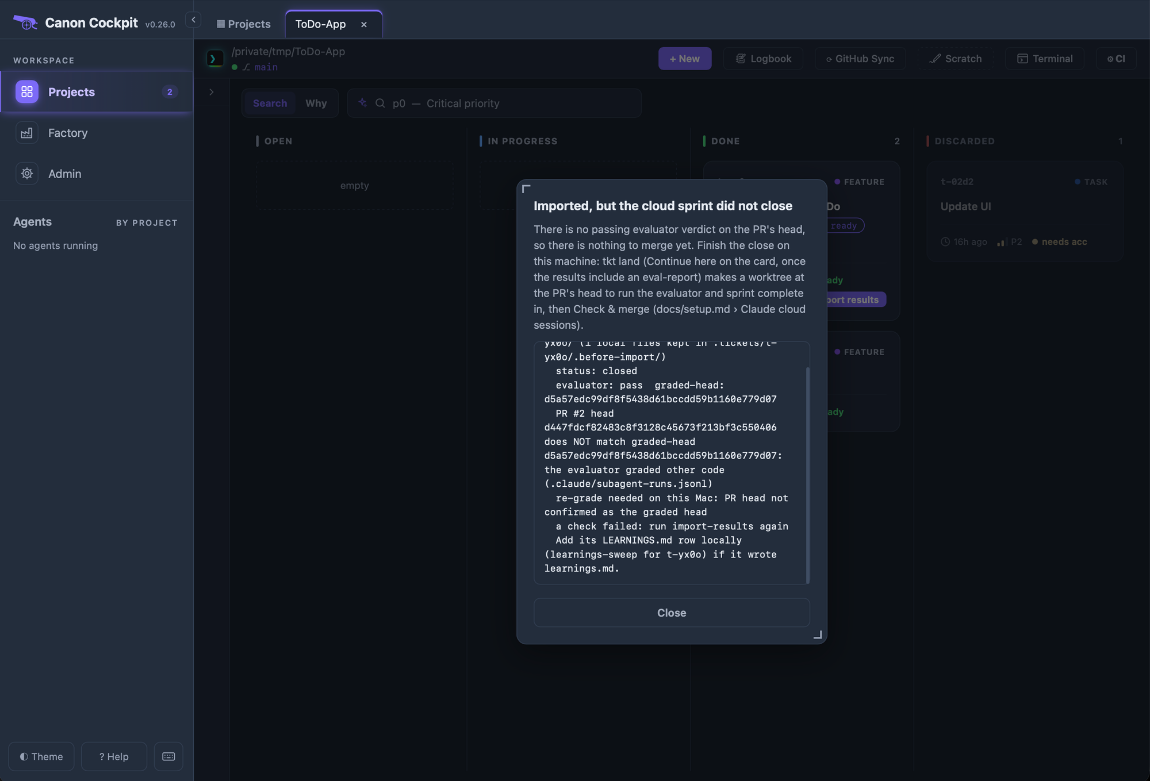
Close it from the pull request's head: tkt land <id>, or Continue here on the card, makes a worktree at the head and starts the ticket there. Run a fresh evaluator and sprint complete in it, then Finish (tkt land <id> --finish) removes the worktree. When Check & merge fails because the suite fails on your machine, Fix here (tkt land <id> --fix) makes the worktree even though the cloud's verdict passed.
A fix pushed to the pull request after grading needs the evaluator again: merge-pr merges only the graded head. When the pull request holds a change the evaluator never graded, the import says so and asks for the same thing.
Troubleshooting
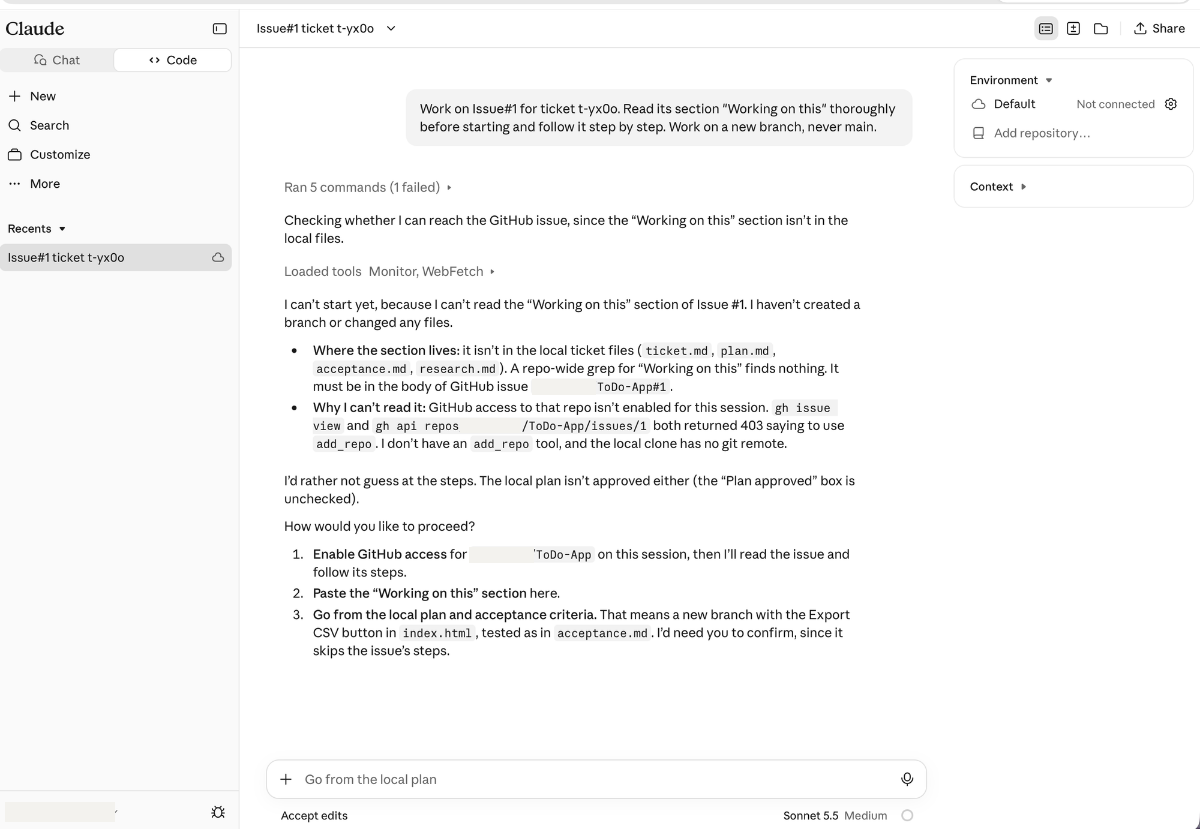
- The cloud session cannot read the issue. It says the repository is not enabled for the session and
ghanswers 403, with anadd_repohint, and it offers to work from the local plan, skipping the issue's steps. The connector, the GitHub App or the environment is missing. Set them up as above, archive that session and start another from the prompt.
- The session has no
sprintortkt. The setup script is missing, or the environment was changed after the session started. Environments reach new sessions only. - The pull request says canon's reviewer and evaluator ran as fallbacks. The cloud session did not load canon's gate agents. The gates still ran. An earlier run, on canon 0.31.0, showed this; see In the cloud.
- There is no Import results button. The card offers it only when the ticket's stage is results-ready.
tkt github-status <id>says which stage the ticket is at. A ticket rebuilt from its issue gets no button; see If your project folder is gone.
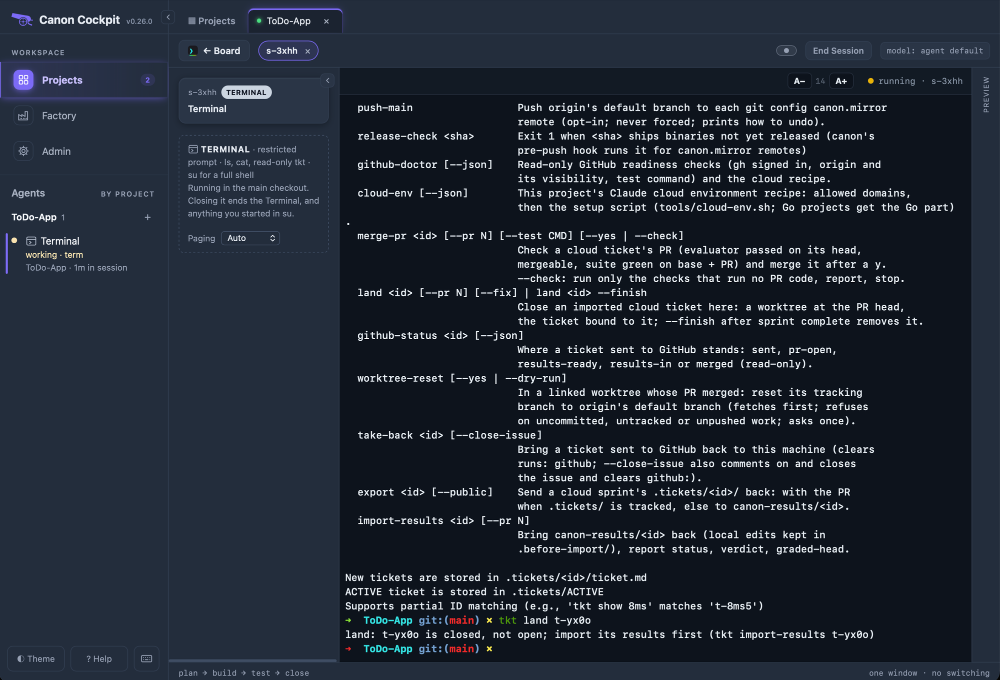
tkt landsays to import first. It refuses a ticket that is closed locally, and a cloud-closed ticket arrives closed, so import its results and check what the import said.
git pullstops after the merge, or the Merged dialog says a file differs. canon moves localmasterforward itself; when it cannot, it names the files that differ and gives thegit pullto run. Compare each file with the merged copy before you move anything, and keep only what differs: aftergit fetch,git diff origin/master -- <file>shows it. Check & merge does not try the update again once the pull request has merged.git pullcan also stop on the untracked.tickets/<id>/files that Import results put on your machine, because the pull request tracks the same files. Do not delete a file you have not compared.- The Terminal prints
^[[200~before a pasted command. Paste withCtrl+Shift+V(Paste as plain text) on Windows. - GitHub Sync is greyed out. A check on Factory › GitHub is failing; fix it there.
claude --cloudrefuses. It needs a real terminal window, not a pipe, a script or!inside a Claude Code session.- Check & merge stops in seconds. The pull request is still a draft; use Mark ready (
tkt pr-ready <id>). - The session pushed a branch but opened no pull request. The card shows "branch, no PR" and Create PR, which opens it with
Fixes #Nafter you confirm. - Two sessions on one ticket. Archive the older one before starting another, so two never push for one ticket.