Model tiers
When a sprint closes, two fresh agents check the work: the reviewer and the binding evaluator (see Sprint and gates). The gates always run. This page is about one choice only: which model runs them. You can set it once for every project, and override it for a single ticket.
The order canon picks the model
The first line that applies wins. Both gates use the same model.
| Item | If | The gates run on |
|---|---|---|
| 1 | The ticket's plan has a Gate model: fable, opus, sonnet or haiku, session, or openai:<id> |
That model. session means the model of your current session. |
| 2 | The ticket is marked Lite and has no Gate model | Haiku, for the evaluator only |
| 3 | Neither of those | The Admin default for Review & Eval gates |
| 4 | The Admin default is missing, or names a model the gates cannot use | The floor built into canon's gate definitions, claude-sonnet-5 |
A Gate model is always your choice: set by you on the Plan tab, in a live instruction, or by editing the plan. The agent never picks it for itself. Row 3 applies to every ticket, whatever the risk of the change, and it applies to code changes as much as to docs. If you set a weak model there, every close uses it unless a ticket says otherwise.
Two details:
- Lite is the light close for demos and docs work (see Lite close and Sprint and gates). It runs
security-reviewand the evaluator only.security-reviewruns inside your session, so it uses your session's model, not Haiku. A Gate model on the ticket beats the Haiku evaluator. openai:<id>runs the close gates on an OpenAI model, under Copilot CLI only. Under Claude Code or Pi the gates use the normal order instead (rows 2 to 4), and the record says why.
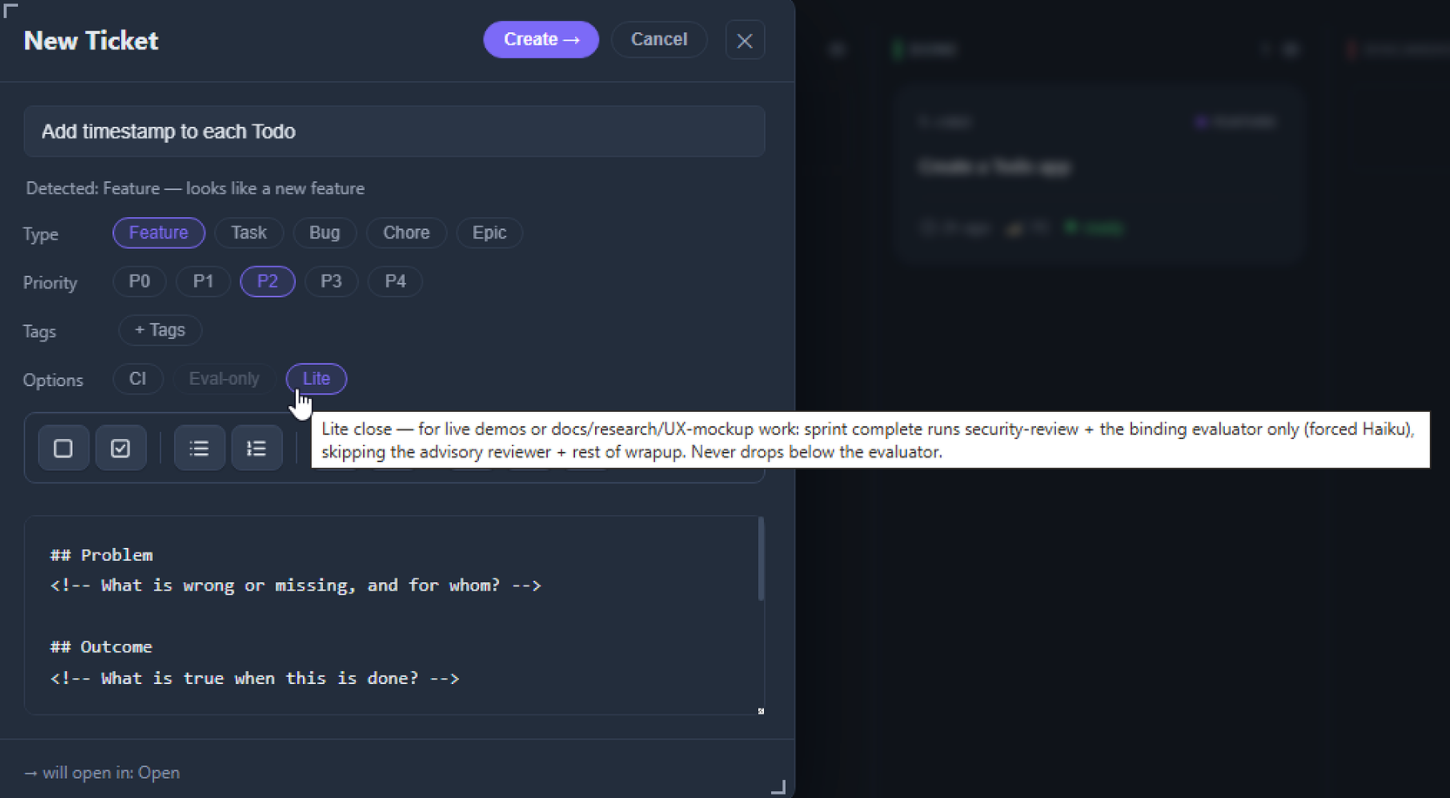
Set the default in Admin
Admin has a Model Tiers section. It is a setting for your whole canon install: it covers every project, and each change is saved as soon as you make it ("Default updated").
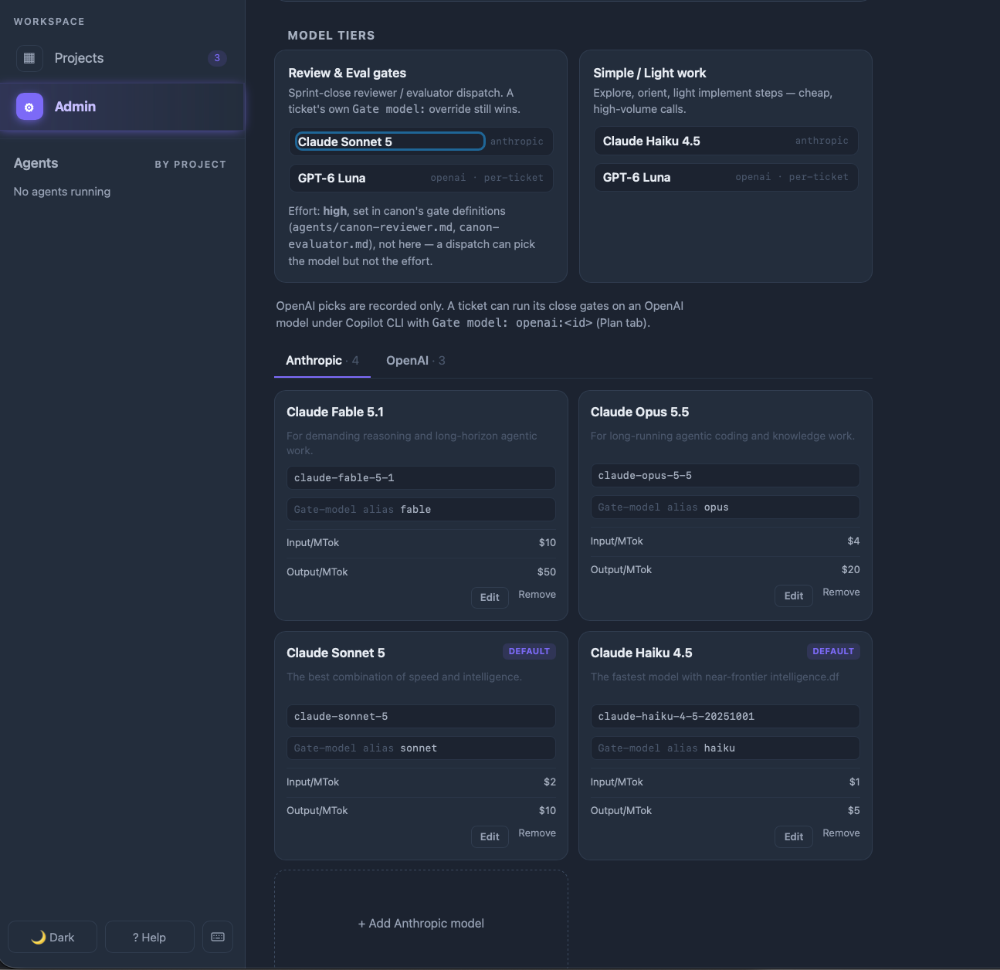
- Review & Eval gates is the default in row 3. Pick the Anthropic model there. The card also notes that the effort is
high: that is fixed in canon's gate definitions, so Admin can change the model but not the effort. - Simple / Light work is recorded here and nothing reads it yet. Changing it does not change how any gate or agent runs.
- OpenAI picks are recorded only. To run a ticket's gates on an OpenAI model, set
openai:<id>on that ticket. - The model lists (Anthropic and OpenAI tabs) show each model's id, its Gate-model alias and its prices. Edit changes them, Remove deletes one, + Add adds one. A ticket that still names a removed model keeps that value, and the Plan tab shows it as a hand-edit.
- Aliases that work. The gates accept
fable,opus,sonnetandhaiku. If the Admin default has any other alias, canon ignores it and falls to the floor in row 4.
Override it on one ticket
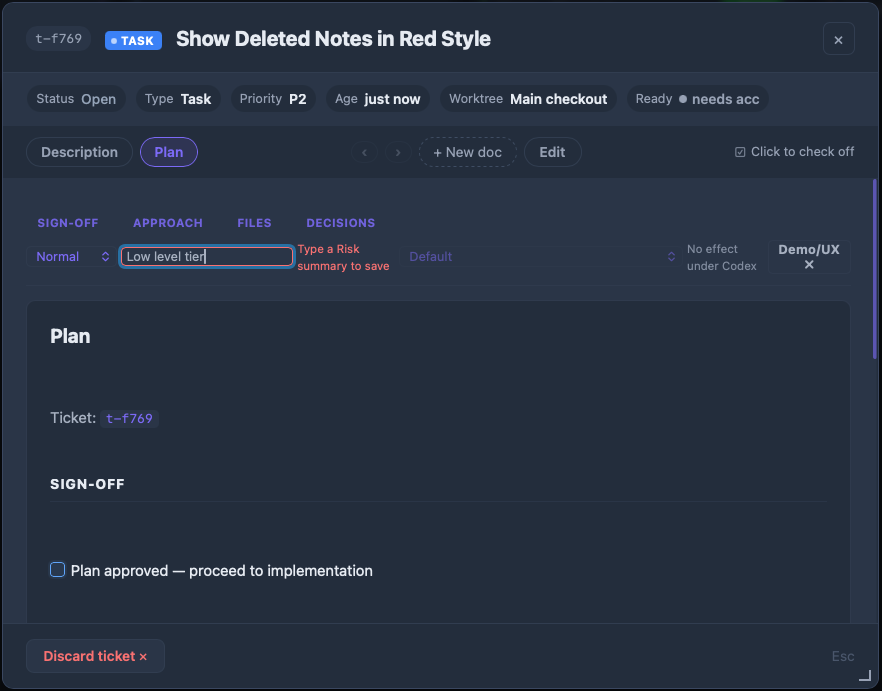
Open the ticket, go to the Plan tab and use the sign-off row at the top.
- Fill in the Tier and a Risk line first. The model list stays disabled until you do ("Type a Risk summary to save"). The Risk line is your reason for the sign-off: what could go wrong with this change.
- Open the model list and pick one. It offers Default and every Anthropic model in Admin that has an alias, then the OpenAI models, each marked "OpenAI · Copilot gates only".
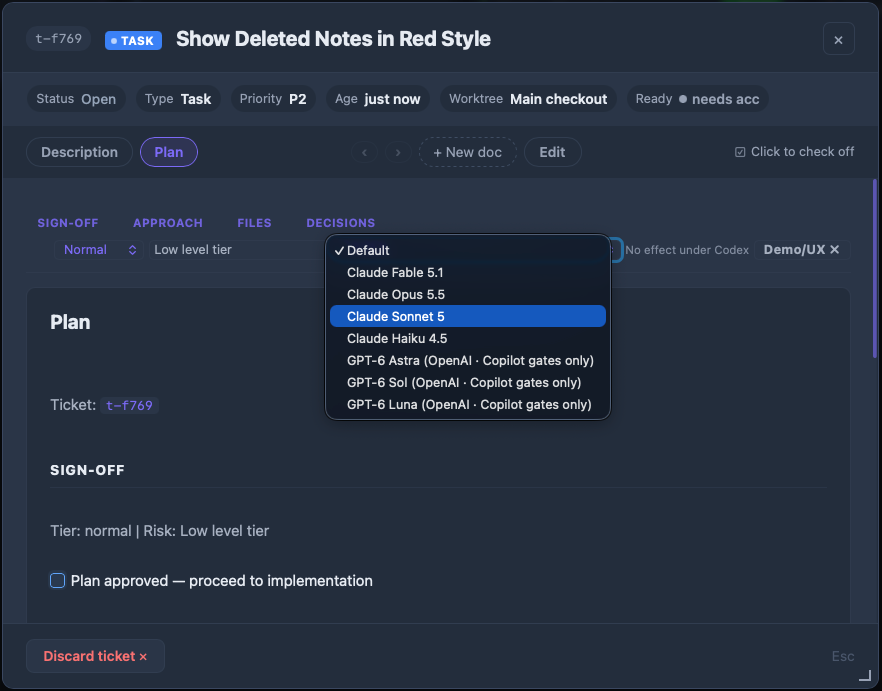
- Read the plan. Your pick is written into the Tier line of
plan.md. Choosing Default removes it, so the order above applies again.
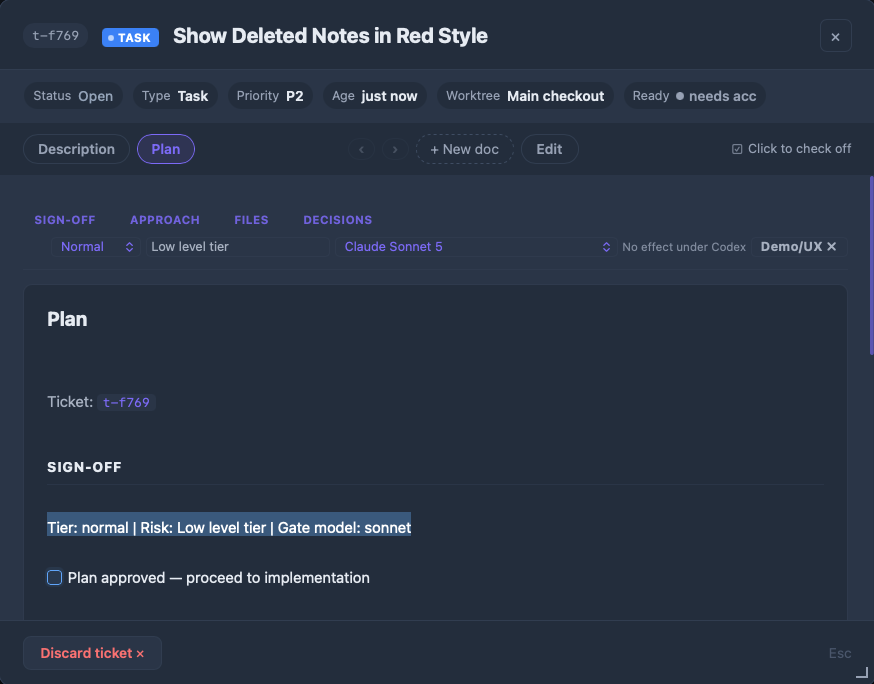
You can type the same thing into plan.md yourself. That is the only way to set session: add | Gate model: session after the Risk line. The board then shows it as a custom override and disables the list, so change it in the file.
Next to the list, No effect under Codex is a reminder: Codex cannot give a sub-agent its own model, so a Gate model does nothing there.
Where it applies
- Every interactive close. The agent in your session runs
sprint complete, reads the choice and dispatches both gates with it. - Not headless runs.
sprint-headlessand CI read only a Gate model written in the plan (the headless evaluator also defaults to Haiku on a Lite ticket). They ignore the Admin default. See Headless CI. - Claude Code is where the Admin default is confirmed to work. Copilot CLI has its own model ids, so canon passes
claude-sonnet-5forsonnetandclaude-haiku-4.5forhaiku.
Where it is recorded
Every close writes the model and where it came from, so a later reader can tell a setting for all projects from a decision for one ticket. The evaluator's report carries it on its Model: line. This one is from a real close in this repo, .tickets/t-739b/eval-report.md:
Model: sonnet — Admin Review & Eval default (fallback: Plan)The words after the dash are the source: Admin Review & Eval default, Gate model override (with session or OpenAI when that is what it was), demo mode, or definition floor. fallback: Plan is a separate note: canon's own reviewer and evaluator definitions were not available to the session, so the built-in Plan agent type ran the gate instead. See Registering skills.